
AI Agent Testing Strategies: How to Verify Reliability Before Production Deployment
Testing AI agents before production deployment is critical for ensuring reliability, safety, and performance. Unlike traditional software, AI agents introduce unique challenges — nondeterministic outputs, context-dependent behavior, and complex tool interactions — that require specialized testing strategies.
This comprehensive guide covers proven testing approaches for AI agents, from unit testing individual tools to end-to-end workflow validation, hallucination detection, and failure mode analysis. Whether you’re building an AI assistant for customer support or an automated research agent, these strategies will help you deploy with confidence.
Why AI Agent Testing Is Fundamentally Different
Traditional software testing assumes deterministic inputs produce deterministic outputs. Given the same input, your code should always behave identically. This assumption breaks down completely when working with AI agents.
AI agents introduce several sources of non-determinism that challenge conventional testing approaches:
- LLM non-determinism: Even with temperature set to zero, different API providers and model versions can produce varying outputs. Small prompt changes can lead to dramatically different reasoning paths.
- Dynamic context windows: The agent’s behavior depends on what’s currently in its context window, which changes as conversations progress. Tests run in isolation may miss context-dependent failures.
- Tool execution variance: External APIs change their response formats, introduce new fields, or experience downtime. Your agent needs to handle these variations gracefully.
- Stochastic tool selection: Agents may choose different tools for the same task based on subtle prompt variations, leading to inconsistent execution paths.
These factors mean you need testing strategies that account for probabilistic behavior while still ensuring reliability. The goal isn’t to eliminate variance but to understand and bound it.
The Testing Pyramid for AI Agents
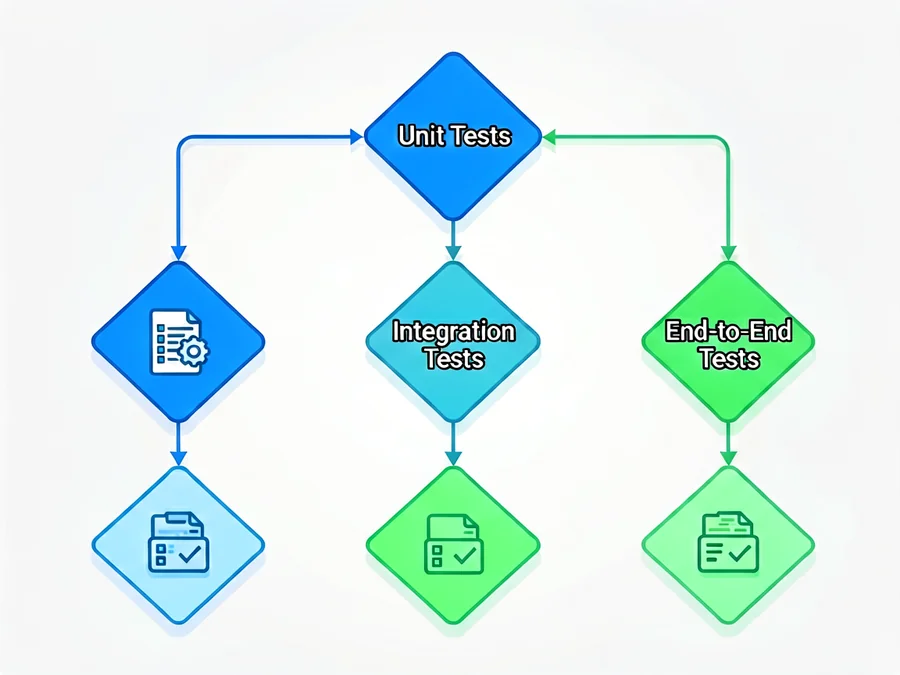
A layered testing approach catches issues at the right abstraction level, reducing false positives and improving signal-to-noise ratio. Each layer serves a distinct purpose:
| Test Level | Scope | Frequency | Tool Examples | Pass Criteria |
|---|---|---|---|---|
| Unit Tests | Individual tools, prompts, functions | Every commit | pytest, unittest | Deterministic pass/fail |
| Integration Tests | Tool combinations, API interactions | Daily | pytest, fixture mocks | Structural validation |
| Workflow Tests | End-to-end agent flows | Per release | LangSmith, Phoenix | Success rate > 95% |
| Chaos Tests | Failure injection, edge cases | Weekly | Custom scripts | Graceful degradation |
| Production Monitoring | Real-user behavior, drift detection | Continuous | Prometheus, Grafana | Anomaly detection |
Understanding where each test fits in this pyramid helps you prioritize testing effort and allocate resources effectively. Unit tests should be fast and reliable, while workflow tests can be slower but more comprehensive.
Unit Testing Individual Components
Tool Validation
Each tool an agent uses should have isolated tests verifying correct behavior under various conditions. Tools are the building blocks of agent behavior, and flaws in individual tools can cascade through the entire system.
Key validation areas include:
- Input validation: Reject malformed or dangerous inputs early. Test with empty strings, oversized payloads, special characters, and potentially malicious inputs like SQL injection patterns.
- Output parsing: Handle API response variations gracefully. APIs often change response formats without warning. Your parser should be resilient to missing fields, unexpected types, and malformed JSON.
- Error handling: Return meaningful errors, not crashes. Distinguish between transient failures (retry) and permanent failures (fail fast). Log error context for debugging.
- Idempotency: Repeated calls with the same input should produce consistent results, especially for stateful operations like database writes or file uploads.
Here’s an example test suite for a search tool:
async def test_search_tool_validates_input():
    tool = SearchTool(api_key="test-key")
    with pytest.raises(ValueError):
        await tool.search("")  # Empty query should fail
    with pytest.raises(ValueError):
        await tool.search(None)  # None should fail

async def test_search_tool_handles_api_failure():
    tool = SearchTool(api_key="test-key")
    with patch('requests.get') as mock_get:
        mock_get.side_effect = RequestException("API down")
        result = await tool.search("test query")
        assert result["error"] is not None
        assert "retryable" in result  # Should indicate retry possible

async def test_search_tool_parses_partial_responses():
    tool = SearchTool(api_key="test-key")
    with patch('requests.get') as mock_get:
        mock_get.return_value.json.return_value = {
            "results": [],  # Empty results is valid
            "metadata": {"total": 0}
        }
        result = await tool.search("nonexistent term")
        assert result["results"] == []
        assert result["metadata"]["total"] == 0
Prompt Testing
System prompts and few-shot examples directly influence agent behavior. A well-tested prompt suite should cover:
- Edge case inputs: Test with ambiguous queries, overly broad requests, and inputs that could trigger safety filters
- Output format compliance: Verify the agent produces structured output when required (JSON, markdown, specific templates)
- Safety constraints: Ensure the agent refuses harmful requests even when prompted creatively
- Quality measurement: Use gold-standard answers to evaluate response quality objectively
Function Signature Tests
For agents that compose functions, verify that function signatures match expectations and parameter types are correct. Type mismatches between tools can cause runtime errors that are difficult to debug in production.
Integration Testing for Tool Chains
AI agents often call multiple tools in sequence to accomplish complex tasks. Integration tests verify these chains work correctly when components are combined.
Common integration testing scenarios include:
- Sequential tools: Tool A’s output feeds Tool B’s input correctly. Data flows through the pipeline without corruption or loss.
- Conditional branching: The agent chooses the correct tool based on context. Decision logic handles both expected and unexpected inputs.
- Circular dependencies: Detect and prevent infinite tool loops where Tool A calls Tool B, which calls Tool A again.
- State management: Context persists correctly across tool calls. Variables set in one step are available in subsequent steps.
- Error propagation: Failures in one tool don’t crash the entire workflow. Error handling preserves context for recovery.
Use mocking to isolate external dependencies while testing the agent’s decision logic. Mock slow or flaky APIs to ensure integration tests run quickly and reliably.
End-to-End Workflow Validation
Workflow tests simulate real user scenarios and validate the agent completes the task successfully. These tests run the full agent stack with minimal mocking.
Test Scenario Design
Create scenarios based on real user needs and edge cases:
- Common user intents: Document the top 10 most frequent requests your agent handles. Each should have a corresponding test scenario.
- Edge cases: Test with ambiguous queries, incomplete information, and conflicting requests
- Multi-step tasks: Create workflows requiring 3-5 tool calls to complete
- Concurrent requests: Test how the agent handles multiple simultaneous requests
- Resource limits: Verify behavior when approaching rate limits or context window boundaries
Validation Metrics
| Metric | Description | Target | Measurement Method |
|---|---|---|---|
| Task Success Rate | Percentage of workflows completed correctly | > 95% | Automated validation |
| Tool Call Accuracy | Correct tool selected for each step | > 90% | Human review or LLM judge |
| Response Quality | Human or LLM-evaluated answer quality | > 4/5 score | Evaluation framework |
| Latency P99 | 99th percentile response time | < 30s | Production monitoring |
| Error Recovery | Successful recovery from transient failures | > 80% | Chaos engineering |
| Cost per Task | Average token usage per completed task | Budget-defined | Usage tracking |
Regression Testing
Maintain a test suite that runs on every code change. Include both golden-path scenarios (expected success) and negative tests (expected failures with graceful handling). A good regression suite catches regressions within minutes of introduction, not days or weeks later.
Hallucination Detection and Mitigation
AI agents can generate incorrect or fabricated information. This is particularly problematic when agents make factual claims or cite sources. Implement detection strategies at multiple levels:
- Fact checking: Verify claims against trusted sources when possible. For factual queries, cross-reference with authoritative databases or documentation.
- Citation validation: Ensure references actually support stated claims. Check that cited URLs exist and contain the claimed information.
- Confidence scoring: Flag low-confidence outputs for human review. Set thresholds based on task criticality — financial advice requires higher confidence than casual conversation.
- Contradiction detection: Check internal consistency across responses. If the agent makes conflicting claims in the same conversation, flag for review.
Consider implementing a “trust boundary” where the agent explicitly states uncertainty rather than presenting speculation as fact.
Failure Mode Analysis and Recovery
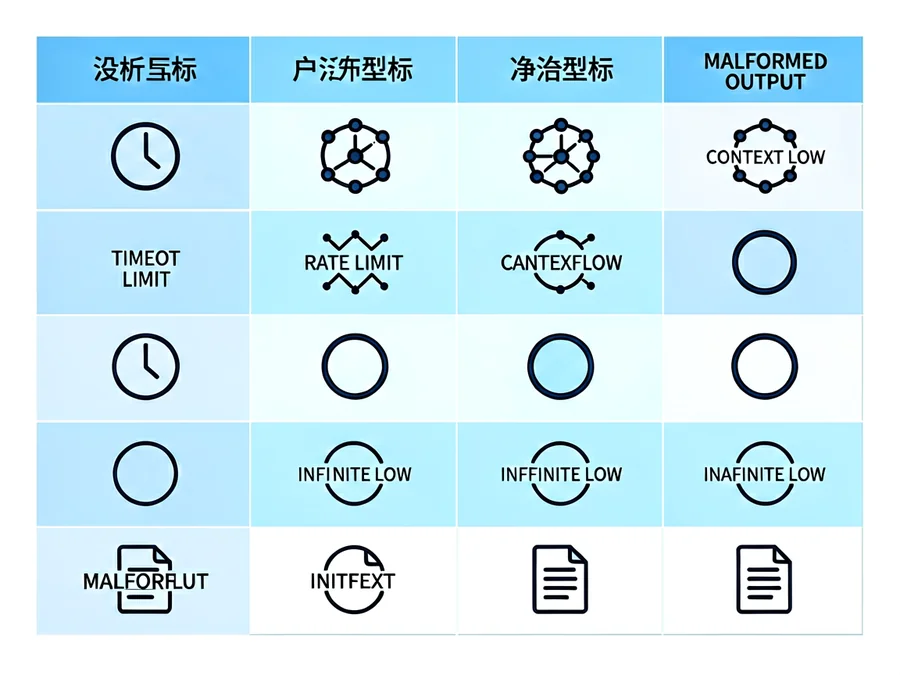
Systematically identify how agents can fail and test recovery mechanisms. Understanding failure modes helps you build resilient systems that degrade gracefully rather than crashing catastrophically.
| Failure Mode | Impact | Mitigation | Test Approach |
|---|---|---|---|
| Tool timeout | Stalled workflow | Timeout limits, fallback tools | Simulate slow APIs |
| LLM rate limit | Quota exhaustion | Request throttling, queueing | Burst traffic simulation |
| Context overflow | Prompt truncation | Context summarization, sliding window | Large context stress test |
| Infinite loop | Resource waste | Step limits, loop detection | Circular dependency tests |
| Malformed output | Parse errors | Output validation, retry logic | Inject invalid JSON/XML |
| API schema change | Broken integrations | Version negotiation, graceful degradation | Schema validation tests |
| Credential expiration | Authentication failures | Token refresh, fallback credentials | Simulate auth expiry |
For each failure mode, define explicit recovery procedures. Document what the agent should do when each type of failure occurs, and test those procedures regularly.
Production Monitoring and Observability
Testing doesn’t stop at deployment. Continuous monitoring helps you detect issues that only appear under real-world conditions. Key monitoring areas include:
- Drift detection: Track changes in input distributions over time. If users start asking different types of questions, your agent may need retraining or prompt updates.
- Performance degradation: Alert on latency or quality drops. Set up dashboards showing percentiles (P50, P95, P99) for response times.
- Error patterns: Cluster failures to identify systemic issues. Are errors concentrated around specific tools, prompts, or user segments?
- User feedback: Collect and analyze user-reported problems. Implement thumbs-up/thumbs-down feedback in your agent interface.
- Cost monitoring: Track token usage and costs per task. Unexpected cost spikes often indicate bugs or abuse.
Implement distributed tracing to understand agent decision paths. When something goes wrong, you should be able to reconstruct exactly what the agent did, which tools it called, and why it made each decision.
Building a Testing Infrastructure
A robust testing foundation requires more than just test cases. You need infrastructure that makes testing fast, reliable, and actionable.
Core Components
- Test orchestrator: Centralized runner for all test types. Should support parallel execution, selective test running, and result aggregation.
- Mock services: Simulated external APIs with configurable responses. Mock services should be deterministic and reproducible.
- Seed data: Realistic test datasets representing production patterns. Use anonymized production data when possible.
- Result aggregation: Dashboard showing test trends and regressions. Track pass rates over time, not just current status.
- CI/CD integration: Automated testing on every pull request. Block merges that break existing tests.
- Canary testing: Gradual rollout to production traffic. Compare canary agent behavior against control group.
Test Data Management
Maintain separate test datasets for different purposes:
- Golden datasets: Small, stable datasets for regression testing. These should rarely change.
- Stress datasets: Large, diverse datasets for performance testing. Generate these synthetically.
- Edge case datasets: Curated examples that trigger known failure modes. Update these as new failures are discovered.
Frequently Asked Questions
How often should I run integration tests?
Run integration tests daily at minimum, and on every commit that touches tool code or agent logic. Critical production systems may require continuous integration testing on every change. The key is catching regressions before they reach production.
What tools are best for AI agent testing?
Popular options include pytest for unit tests, LangSmith for workflow tracing, Phoenix for observability, and custom chaos engineering frameworks for failure injection. Choose tools that integrate well with your existing stack and support the testing patterns your agent requires.
How do I test non-deterministic LLM outputs?
Use probabilistic testing: run scenarios multiple times with different seeds, validate output structure rather than exact content, and employ LLM-as-judge for quality assessment. Define acceptable output ranges rather than exact matches.
Should I test with real APIs or mocked services?
Use both. Mocked services for fast, repeatable unit and integration tests. Real APIs for occasional end-to-end validation, but be prepared for flakiness and rate limits. Never rely solely on mocks — they can’t catch integration issues with actual external services.
How do I detect hallucinations in production?
Implement post-hoc fact checking against trusted sources, monitor citation accuracy, and flag low-confidence outputs for human review in high-stakes scenarios. Consider using a separate verification agent to double-check critical outputs.
What’s the difference between validation and verification testing?
Verification checks if the agent follows its design spec (“building the product right”). Validation checks if it solves the user’s problem (“building the right product”). Both are essential — a perfectly implemented agent that solves the wrong problem is still a failure.
How do I handle test flakiness in AI agent tests?
Identify the source (non-deterministic LLM, timing issues, external API changes), implement retries with exponential backoff, and use statistical validation for inherently probabilistic components. If flakiness persists, consider isolating the flaky component and testing it separately with controlled conditions.
When should I add humans to the testing loop?
Add human reviewers for high-stakes scenarios, novel use cases, and when automated metrics can’t capture quality adequately. Humans excel at evaluating nuance, context, and subjective quality — areas where automated tests struggle.
Getting Started with AI Agent Testing
Begin with these practical steps to build a testing foundation for your AI agent:
- Map your agent’s tools: Document every tool and its expected behavior. Create a tool catalog with input/output schemas, error conditions, and rate limits.
- Write unit tests for each tool: Validate inputs, outputs, and error handling. Each tool should have 5-10 unit tests covering normal operation and edge cases.
- Create golden-path workflows: Define 5-10 core user scenarios that represent your most common use cases. Test these thoroughly.
- Set up monitoring: Log tool calls, latencies, and outcomes. Implement alerting for failures and performance degradation.
- Establish metrics: Define success criteria for each test level. Make these measurable and trackable over time.
- Integrate with CI/CD: Make testing part of your deployment pipeline. Block deployments that break existing tests.
- Implement feedback loops: Collect production data to improve your tests. Real failures should inform your test suite.
Remember that testing AI agents is an iterative process. Start with the basics, learn from production failures, and continuously improve your test coverage. The goal isn’t perfect testing — it’s building confidence that your agent will behave reliably in production.
Ready to Build Reliable AI Agents?
Investing in comprehensive testing strategies reduces production incidents, builds user trust, and enables faster iteration with confidence. A well-tested agent is a deployable agent.
Ready to take your AI agent testing to the next level? Learn more about SmaugBrain and discover how our platform can streamline your agent development and testing workflows. Start building reliable, production-ready AI agents today.