
# AI Agent Tool Calling: A Practical Guide to Reliable External System Integration
Every AI agent needs to do more than generate text. To actually accomplish work, an agent must interact with databases, call APIs, execute commands, and coordinate with other services. This is what tool calling — sometimes called function calling — enables. But tool calling is not trivial. A poorly designed agent will call the wrong tool, miss critical parameters, or retry endlessly when tools fail. This guide covers the practical patterns that separate working agent integrations from broken ones.
Why Tool Calling Matters
A raw LLM chatbot can answer questions. An agentic system can take action. The difference is tool calling — the mechanism by which an agent decides which external capability to invoke and passes the right arguments. Without reliable tool calling, agents remain conversational toys. With it, they become production systems that can manage infrastructure, query data, and automate workflows.
The challenge is that tool calling introduces a new failure surface. The agent must understand the tool schema, extract the correct parameters from natural language, handle missing or ambiguous information, and react appropriately when tools return errors. Each of these steps can fail in ways that a simple text generation pipeline never encounters.
How Tool Calling Works
Modern LLMs support tool calling through structured output formats. The model receives a list of available tools with their names, descriptions, and parameter schemas. When given a user request, the model can decide to invoke a tool instead of generating a text response directly. The response includes the tool name and a JSON object containing the parameters.
The agent framework then executes the tool, captures the result, and feeds it back to the model as context. The model can then decide to call additional tools, combine results, or generate a final response. This loop continues until the agent reaches a conclusion or hits a step limit.
The key insight is that tool calling shifts the agent from a stateless text generator to a stateful execution engine. Each tool invocation carries the agent forward through a workflow, and the model must maintain coherence across multiple turns. This is why agent reliability depends heavily on how well the tool interface is designed.
Designing Reliable Tool Interfaces
The quality of your tool definitions directly determines how well your agent performs. Poorly documented tools lead to incorrect parameter extraction. Ambiguous tool names cause selection errors. Missing error handling paths create infinite retry loops.
Start by giving each tool a precise, unambiguous name. Avoid generic names like `execute` or `run`. Instead, use domain-specific verbs like `query_database`, `create_ticket`, or `trigger_deployment`. The tool name is the primary signal the model uses for selection.
Write clear descriptions that specify when to use each tool and what each parameter means. Include examples where helpful. For complex parameters, document the expected format rather than leaving the model to guess. A description like `Extract dates in YYYY-MM-DD format` prevents the model from returning arbitrary date strings that your backend cannot parse.
Structure your parameter schemas to match what your backend actually expects. Do not add optional parameters that your tool ignores. Do not use open-ended string fields when a constrained enum would be more reliable. The tighter your schema, the more predictable the model output.
Handling Missing and Ambiguous Parameters
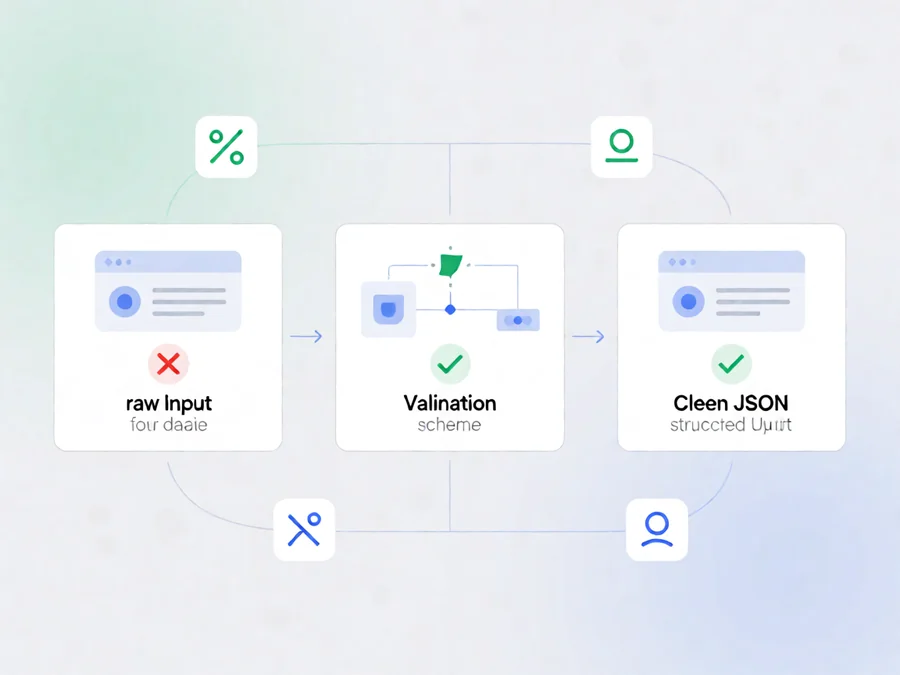
One of the most common failure modes in agent systems is missing required parameters. A user might say “check the database” without specifying which database, or “create a ticket” without providing a description. A naive agent will either pass null values and crash, or hallucinate plausible-sounding defaults.
The reliable pattern is to make the agent validate parameters before invoking the tool. If required fields are missing, the agent should respond to the user asking for clarification rather than guessing. This is called parameter validation gating.
Implement validation at two levels. First, validate the tool’s JSON schema on the model side. If the model produces a tool call with missing required fields, reject it and ask for those fields explicitly. Second, validate on the execution side. Your tool should return structured error messages when inputs are invalid, not crash with server errors. These error messages feed back into the model, which can then correct its approach.
This iterative refinement loop is actually beneficial. Each round of validation teaches the model better parameter extraction for future calls. The agent becomes more reliable over time as it learns which parameters are actually required versus optional.
Managing Tool Failures and Retries
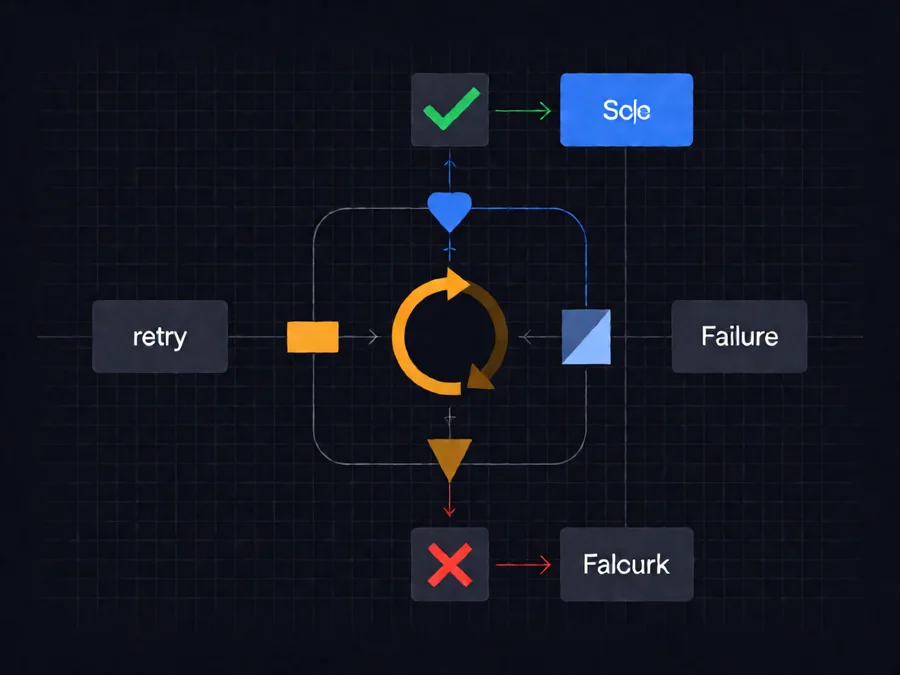
Tools fail. APIs timeout. Databases lock. Authentication tokens expire. A production agent must handle these failures gracefully rather than looping endlessly or producing confusing error responses.
Implement bounded retry logic with exponential backoff. When a tool returns a transient error, retry a limited number of times with increasing delays. After exhausting retries, fall back to a clear error message explaining what went wrong and what the user can do next.
Distinguish between transient and permanent failures. Network timeouts, rate limits, and locked resources are transient — retry them. Invalid parameters, missing permissions, and deleted resources are permanent — do not retry. The model needs this distinction to avoid wasteful retry loops on unrecoverable errors.
Add a maximum step limit to prevent infinite tool calling loops. Some agents get stuck calling tools repeatedly when the output does not satisfy the user’s request. A step counter forces termination and returns control to the user with a summary of what was attempted.
Consider implementing circuit breakers for critical tools. If a tool fails repeatedly within a time window, stop calling it temporarily and return a degraded response rather than risking cascading failures. This is especially important for external API calls that may be experiencing outages.
Combining Multiple Tool Calls
Complex tasks often require multiple tool calls in sequence. Query a database, process the results, then update a ticket with the findings. An agent must manage this orchestration reliably.
Use intermediate result validation. After each tool call, verify that the output is in the expected format before proceeding. If a database query returns no results, the agent should stop and report that rather than passing empty data to the next tool.
Implement conditional branching. Different tool outputs may require different subsequent actions. If a search returns multiple results, the agent might need to fetch details for each. If it returns none, the agent should report that directly. Model prompts should include explicit guidance for these branches.
Track the full execution context. Each tool call should be logged with its input parameters, output, and timestamp. This log serves as both debugging information and as context for the model to make informed decisions about subsequent calls.
When combining tools across different domains, ensure the model understands the dependencies. Call an authentication tool before database queries. Complete data collection before generating reports. The tool sequence matters as much as individual tool correctness.
Common Pitfalls in Tool Calling
Several patterns consistently cause problems in production agent systems. Recognizing these pitfalls early prevents expensive debugging sessions later.
Schema drift is the most insidious. When tool definitions change without updating the model prompt, the agent calls tools with incorrect parameters. This happens frequently in microservices environments where tool schemas evolve independently. Implement schema validation in your test suite to catch drift before it reaches production.
Overly broad tools are another common mistake. A single tool that does everything — like `search_system` — creates confusion for the model. The model cannot distinguish between different search contexts or intentions. Split broad tools into specialized functions with clear boundaries.
Silent failures are dangerous. When a tool fails without raising an exception or returning an error code, the agent proceeds with invalid data. Always implement explicit error propagation from tools back to the model. Even a simple `{“error”: “timeout”}` response is better than silently returning null.
Parameter leakage is a security concern. User inputs that should be sanitized can leak into tool calls if validation is weak. Validate all user-provided parameters before passing them to tools. Never trust model-generated parameters without checking their format and content.
Real-World Example: Multi-Step Data Pipeline
Consider an agent that monitors system metrics and creates tickets when thresholds are breached. This requires three tools: one to query current metrics, one to check historical thresholds, and one to create support tickets.
The agent starts by querying metrics. If the current CPU usage exceeds the threshold, it fetches historical context to confirm this is an anomaly rather than a expected spike. Only after confirming the anomaly does it create a ticket with both current and historical data.
This sequential pattern prevents false positives. A single threshold check might trigger on a known maintenance window. Adding historical context provides the model with enough information to make an informed decision. The agent effectively performs multi-hop reasoning across tool results.
However, this pipeline also demonstrates the importance of timeout management. Each tool call has a deadline. If the metrics query takes too long, the agent should not wait indefinitely. It should return a partial response or escalate to manual monitoring. Agent reliability depends on respecting these boundaries.
Tool Calling vs. Function Calling: Key Differences
| Aspect | Tool Calling | Function Calling |
|---|---|---|
| Primary Use | External system integration | Internal function execution |
| Parameter Handling | Schema validation required | May use built-in types |
| Error Propagation | Structured error responses | Standard exception handling |
| Security Model | Least-privilege per tool | Depends on execution context |
| Retry Logic | Bounded with backoff | Often unlimited |
FAQ
What is the difference between tool calling and function calling?
These terms are used interchangeably in the AI agent community. Both refer to the mechanism where an LLM selects and invokes external functions with structured parameters. Some platforms use “tool calling” while others use “function calling” — the underlying concept is identical.
How many tools can an AI agent use simultaneously?
Most LLMs support parallel tool calling, allowing multiple tools to be invoked in a single turn. However, parallel calls increase token costs and complexity. A single sequential tool call is simpler to debug and reason about. Use parallel calling only when tool invocations are truly independent — for example, fetching data from multiple unrelated sources simultaneously.
Can tool calling introduce security vulnerabilities?
Yes. Tools that accept user-supplied parameters can become attack vectors if validation is weak. SQL injection, command injection, and unauthorized API calls are all possible when parameters are not properly sanitized. Always treat tool inputs as untrusted and validate against allowlists wherever possible. Implement least-privilege access for each tool.
How do you handle tools that require authentication?
Authentication should be managed separately from tool execution. Use an authentication tool that obtains and caches credentials, then pass those credentials to downstream tools without exposing them in prompts. Token refresh should happen transparently before tool calls that require fresh credentials. Never include raw API keys in the model prompt.
What happens when an agent gets stuck in a tool calling loop?
Implement step limits and termination conditions. Each agent run should have a maximum number of tool calls. When the limit is reached, return a summary of what was attempted and ask the user to intervene. Additionally, implement loop detection by tracking previous tool calls and avoiding repeated invocations with identical parameters.
Should tools return formatted text or structured data to the model?
Structured data is almost always better. Raw text output forces the model to parse and extract information, which is lossy and error-prone. Return JSON objects with clear field names. If a tool must return large text blocks, wrap them in a consistent structure so the model knows exactly what it received.
How do you test tool calling reliability?
Build a test suite that covers normal cases, edge cases, and failure scenarios. Use mock tools that return predictable outputs for baseline testing. Then introduce controlled failures — timeouts, invalid parameters, unexpected error codes — to verify the agent handles them correctly. Run these tests regularly, especially after tool schema changes.
Conclusion
Tool calling is the foundation of production AI agents. It transforms conversational models into systems that can actually accomplish work. But it introduces significant complexity around parameter validation, error handling, and execution orchestration.
The patterns covered in this guide — precise tool definitions, parameter validation gating, bounded retries, multi-step orchestration, and explicit error propagation — address the most common failure modes observed in production systems. Agents that implement these patterns reliably outperform naive implementations across every reliability metric.
For teams building agent systems, the investment in tool design pays exponential dividends. A well-designed tool interface reduces model errors, simplifies debugging, and makes agents more maintainable as requirements evolve. Start with small, well-scoped tools. Add complexity only as your use case demands it. And always test failure paths — they will reveal themselves eventually.
Visit [SmaugBrain](https://www.smaugbrain.com/) to explore cloud AI agent deployment and management solutions.