
# AI Agent Concurrency and Parallel Execution: Managing Multiple Tasks Efficiently in Production
## Introduction
As AI agents move from proof-of-concept to production, a critical challenge is scaling beyond simple sequential tasks. Real-world workflows demand parallelism — executing multiple sub-tasks simultaneously, managing concurrent API calls, and orchestrating complex processes without bottlenecks.
This guide covers architecture patterns, implementation strategies, and operational best practices for building production-grade AI agents that handle concurrency efficiently. These principles help build systems that are fast, reliable, and cost-effective.
## Why Concurrency Matters for AI Agents
Sequential execution creates three fundamental problems in production:
**Latency accumulation.** Each API call, tool execution, or model inference adds delay. A five-step pipeline with average 2-second latency per step produces 10+ seconds total — unacceptable for real-time applications.
**Cost inefficiency.** When an agent waits idly for one slow operation to complete, you pay for compute time that produces no output. Parallel execution maximizes resource utilization.
**Resource contention.** Single-threaded designs create choke points. The agent cannot research two knowledge bases at once or process multiple incoming requests while busy.
The solution is not simply “add more threads.” Production concurrency requires careful architecture to manage race conditions, shared state, error isolation, and cost control.
## Concurrency Patterns for AI Agents

### Fan-Out / Fan-In (Map-Reduce)
The fan-out pattern splits a complex task into independent sub-tasks, executes them in parallel, then aggregates results. This is the most common pattern for AI agent workflows.
**How it works:**
1. The orchestrator agent decomposes the user request into N independent sub-tasks
2. Each sub-task is assigned to a worker agent or thread
3. All workers execute concurrently
4. Results are aggregated and synthesized into a final response
**Example use case:** A market research agent needs to analyze five competitor products. Instead of researching each sequentially, the agent fans out five parallel research tasks. When all five complete, the orchestrator synthesizes a comparative analysis.
**Implementation considerations:**
– Sub-tasks must be truly independent — no shared state modifications
– Set a maximum fan-out limit to prevent resource exhaustion
– Implement timeout per sub-task to avoid hanging workers
– Aggregate logic should handle partial failures gracefully
### Pipeline Architecture
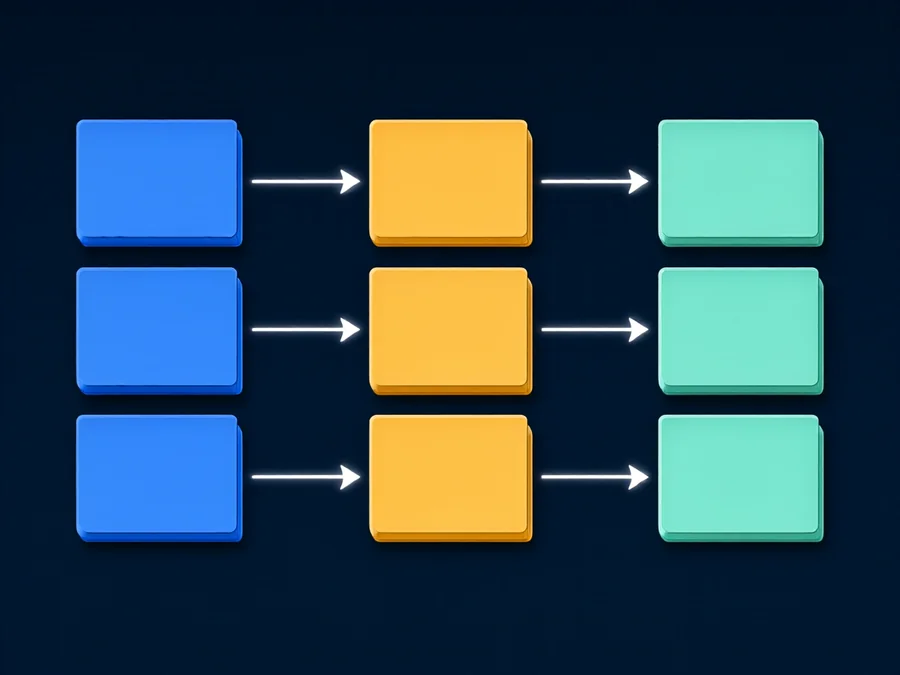
Pipeline concurrency divides a workflow into sequential stages where each stage operates on different data items simultaneously. While individual items flow through stages in order, different items can be processed in parallel at different stages.
**How it works:**
1. Stage 1 (Research) processes Item A
2. While Stage 1 processes Item B, Stage 2 (Analysis) processes Item A
3. All stages operate concurrently on different items
**Example use case:** A content generation agent that researches, outlines, drafts, and edits articles. While researching Article 2, the same agent can draft Article 1 and edit Article 0 simultaneously.
### Worker Pool with Task Queue
A fixed number of worker agents pull tasks from a shared queue. This pattern provides bounded concurrency — you control the maximum concurrent executions by adjusting the pool size.
**How it works:**
1. Incoming requests are enqueued as tasks
2. Worker agents (fixed pool of 5-20) dequeue and execute tasks
3. Completed results are sent back to the orchestrator
4. Workers immediately pick up the next task
**Example use case:** A customer support platform where 100 inquiries arrive per minute. A pool of 20 agent workers processes inquiries in parallel, each handling one conversation at a time.
### Event-Driven Reactive Architecture
In event-driven designs, agents react to events rather than polling for work. This pattern excels in scenarios with unpredictable arrival rates and long-running background processes.
**How it works:**
1. Events are published to a message bus
2. Event listeners subscribe to relevant event types
3. Each listener processes events independently and concurrently
4. Results are published as new events for downstream consumers
## Managing Shared State in Concurrent Agent Systems
### Read-Only State
Configuration data, knowledge base embeddings, and tool definitions are typically read-only during agent execution. Read-only state is safe for concurrent access. Cache this data locally at agent startup to avoid repeated network calls.
### Write-Only State
Log files, metrics collectors, and audit trails receive writes from multiple agents. Use append-only operations and batched writes to minimize I/O contention.
### Read-Write State
Shared databases, file systems, and message queues are the hardest to manage. Race conditions occur when two agents read-modify-write the same data simultaneously. Use optimistic locking (version numbers), pessimistic locking (mutexes), or eventual consistency patterns.
### State Isolation Best Practices
The safest approach is stateless agent design — each agent instance owns its state and communicates results through return values rather than shared mutable variables. When shared state is unavoidable, minimize its scope and use well-defined interfaces.
## Error Handling in Parallel Agent Workflows
Errors behave differently in concurrent systems. A failure in one parallel branch should not crash the entire workflow, and errors can interact in non-obvious ways.
### Partial Failure Handling
When using fan-out patterns, some sub-tasks may succeed while others fail. Your aggregation logic must handle partial results. Strategies include:
– **Best-effort aggregation:** Use successful results and flag missing data
– **Fallback chains:** If sub-task A fails, try sub-task B before giving up
– **Graceful degradation:** Return a partial answer with clear confidence indicators
### Timeout Management
Each concurrent operation needs a timeout. Without timeouts, a single slow or hung worker can block the entire workflow indefinitely. Set per-operation timeouts (e.g., 30 seconds for API calls, 5 minutes for complex reasoning) and a total workflow timeout as a safety net.
### Retry Strategies
Failed operations should be retried with exponential backoff, but concurrent retries can amplify load. Implement:
– Per-operation retry with backoff (max 3 retries)
– Global retry budget to prevent runaway retry storms
– Circuit breakers that temporarily stop attempting calls to failing services
### Error Propagation
Errors from child agents should propagate to the parent orchestrator with sufficient context. Include the operation that failed, the error type, the input that caused the failure, and any partial results. This information is essential for debugging and for implementing intelligent retry logic.
## Cost Control in Concurrent Agent Execution
Parallel execution increases cost because more tokens are consumed simultaneously. Without proper controls, concurrent agents can generate unexpectedly high bills.
### Budget Per Operation
Set token budgets for each concurrent operation. A research sub-task might be limited to 4,000 tokens, a code generation sub-task to 2,000 tokens. The orchestrator aggregates these budgets to calculate total workflow cost upfront.
### Concurrency Limits
Restrict the maximum number of concurrent operations based on your cost budget. If your hourly budget allows 100,000 tokens and each concurrent operation averages 10,000 tokens, limit concurrency to 10 simultaneous operations.
### Cost-Aware Scheduling
Prioritize high-value tasks when concurrency is limited. A financial analysis task that drives a $1M decision deserves more resources than a routine status report. Implement priority queues that allocate concurrency slots to the most valuable work first.
### Idle Resource Cleanup
Concurrent agents that are waiting for I/O (API responses, database queries) still consume memory and may hold locks. Implement idle timeouts that terminate waiting agents and reclaim resources. A worker that has been idle for 60 seconds without progress should be suspended or terminated.
## Performance Optimization Techniques
### Asynchronous I/O
Use non-blocking I/O for all external calls. Asynchronous I/O allows an agent to initiate multiple operations concurrently without spawning separate threads. Python’s asyncio, Node.js’s event loop, and Go’s goroutines all provide asynchronous execution models suitable for agent systems.
### Result Caching
Cache the results of expensive operations. If two concurrent sub-tasks query the same knowledge base for overlapping information, the second query should hit the cache rather than making a redundant API call. Use in-memory caches (Redis, Memcached) for shared results across agent instances.
### Batch API Calls
Where APIs support batch operations, combine multiple requests into a single call. This reduces network overhead and latency significantly.
### Streaming Responses
For long-running operations, stream partial results to the user rather than waiting for complete completion. Streaming improves perceived latency and allows users to interact with partial results.
## Common Pitfalls in Concurrent Agent Design
### Unbounded concurrency.
Setting max_concurrency too high leads to API rate limiting, database connection exhaustion, and memory pressure. Start with a small pool (5-10) and scale up based on measured performance.
### Ignoring deadlock potential.
Circular dependencies between agents waiting for each other’s results create deadlocks. Design your dependency graph to be acyclic, or implement timeout-based deadlock detection.
### Assuming order preservation.
Concurrent execution does not guarantee result ordering. If your downstream logic depends on result order, implement explicit ordering keys or use a sequencer agent.
### Overlooking resource leaks.
Every concurrent operation acquires resources — database connections, HTTP clients, file handles. Ensure all resources are properly released, even when errors occur. Use context managers and try-finally blocks.
### Neglecting observability.
Concurrent systems are harder to debug. Instrument every concurrent operation with tracing IDs, execution timestamps, and resource usage metrics. Without observability, production issues become nightmares to diagnose.
## Real-World Examples
### Customer Support Agent
A telecom company deployed a concurrent customer support agent that handles billing disputes. When a customer reports an issue, the agent simultaneously:
1. Queries the billing database for charge history
2. Searches the knowledge base for relevant policies
3. Checks the customer’s service contract terms
4. Reviews recent interaction history
All four lookups run in parallel, reducing average resolution time from 45 seconds (sequential) to 12 seconds (concurrent).
### Content Research Agent
A media company uses a fan-out research agent for competitive analysis. The agent decomposes a research request into topic-specific sub-tasks, each executed by a specialized worker agent. Five workers research five different competitors simultaneously. The orchestrator synthesizes findings into a comprehensive report in under 3 minutes instead of the 15+ minutes required for sequential research.
### Data Processing Pipeline
A fintech company built a pipeline agent that processes loan applications. Each application flows through research → risk assessment → decision → notification stages. With a pipeline depth of 8 concurrent applications, the system processes 40 applications per hour instead of 5 applications per hour with sequential processing.
## FAQ
### What is the difference between concurrency and parallelism in AI agents?
Concurrency means multiple tasks make progress during the same time period, which may involve interleaving on a single core. Parallelism means multiple tasks execute simultaneously on multiple cores. AI agent systems use both — concurrent task management with parallel execution across cores or distributed nodes.
### How many concurrent agents is too many?
Start with 5-10 concurrent operations and measure. Key constraints are API rate limits, database connection pools, memory availability, and cost budget. Concurrency should be 80% of the maximum your slowest resource can handle without degradation.
### Can I mix synchronous and asynchronous agents?
Yes, but with care. Synchronous agents block the event loop. Use thread pools or process pools to run synchronous code without blocking. Python’s asyncio.to_thread() and concurrent.futures.ThreadPoolExecutor are appropriate tools.
### How do I handle rate limits with concurrent agents?
Implement token bucket or sliding window rate limiters at the concurrency control layer. The semaphore that limits concurrency should also enforce rate limits. When the rate limit is reached, new operations queue until the next time window.
### What happens when one concurrent agent fails?
The orchestrator should catch the failure and decide whether to continue with partial results, retry the failed operation, or abort the entire workflow. This decision logic should be configurable — some workflows tolerate partial failures while others require all components to succeed.
### Should I use threads, processes, or async for agent concurrency?
– **Async (asyncio):** Best for I/O-bound operations (API calls, database queries). Lowest overhead, single process.
– **Threads:** Good for mixed I/O and CPU-bound work. Python’s GIL limits true parallelism but threads help with I/O wait times.
– **Processes:** Best for CPU-bound tasks (complex reasoning, image processing). True parallelism across cores but higher memory overhead.
### How do I test concurrent agent systems?
Use chaos engineering principles: introduce random delays, simulate API failures, create resource contention, and verify recovery. Test specifically for race conditions, deadlocks, and resource leaks. Property-based testing frameworks like Hypothesis can generate edge-case inputs automatically.
## Conclusion
Building production-grade AI agents that execute tasks concurrently requires thoughtful architecture. The fan-out/fan-in, pipeline, worker pool, and event-driven patterns each solve different classes of problems. Shared state must be managed carefully, errors handled gracefully, and costs controlled proactively.
The key insight is that concurrency is not simply “running things faster.” It is a design discipline that touches every layer of your agent system — from task decomposition and resource allocation to error handling and cost management. Agents that master concurrency patterns deliver dramatically better performance, resilience, and scalability than their sequential counterparts.
Start with a bounded concurrency model, instrument everything, and iterate. The most successful production agent systems are those where concurrency is designed in from the beginning, not bolted on as an afterthought.
—
**Ready to build production-ready AI agents with advanced concurrency?** Explore [SmaugBrain](https://www.smaugbrain.com/) — the enterprise AI agent platform that makes parallel execution, workflow orchestration, and production deployment simple. Start your free trial today.