
Should an AI Agent execute automatically or only generate drafts? Choose based on risk and acceptance cost
Automatic execution by an AI Agent is not suitable for every type of task. Just because it can complete a task does not mean it should send out the result directly. Once actions such as publishing externally, modifying data in bulk, or sending messages have been carried out, the cost of reversing them is often much higher than the cost of generating the content. The safer choice is not to disable automation across the board, but to divide execution into three levels: generate drafts only, execute after approval, and execute automatically once specified conditions are met.
You only need to consider two factors when deciding: how much impact an error would have, and whether you can use tools to verify the final state. The former determines the required level of approval, while the latter determines whether the system is qualified to claim that a task is “complete.”
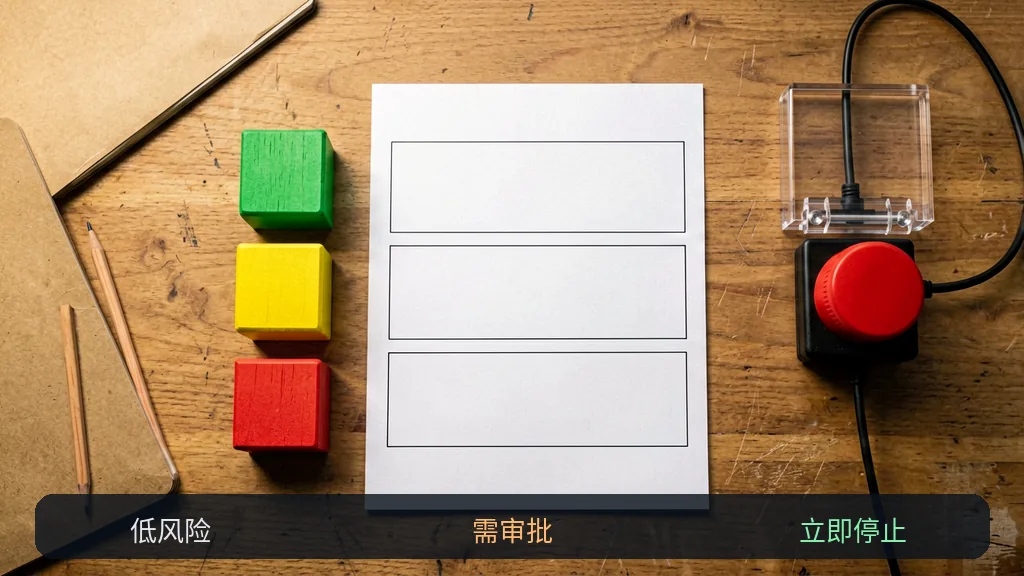
First, distinguish between the three execution modes
“Using an Agent” does not mean “fully automated.” The same task can stop at different stages, and teams can gradually grant more permissions as their validation capabilities improve.
| Mode | How far the Agent proceeds | Suitable tasks | Main cost |
|---|---|---|---|
| Generate drafts only | Organizes information and produces results for review without triggering external actions | Public content, customer responses, plans, and suggested code changes | Every result requires human sign-off |
| Execute after approval | Prepares actions and parameters, then submits them only after receiving explicit approval | Sending notifications, updating pages, creating tickets, and infrequent data writes | Approval interrupts the workflow |
| Execute automatically | Completes the task directly within predefined conditions and verifies the final state | Low-risk, reversible tasks with stable rules that are easy to review | Requires monitoring, idempotency, and rollback design |
Draft mode is usually more cost-effective for an initial launch. It exposes missing inputs, conflicting information, and formatting deviations without carrying errors directly into customer communications, websites, or business systems. The SmaugBrain website states that its workspace provides a centralized view of tasks, files, logs, and skill statuses. These records help with process review, but the actual release criteria must still be defined by the person responsible for the task.

Use four questions to decide whether to execute automatically
1. Can the action be fully reversed after an error?
If an incorrect draft is generated, you can simply delete it and start over. Sending an incorrect message to a large group, overwriting production data, or publishing something publicly is much harder to fix. If an action is irreversible, or if reversing it would still leave external consequences, it is not suitable for direct automatic execution.
2. Will repeated execution create additional side effects?
A timeout does not necessarily mean failure. The system may have received the request even though the acknowledgment did not return. If retrying could send a message again, create a duplicate ticket, or write the same data twice, the workflow must first use a unique task identifier and query the existing state before executing again. If this cannot be done, leave the action at an approval checkpoint.
3. Can the result be accepted using deterministic rules?
“The copy looks good” requires human judgment. “The page returns 200, both images exist, and none of the links return 404” can be checked programmatically. The more objective the acceptance criteria are, the easier automatic execution is to control. A model can assist with checking open-ended content, but agreement from another model cannot be treated as proof of fact. When systematic evaluation is required, refer to AI Agent test sets and regression acceptance methods.
4. Can someone take over if the task fails?
An automated workflow is not a workflow without accountability. If authentication fails, information conflicts, permissions are insufficient, or the result exceeds defined boundaries, the system should stop and hand the inputs, completed steps, error location, and recommended actions to a clearly designated owner. If no one can take over, do not leave high-risk tasks running in the background over the long term.
Choose an execution level based on task risk
Risk can be roughly divided into scope of impact, reversibility, data sensitivity, and acceptance difficulty. There is no need to pursue an elegant overall score. If any one factor is clearly high, start by reducing the level of automation.
- Prioritize drafts for: public articles, explanations of contracts or policies, responses to customer complaints, analyses involving sensitive data, and high-impact code changes.
- Suitable for execution after approval: publishing a single piece of content, updating a small number of records, notifications with fixed recipients, and configuration changes that have already been tested.
- Consider automatic execution for: read-only checks, fixed-format summaries, temporary files that can be safely overwritten, and tasks whose final state can be queried and whose repeated execution creates no additional impact.
These are not permanent classifications. The same workflow can produce drafts only during a trial period and switch to execution after approval once it becomes stable. Limited automatic execution can be enabled after error samples, monitoring, and rollback mechanisms have all been thoroughly tested. For guidance on narrowing task scope and permissions during the initial setup, continue with Launch testing methods for your first AI Agent.
Pass through five gates before upgrading from drafts to automatic execution
- Inputs have clear boundaries. The system knows which files, fields, and time ranges it can use, and it stops when critical content is missing.
- Action permissions are sufficiently narrow. Grant only the read, create, or update capabilities required for the current task. Do not casually grant delete or bulk modification permissions.
- Repeated execution is safe. The task has a unique identifier, the state is checked before a retry, and duplicate requests do not create duplicate results.
- Acceptance checks are executable. After publishing, sending, or writing, the system reads the actual result instead of merely trusting the text returned by the execution step.
- Failures can be downgraded. If a timeout, authentication failure, information conflict, or failed check occurs, the task returns to draft mode or a human queue instead of continuing to take chances.
If the answer to any of these items relies only on “it should be fine,” do not upgrade the execution level yet. Keep human sign-off in place, record failure cases, and then add rules. When an AI Agent produces factual errors or incorrectly reports tool states, use evidence constraints and human review approaches to design a protective layer.
Do not treat a “successful call” as task completion
The most common pitfall in automatic execution is checking only intermediate steps. A successful API response only indicates that the request was accepted. Successfully saving a file does not prove that its contents are complete. Even if an article’s status changes to published, you must still confirm that the public page, images, and links are actually accessible.
Every type of action should have a final-state check. For example, query the message ID after sending, read the target record again after writing, and visit the public URL after publishing. If a check fails, preserve the state at the time of failure. Do not keep retrying until the task “looks successful,” as this makes the real problem harder to reproduce.
A decision record you can use immediately
Task:
Input source and version:
External action to be performed:
Scope of impact: single object / group of objects / public channel
Can it be fully reversed?
Is repeated execution safe?
How will the final state be checked?
Conditions requiring human approval:
Conditions for automatic termination:
Person responsible for taking over after failure:
Current level: draft / execute after approval / execute automatically
Next review date:
The value of this record is that it forces the team to explain clearly why automation is justified. It also creates a documented basis for subsequent upgrades or downgrades, rather than allowing one successful demonstration to decide the matter.
Frequently asked questions
Does generating drafts only waste the Agent’s capabilities?
No. Draft mode still automates information organization, structuring, and checks, leaving people to handle sign-off. For high-risk tasks, this is often a more appropriate boundary for automation.
Which tasks are best suited for direct automatic execution?
Tasks are more suitable when they are low-risk and reversible, have stable inputs, can be run repeatedly without harm, and produce results that tools can verify. Read-only checks and fixed-format summaries usually meet these conditions more easily than public publishing, payments, or deletion.
Where should human approval be placed in the workflow?
Place it before any external side effects occur. The approval page or record should show the proposed action, target object, key parameters, supporting evidence, and rollback method, rather than displaying only a vague “Confirm” button.
Can approval be permanently removed once the workflow is stable?
It is not advisable to treat this as a permanent decision. Inputs, tools, permissions, and business rules all change. Even after automatic execution is enabled, the workflow should retain paths for routing exceptions to people, conducting periodic spot checks, and downgrading to draft mode with one click.
Automate preparation first, then decide whether to automate execution
When in doubt, first let the AI Agent automatically collect and organize information and generate a draft, while leaving actions that actually change external states to people. Gradually grant more autonomy once the task has narrow permissions, supports safe repeated execution, includes final-state checks, and can downgrade after failure. SmaugBrain can support task decomposition, skill invocation, and execution records, but you must still clearly define release conditions and responsible owners for your specific business processes.
Scope of sources: This article’s description of SmaugBrain is based only on the information currently available on its official website concerning task decomposition, skill invocation, files, logs, and multi-agent collaboration. The execution levels, risk assessments, and decision template are general workflow recommendations and do not constitute compliance advice for any specific industry.