
AI Agent Fallback Strategies: Building Resilient Multi-Provider Systems
Single-provider AI agents break. API rate limits spike, model providers experience outages, and tool integrations fail under load. The question is not whether your agent will encounter a failure, but how quickly it recovers without dropping a task. Fallback strategies — the deliberate design of alternative execution paths that activate when primary components degrade — are the bridge between “the agent crashed” and “the user saw no interruption.”
This guide covers the four core fallback patterns used in production agent systems, the decision criteria for choosing between them, and a practical implementation checklist you can apply to your own pipeline.
What Is a Fallback Strategy?
A fallback strategy is a pre-defined alternative path that an agent activates when its primary dependency fails or degrades below a service threshold. Unlike a retry, which asks the same component to try again, a fallback switches to a different component, a reduced-capability mode, or a queued process that defers the work.
The distinction matters operationally:
- Retry: “The LLM call timed out; try the same request again.” The agent stays on the same provider, same model, same parameters.
- Fallback: “The primary model is unavailable; route to the backup provider with a comparable model.” The agent changes where or how it executes.
Retry is cheap but bounded. Fallback is more expensive to design but removes the single point of failure entirely.
When to Use Fallbacks
Not every failure warrants a fallback. Blindly adding a backup path for every transient glitch adds cost and complexity. Use fallbacks when the cost of a task interruption exceeds the cost of an alternative execution path.
Model Provider Outages and Rate Limits
When your primary LLM provider returns 429 (rate limited) or 503 (service unavailable) responses beyond your retry budget, a fallback to a secondary provider prevents the agent from stalling. This is the highest-frequency fallback trigger in production.
Tool Unavailability
If an agent depends on a file-search tool, a browser, or a database query that is temporarily down, a fallback might route the task to a degraded mode — answering from cached context, deferring the tool call to a queue, or using a slower but available alternative.
Latency Spikes
Sometimes the model is reachable but slow. A latency threshold (e.g., P99 > 8 seconds) can trigger a fallback to a faster, smaller model for non-critical steps, preserving user-facing responsiveness while the heavy computation continues asynchronously.
Four Fallback Strategy Patterns
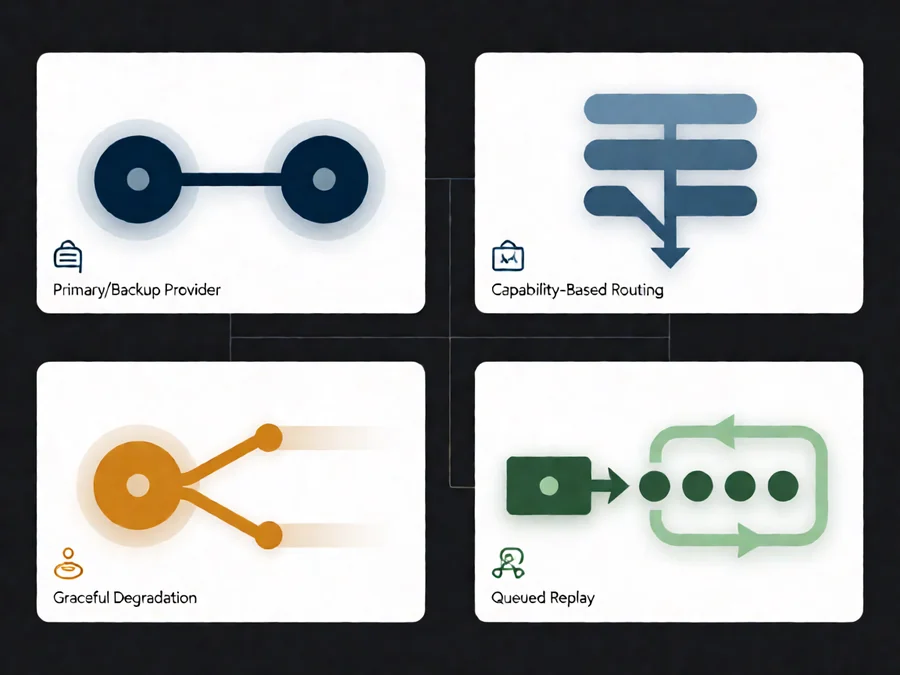
1. Primary/Backup Provider
The simplest pattern. You designate a primary provider (e.g., a large-model API) and a backup provider (a secondary API or a local model). When the primary fails after N retries, the backup takes over. The backup does not need to match the primary’s capability exactly — it needs to satisfy the minimum quality threshold for the task.
Best for: High-availability requirements where the task can tolerate a slightly weaker model during the outage window.
2. Capability-Based Routing
Instead of a single backup, you maintain a pool of models ranked by capability tier. The router selects the best available model that meets the task’s minimum capability. A summarization task might run on a tier-2 model; a code-generation task requires tier-1. If tier-1 is down, the router degrades gracefully to tier-2 for tasks that can tolerate it and queues the rest.
Best for: Multi-task agent systems where different steps have different quality requirements.
3. Graceful Degradation
When no alternative provider is available, the agent reduces its scope. Instead of generating a full report, it returns a structured summary with the available data and flags the incomplete sections. The user still gets something actionable, and the agent logs the degradation for later replay.
Best for: User-facing agents where “no answer” is worse than “partial answer with caveats.”
4. Queued Replay
For non-latency-critical tasks, the agent pushes the failed step into a durable queue with a timestamp and priority. A background worker reprocesses the queue when the dependency recovers. The user sees a “processing” state rather than an error.
Best for: Batch jobs, reporting pipelines, and any workflow where the result is needed within minutes or hours rather than seconds.
Choosing the Right Pattern: Comparison
| Pattern | Complexity | Cost Impact | Latency Tolerance | Typical Use Case |
|---|---|---|---|---|
| Primary/Backup | Low | Moderate (two provider accounts) | Seconds | Real-time chat agents, customer support |
| Capability Routing | High | Moderate–High (tiered billing) | Seconds–Minutes | Multi-step research pipelines |
| Graceful Degradation | Medium | Low | Seconds | Dashboards, status summaries |
| Queued Replay | Medium | Low (async processing) | Minutes–Hours | Batch analytics, email digests |
Implementation Checklist
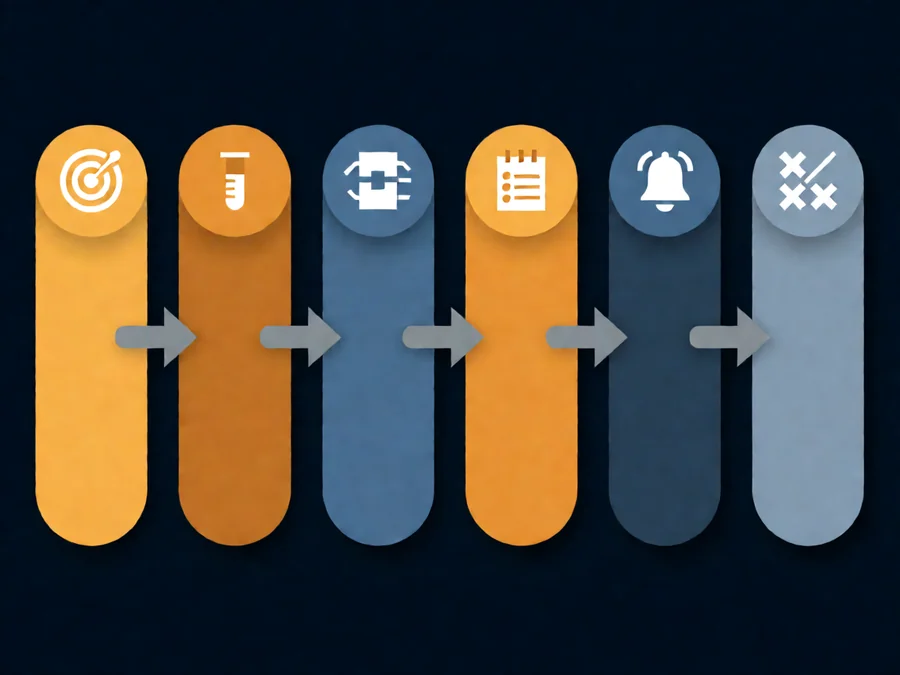
Before deploying any fallback strategy, work through these steps. Skipping any of them is a common cause of fallbacks that fail in production exactly when they are needed.
- Define failure thresholds. Set explicit retry counts, timeout values, and latency bounds per provider. Document what constitutes “primary is down.”
- Validate the backup path independently. Run the backup provider through the same test suite as the primary. A backup that has never been tested at production scale is a second point of failure.
- Implement circuit breakers. After N consecutive failures, stop calling the primary and route directly to the fallback. Prevent the “thundering herd” of retries that worsens the outage.
- Log every fallback activation. Record which strategy fired, which component failed, and how long the alternative path took. This data drives your next tuning cycle.
- Set degradation alerts. If the fallback path runs for longer than X minutes, page an on-call engineer. Prolonged fallback operation means your backup may be degrading too.
- Test the combined failure mode. Simulate both primary and backup being unavailable simultaneously. Confirm the agent enters a safe state (queued replay or graceful degradation) rather than crashing.
Common Pitfalls
Assuming the Backup Has the Same Capability
A smaller or cheaper model may not handle the same prompt length, may not support function calling, or may produce lower-quality tool arguments. Always run capability checks before routing.
Missing Context on Handoff
When switching from provider A to provider B mid-task, the conversation context must transfer cleanly. If the backup provider has a smaller context window, you need a summarization step before the handoff. Skipping it causes the agent to lose track of the task state.
Fallback Without Observability
If you cannot see when and how often the fallback activates, you cannot tune retry thresholds or detect a backup provider that is silently underperforming. Wire fallback events into your monitoring dashboard from day one.
Over-Engineering for Low-Stakes Tasks
Not every agent task needs four fallback patterns. A one-shot summarization job benefits from a simple primary/backup setup. Reserve capability routing and queued replay for workflows with multiple dependent steps where a single failure cascades.
How SmaugBrain Handles Fallbacks
SmaugBrain’s agent runtime is designed around the assumption that no single provider is permanent. The platform’s skill system and provider-agnostic architecture allow you to define fallback chains per workflow: a primary model for creative tasks, a faster model for routing decisions, and a queued replay path for batch operations. Each fallback activation is logged with timestamps and provider identifiers, so your observability stack can track degradation trends without manual polling.
For teams running scheduled agent jobs, SmaugBrain’s automated task scheduler includes built-in retry-with-backoff logic and a configurable fallback provider field, so a missed cron slot can be recovered by a secondary provider without operator intervention.
Frequently Asked Questions
How many backup providers do I actually need?
For most production systems, one well-tested backup is sufficient to eliminate the single point of failure. A second backup is only justified if you operate in multiple regions or if your backup provider has a similar maintenance schedule to your primary. Two providers should give you 99.9%+ combined availability.
Should the fallback use the same model or a different one?
Use the same model family if available on a secondary provider — this minimizes output drift. If only a different model is available, run a capability validation on the new model for your specific task before trusting it in the fallback path.
How do I test a fallback without causing real downtime?
Use chaos engineering: deliberately throttle or cut off the primary provider in a staging environment and verify the fallback activates within your SLO window. SmaugBrain’s testing framework supports provider-level fault injection for exactly this purpose.
What is the difference between a fallback and a circuit breaker?
A circuit breaker is a decision mechanism that stops calling a failing component after N errors. A fallback is the alternative path that the circuit breaker routes to. They are complementary: the breaker prevents wasted retries, the fallback ensures work still gets done.
Can I use a local model as a fallback for a cloud API?
Yes, and it is a common pattern for cost control and air-gapped environments. A small local model (7B–14B class) handles low-complexity steps while the cloud API handles high-complexity ones. When the cloud API is down, the local model absorbs the load for tasks it can handle and queues the rest.
How often should I review my fallback configuration?
At minimum, after every provider-side API change, model deprecation notice, or incident review. Providers ship new rate limits, retire models, and change pricing quarterly. A fallback chain that was correct six months ago may be routing to a deprecated endpoint today. Schedule a quarterly audit of all provider configurations.
Start Building Resilient Agents
Fallback strategies turn a fragile single-provider pipeline into a system that absorbs real-world failures without dropping user tasks. Start with the checklist above, wire up observability from day one, and test your combined failure modes before they happen in production.
Ready to implement resilient agent workflows? Explore SmaugBrain’s agent platform and see how provider-agnostic architecture and built-in fallback support keep your tasks running.