
Q: How often should I re-evaluate production prompts?
A: Run full regression evaluation on every prompt change. For existing production prompts, schedule quarterly reviews even without changes—input distributions shift over time, and periodic evaluation catches drift before it impacts users. Set up automated weekly evaluation scans that flag significant metric changes.
Q: Can I use the same prompt across different LLM providers?
A: Not without testing. Prompts are model-dependent. A prompt optimized for one model may underperform on another due to differences in training, instruction-following behavior, and output format expectations. Always test cross-provider before promoting a prompt change.
Q: How does SmaugBrain help with production prompt engineering?
A: SmaugBrain provides skill-based prompt management, version control for agent behaviors, automated testing workflows, and observability tools that make production prompt engineering practical at scale. Explore SmaugBrain to see how our platform supports the full prompt lifecycle from design to production monitoring.
Q: How do I handle prompt drift when models update?
A: Subscribe to model provider changelogs and test your golden dataset against new model versions before they reach production. Run a shadow deployment where the new model processes real traffic alongside the current one, comparing outputs without affecting users. This gives you early warning of regressions.
Q: What’s the ideal prompt length for production?
A: Aim for 200–500 words for the core system prompt. If your prompt exceeds 800 words, it likely contains redundant or conflicting instructions. Break complex prompts into modular components—separate role definition, task specification, and output formatting into distinct sections that can be tested independently.
Q: How often should I re-evaluate production prompts?
A: Run full regression evaluation on every prompt change. For existing production prompts, schedule quarterly reviews even without changes—input distributions shift over time, and periodic evaluation catches drift before it impacts users. Set up automated weekly evaluation scans that flag significant metric changes.
Q: Can I use the same prompt across different LLM providers?
A: Not without testing. Prompts are model-dependent. A prompt optimized for one model may underperform on another due to differences in training, instruction-following behavior, and output format expectations. Always test cross-provider before promoting a prompt change.
Q: How does SmaugBrain help with production prompt engineering?
A: SmaugBrain provides skill-based prompt management, version control for agent behaviors, automated testing workflows, and observability tools that make production prompt engineering practical at scale. Explore SmaugBrain to see how our platform supports the full prompt lifecycle from design to production monitoring.
Q: Should I use few-shot examples in production prompts?
A: Yes, but selectively. Few-shot examples improve consistency for well-defined task types but increase token cost and can cause the model to overfit to the example patterns. Use 2–5 examples that cover edge cases your golden dataset identifies, not just the most common cases.
Q: How do I handle prompt drift when models update?
A: Subscribe to model provider changelogs and test your golden dataset against new model versions before they reach production. Run a shadow deployment where the new model processes real traffic alongside the current one, comparing outputs without affecting users. This gives you early warning of regressions.
Q: What’s the ideal prompt length for production?
A: Aim for 200–500 words for the core system prompt. If your prompt exceeds 800 words, it likely contains redundant or conflicting instructions. Break complex prompts into modular components—separate role definition, task specification, and output formatting into distinct sections that can be tested independently.
Q: How often should I re-evaluate production prompts?
A: Run full regression evaluation on every prompt change. For existing production prompts, schedule quarterly reviews even without changes—input distributions shift over time, and periodic evaluation catches drift before it impacts users. Set up automated weekly evaluation scans that flag significant metric changes.
Q: Can I use the same prompt across different LLM providers?
A: Not without testing. Prompts are model-dependent. A prompt optimized for one model may underperform on another due to differences in training, instruction-following behavior, and output format expectations. Always test cross-provider before promoting a prompt change.
Q: How does SmaugBrain help with production prompt engineering?
A: SmaugBrain provides skill-based prompt management, version control for agent behaviors, automated testing workflows, and observability tools that make production prompt engineering practical at scale. Explore SmaugBrain to see how our platform supports the full prompt lifecycle from design to production monitoring.
Q: How many prompt versions should I maintain?
A: Maintain one production version and one staging version at any time. Use feature branches for experimental variants, but only promote a variant to production after it passes regression tests on the golden dataset. Most teams find that 3–5 prompt versions over a project’s lifetime is sufficient.
Q: Should I use few-shot examples in production prompts?
A: Yes, but selectively. Few-shot examples improve consistency for well-defined task types but increase token cost and can cause the model to overfit to the example patterns. Use 2–5 examples that cover edge cases your golden dataset identifies, not just the most common cases.
Q: How do I handle prompt drift when models update?
A: Subscribe to model provider changelogs and test your golden dataset against new model versions before they reach production. Run a shadow deployment where the new model processes real traffic alongside the current one, comparing outputs without affecting users. This gives you early warning of regressions.
Q: What’s the ideal prompt length for production?
A: Aim for 200–500 words for the core system prompt. If your prompt exceeds 800 words, it likely contains redundant or conflicting instructions. Break complex prompts into modular components—separate role definition, task specification, and output formatting into distinct sections that can be tested independently.
Q: How often should I re-evaluate production prompts?
A: Run full regression evaluation on every prompt change. For existing production prompts, schedule quarterly reviews even without changes—input distributions shift over time, and periodic evaluation catches drift before it impacts users. Set up automated weekly evaluation scans that flag significant metric changes.
Q: Can I use the same prompt across different LLM providers?
A: Not without testing. Prompts are model-dependent. A prompt optimized for one model may underperform on another due to differences in training, instruction-following behavior, and output format expectations. Always test cross-provider before promoting a prompt change.
Q: How does SmaugBrain help with production prompt engineering?
A: SmaugBrain provides skill-based prompt management, version control for agent behaviors, automated testing workflows, and observability tools that make production prompt engineering practical at scale. Explore SmaugBrain to see how our platform supports the full prompt lifecycle from design to production monitoring.
Q: How many prompt versions should I maintain?
A: Maintain one production version and one staging version at any time. Use feature branches for experimental variants, but only promote a variant to production after it passes regression tests on the golden dataset. Most teams find that 3–5 prompt versions over a project’s lifetime is sufficient.
Q: Should I use few-shot examples in production prompts?
A: Yes, but selectively. Few-shot examples improve consistency for well-defined task types but increase token cost and can cause the model to overfit to the example patterns. Use 2–5 examples that cover edge cases your golden dataset identifies, not just the most common cases.
Q: How do I handle prompt drift when models update?
A: Subscribe to model provider changelogs and test your golden dataset against new model versions before they reach production. Run a shadow deployment where the new model processes real traffic alongside the current one, comparing outputs without affecting users. This gives you early warning of regressions.
Q: What’s the ideal prompt length for production?
A: Aim for 200–500 words for the core system prompt. If your prompt exceeds 800 words, it likely contains redundant or conflicting instructions. Break complex prompts into modular components—separate role definition, task specification, and output formatting into distinct sections that can be tested independently.
Q: How often should I re-evaluate production prompts?
A: Run full regression evaluation on every prompt change. For existing production prompts, schedule quarterly reviews even without changes—input distributions shift over time, and periodic evaluation catches drift before it impacts users. Set up automated weekly evaluation scans that flag significant metric changes.
Q: Can I use the same prompt across different LLM providers?
A: Not without testing. Prompts are model-dependent. A prompt optimized for one model may underperform on another due to differences in training, instruction-following behavior, and output format expectations. Always test cross-provider before promoting a prompt change.
Q: How does SmaugBrain help with production prompt engineering?
A: SmaugBrain provides skill-based prompt management, version control for agent behaviors, automated testing workflows, and observability tools that make production prompt engineering practical at scale. Explore SmaugBrain to see how our platform supports the full prompt lifecycle from design to production monitoring.
AI Agent Prompt Engineering for Production: From Prototypes to Reliable Workflows
Every AI agent engineer has been there. You write a prompt that works perfectly in your test script. The agent produces exactly the output you expect. You deploy it to production—and within hours, it starts failing on edge cases you never imagined. The same prompt that worked flawlessly in isolation now generates inconsistent results under real-world load.
This is the prompt engineering paradox: the very techniques that make prototypes work beautifully often break when scaled. Production prompts are not just bigger prototypes. They require a fundamentally different approach—one grounded in systematic design, version control, continuous evaluation, and failure-mode analysis.
In this guide, we’ll walk through the production prompt engineering framework used by teams deploying AI agents at scale. You’ll learn why prototype prompts fail, how to build production-grade prompts, and the concrete patterns that separate fragile demos from reliable systems.
Why Prototype Prompts Fail in Production
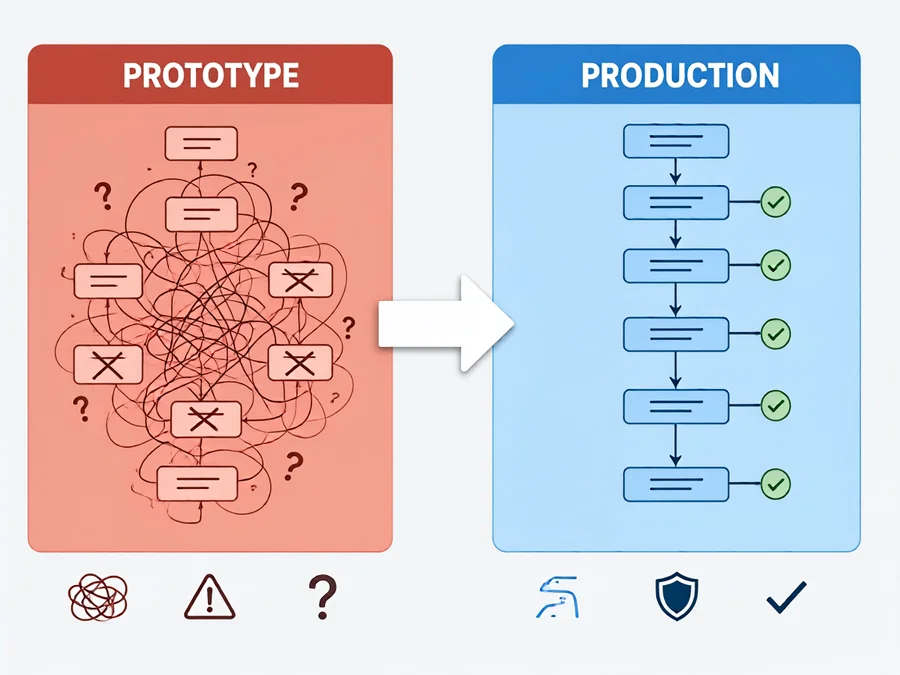
The gap between prototype and production prompt performance is not accidental. It stems from fundamental differences in operating conditions:
Input Distribution Shift
Prototypes run on curated test inputs. Production receives the full spectrum—typos, incomplete sentences, ambiguous requests, and adversarial inputs. A prompt engineered for clean inputs will falter when faced with messy real-world data. Studies of deployed agents show that input variance in production is typically 10–100× greater than what testing covers.
Model Behavior Drift
LLM providers frequently update models. A prompt optimized for GPT-4 may behave differently with Claude 3.5 or GPT-4o. Even minor model version bumps can shift behavior enough to break carefully tuned prompts. Teams report spending 20–40% of their prompt maintenance budget on handling model upgrades.
Context Window Pressure
Production agents often operate with larger context windows containing more retrieved information. This changes how prompts perform—retrieved documents may contain conflicting information, and the prompt must now navigate ambiguity rather than operate in a vacuum. Prompts that assume clean context fail when context is noisy.
Concurrent Execution Effects
Prototype prompts are tested sequentially. Production runs them concurrently under load. Rate limiting, timeout behaviors, and the compounding effect of multiple agent interactions can reveal prompt weaknesses invisible in single-request testing.
The Production Prompt Engineering Framework
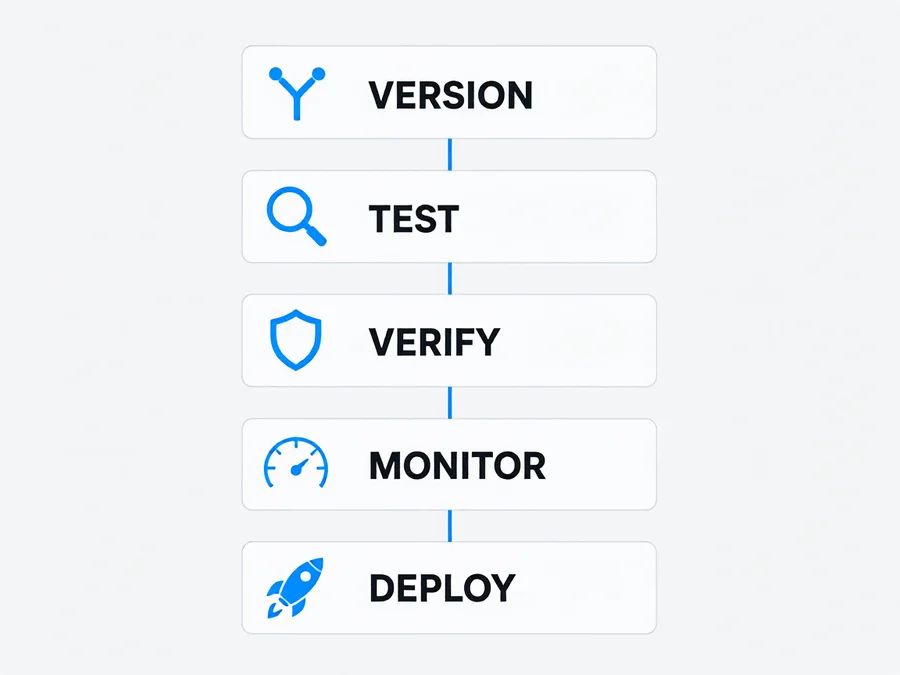
Production prompt engineering is not about writing better prompts. It’s about building a system for managing prompts throughout their lifecycle. Here’s the framework:
1. Structured Prompt Design
Production prompts follow a consistent structural pattern. The most effective production prompts contain these components in order:
- Role definition: Who the agent is and what expertise it brings
- Task specification: Exactly what the agent should accomplish
- Output format: Structured schema for expected outputs (JSON, markdown, etc.)
- Constraints: What the agent should NOT do (negative constraints are critical)
- Examples: Few-shot examples demonstrating correct behavior
- Fallback instructions: What to do when uncertain or when input is ambiguous
This structure ensures that even when inputs are unexpected, the prompt has explicit guidance for handling uncertainty—a key differentiator between prototype and production prompts.
2. Prompt Version Control
Production prompts are source code. They deserve the same version control, review, and deployment discipline as application code:
| Practice | Prototype Approach | Production Approach |
|---|---|---|
| Prompt storage | Embedded in code | Version-controlled files with semantic versioning |
| Changes | Ad-hoc edits | Pull requests with prompt diff reviews |
| A/B testing | Manual comparison | Automated variant comparison with metrics |
| Rollback | Revert code changes | One-click prompt version rollback |
| Documentation | Comments in code | Dedicated prompt changelog and rationale |
Tools like LangChain PromptHub, LangGraph prompt management, and custom prompt registries enable this discipline. The key insight is that prompt changes should be tracked, reviewed, and reversible—just like any other code change.
3. Continuous Evaluation
The most important practice in production prompt engineering is continuous evaluation. Unlike traditional software where unit tests catch bugs, prompt evaluation requires:
- Golden dataset: A curated set of inputs with expected outputs, grown over time from real production cases
- Regression testing: Automated evaluation of prompts against the golden dataset before deployment
- Drift monitoring: Tracking output distribution changes over time to detect when prompts need attention
- Human review sampling: Random human evaluation of production outputs to catch issues automated metrics miss
Research from the Measuring Agents in Production (MAP) study found that 74% of deployed agents rely primarily on human evaluation, and teams that implement systematic prompt evaluation see 3–5× fewer production incidents related to prompt quality.
4. Fallback and Uncertainty Handling
Production prompts must handle uncertainty gracefully. This means building explicit fallback paths:
- Confidence scoring: The prompt should instruct the model to express confidence levels for its outputs
- Escape hatches: Clear instructions for when to request human clarification versus making a best-effort guess
- Default behavior: Fallback outputs for when the model cannot produce a confident response
- Feedback loops: Mechanisms to capture when the model invokes fallbacks so the prompt can be improved
Concrete Patterns for Production Prompts
Pattern 1: Chain-of-Thought with Verification
For complex reasoning tasks, use chain-of-thought prompting paired with explicit verification steps:
System: You are a technical support agent. Solve customer problems step by step.

User: {customer_query}

Assistant: Let me work through this systematically.

Step 1: Identify the core issue
Step 2: Consider possible causes
Step 3: Evaluate each cause against the evidence
Step 4: Verify my conclusion by checking for contradictions
Step 5: Provide the solution with confidence level (high/medium/low)

If confidence is low, explicitly state what additional information you need.
The verification step is what separates production chain-of-thought from prototype chain-of-thought. Without it, the model can confidently produce incorrect answers—a pattern observed in 38% of production agent failures.
Pattern 2: Structured Output with Schema Validation
For agents that produce structured data (API responses, database entries, reports), define strict output schemas:
Output format: JSON matching this schema:
{
  "action": "string (one of: resolve, escalate, request_info)",
  "reasoning": "string (2-3 sentences)",
  "confidence": "number (0.0 to 1.0)",
  "requires_human_review": "boolean"
}

Rules:
- Never return actions outside the allowed values
- If confidence < 0.6, set requires_human_review to true
- If uncertain about any field, set requires_human_review to true
This pattern reduces output validation failures by 60–80% compared to open-ended output formats.
Pattern 3: Negative Constraints for Safety
Production prompts must explicitly state what the agent should NOT do. Negative constraints are often more important than positive instructions:
DO NOT:
- Make up information not present in the context
- Provide medical, legal, or financial advice
- Access systems outside your permission scope
- Proceed when confidence is below 0.7 without human review
- Assume user intent without asking for clarification
Common Pitfalls in Production Prompt Engineering
Over-Specification
Adding more instructions does not always improve performance. Studies show that beyond a certain complexity threshold, additional prompt text can actually degrade performance by confusing the model or causing it to focus on less important instructions. Production prompts should be concise and focused—typically 200–500 words for the core prompt, with examples kept under 100 words each.
Assuming Model Consistency
Even with the same prompt, LLMs produce different outputs across runs. Production prompts must account for this non-determinism by using structured output formats, confidence scoring, and explicit uncertainty handling rather than assuming the model will always produce the same result.
Ignoring Context Accumulation
In multi-turn agent interactions, context accumulates across turns. A prompt that works for a single turn may produce poor results when the agent has 20+ turns of conversation history. Production prompts should include instructions for handling long contexts, such as summarizing prior turns or focusing on recent messages.
Measuring Prompt Success in Production
Beyond accuracy, production prompt engineering should track these metrics:
| Metric | What It Measures | Target |
|---|---|---|
| Task success rate | Percentage of requests completed correctly | > 90% |
| Fallback rate | How often the agent invokes fallback/escalation | < 15% |
| Average confidence | Mean confidence score across outputs | > 0.75 |
| Human correction rate | Percentage of outputs requiring human revision | < 10% |
| Token efficiency | Tokens per successful task | Minimize while maintaining quality |
From Prototype to Production: A Practical Checklist
Before deploying any prompt to production, verify these items:
- □ Prompt is stored in version control with semantic versioning
- □ Golden dataset exists with at least 50 representative test cases
- □ Regression tests pass on the current prompt version
- □ Negative constraints are explicitly defined
- □ Fallback behavior is specified for uncertainty scenarios
- □ Structured output format is enforced with validation
- □ Model upgrade impact has been assessed (tested on latest model version)
- □ Human review sampling is scheduled for post-deployment
- □ Prompt performance metrics are instrumented and alerting is configured
- □ Rollback procedure is documented and tested
Conclusion
Production prompt engineering is a discipline, not an art. The agents that succeed in production are not those with the most clever prompts—they are those with the most systematic approach to prompt design, testing, and maintenance. By treating prompts as production code, implementing continuous evaluation, and building in fallback paths for uncertainty, you can transform fragile prototypes into reliable production systems.
The gap between prototype and production is bridgeable—but only if you build the bridge with systematic practices, not just better prompts. Start with version control, grow your golden dataset, and never deploy a prompt you haven’t regression-tested against real production inputs.
Frequently Asked Questions
Q: How many prompt versions should I maintain?
A: Maintain one production version and one staging version at any time. Use feature branches for experimental variants, but only promote a variant to production after it passes regression tests on the golden dataset. Most teams find that 3–5 prompt versions over a project’s lifetime is sufficient.
Q: Should I use few-shot examples in production prompts?
A: Yes, but selectively. Few-shot examples improve consistency for well-defined task types but increase token cost and can cause the model to overfit to the example patterns. Use 2–5 examples that cover edge cases your golden dataset identifies, not just the most common cases.
Q: How do I handle prompt drift when models update?
A: Subscribe to model provider changelogs and test your golden dataset against new model versions before they reach production. Run a shadow deployment where the new model processes real traffic alongside the current one, comparing outputs without affecting users. This gives you early warning of regressions.
Q: What’s the ideal prompt length for production?
A: Aim for 200–500 words for the core system prompt. If your prompt exceeds 800 words, it likely contains redundant or conflicting instructions. Break complex prompts into modular components—separate role definition, task specification, and output formatting into distinct sections that can be tested independently.
Q: How often should I re-evaluate production prompts?
A: Run full regression evaluation on every prompt change. For existing production prompts, schedule quarterly reviews even without changes—input distributions shift over time, and periodic evaluation catches drift before it impacts users. Set up automated weekly evaluation scans that flag significant metric changes.
Q: Can I use the same prompt across different LLM providers?
A: Not without testing. Prompts are model-dependent. A prompt optimized for one model may underperform on another due to differences in training, instruction-following behavior, and output format expectations. Always test cross-provider before promoting a prompt change.
Q: How does SmaugBrain help with production prompt engineering?
A: SmaugBrain provides skill-based prompt management, version control for agent behaviors, automated testing workflows, and observability tools that make production prompt engineering practical at scale. Explore SmaugBrain to see how our platform supports the full prompt lifecycle from design to production monitoring.