AI Agent Guardrails: Balancing Autonomy and Safety in Production
24 9 月 2026smaugbrain5 min readWordPress post
SsmaugbrainEditor
AI Agent Guardrails: Balancing Autonomy and Safety in Production
Introduction
AI agents are transforming how businesses automate complex workflows. From customer support to data analysis, agents can now handle multi-step tasks with increasing sophistication. But there’s a critical tension at the heart of every production deployment: **how much autonomy should an AI agent have?
Too much freedom, and you risk costly mistakes, data breaches, or reputational damage. Too much restriction, and you’ve essentially built a chatbot with extra steps—missing the productivity gains that make agents valuable in the first place.
This guide explores practical guardrail strategies for balancing agent autonomy with operational safety. We’ll cover implementation patterns, decision frameworks, and real-world examples from production systems.
What Are AI Agent Guardrails?
Guardrails are automated checks, policies, and safeguards that constrain agent behavior without requiring human oversight for every action. Think of them as seatbelts in a car—you want the agent to drive fast and efficiently, but you also want systems in place to prevent catastrophic failures.
Common guardrail categories include:
– **Permission boundaries**: What actions can the agent take without approval?
– **Output validation**: Does the agent’s response meet quality and safety standards?
– **Rate limiting**: How many API calls or tool executions are allowed per minute?
– **Data access controls**: What information can the agent read or modify?
– **Cost containment**: What’s the maximum spend per task or session?
– **Escalation triggers**: When must the agent pause and notify a human?
The Autonomy-Safety Spectrum
Not all tasks require the same level of guardrails. A good starting point is thinking about your agent’s position on the autonomy spectrum:
Autonomy Level
Description
Typical Use Case
Guardrail Intensity
**Read-only**
Agent can only access and summarize information
Research, reporting, knowledge retrieval
Minimal—focus on data access control
**Draft mode**
Agent creates content but humans approve before execution
Email drafting, report generation, code review
Medium—require human review for sensitive outputs
**Supervised execution**
Agent acts autonomously but with real-time monitoring
Customer support triage, data processing
High—live monitoring with manual override capability
**Full autonomy**
Agent operates independently within defined boundaries
Very high—comprehensive audit trails and rollback mechanisms
**Key insight**: Most production deployments should start in the “supervised execution” tier and graduate toward full autonomy only after proven reliability and comprehensive testing.
Implementation Patterns
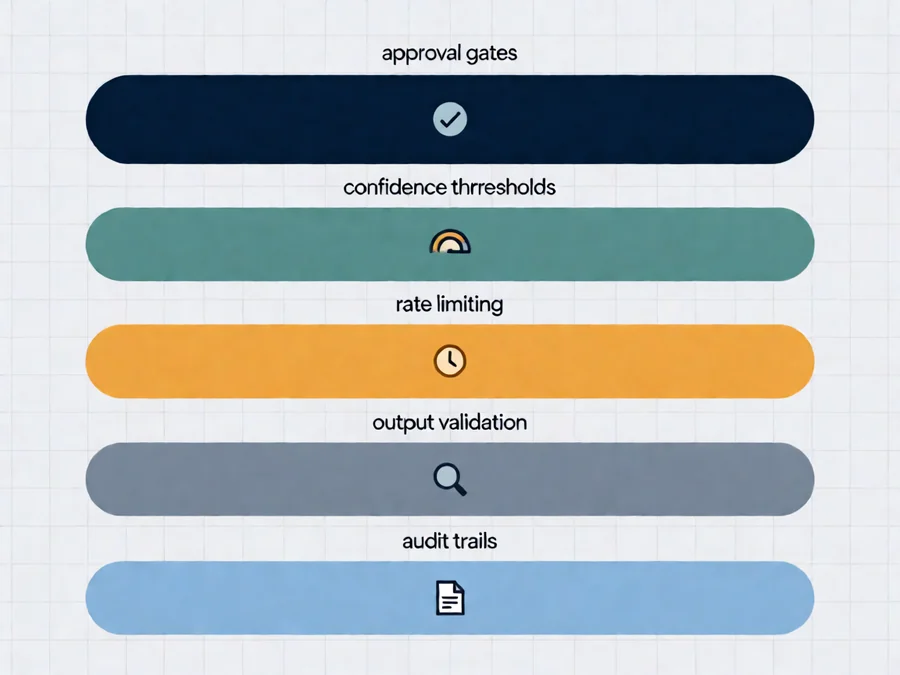
Pattern 1: Approval Gates
Approval gates are explicit checkpoints where an agent’s proposed action requires human confirmation before execution. This is the most conservative approach and works well for high-risk operations.
**When to use:** Financial transactions, database modifications, customer-facing communications, any action that could cause irreversible changes.
Implementation example:
“`
If action_type in [“DELETE”, “UPDATE”, “PAYMENT”]:
If confidence_score < 0.95:
Escalate to human approver
Wait for approval or rejection
Log decision and rationale
“`
Pattern 2: Confidence Thresholds
Instead of hard approval gates, use confidence scoring to determine whether an action proceeds automatically or requires review. This balances speed and safety.
**When to use:** Moderate-risk operations where most actions are low-risk but occasional edge cases need human judgment.
Key components:
– **Confidence model**: Assigns a probability score to each proposed action
– **Threshold calibration**: Set minimum confidence for automatic execution
– **Fallback protocol**: Define what happens when confidence falls below threshold
Pattern 3: Rate Limiting and Quotas
Prevent resource exhaustion and cost overruns by constraining how frequently an agent can execute certain operations.
Common rate limits:
– API calls per minute
– Database writes per hour
– Tool executions per session
– Cost spend per day
**Best practice**: Start with conservative limits and gradually increase as you gain confidence in your agent’s reliability.
Pattern 4: Output Validation
Before an agent’s output reaches users or downstream systems, validate it against defined criteria. This catches hallucinations, formatting errors, and policy violations.
Validation layers:
1. **Syntax check**: Does the output conform to expected format?
2. **Policy check**: Does the output violate any business rules or compliance requirements?
3. **Quality check**: Does the output meet minimum quality standards?
4. **Security check**: Does the output contain sensitive information or prompt injection attempts?
Pattern 5: Audit Trails and Rollback
Every autonomous action should leave a traceable record. Comprehensive logging enables debugging, compliance auditing, and—critically—rollback capability when things go wrong.
What to log:
– Input prompts and context
– Actions taken and tools called
– Decisions made and rationale
– Confidence scores at each step
– Human interventions and approvals
Real-World Examples
Customer Support Agent
**Autonomy level**: Supervised execution
Guardrails implemented:
– Response templates for common scenarios (refund policy, shipping timelines)
– Sentiment detection triggers escalation to human agent
– No access to payment processing APIs
– All responses logged and reviewed weekly
**Results**: 70% of inquiries resolved without human intervention, with customer satisfaction ratings matching human agents.
Data Analysis Agent
**Autonomy level**: Draft mode
Guardrails implemented:
– Readonly database access
– All SQL queries validated for SELECT-only operations
– Results cross-checked with statistical sanity tests
– Anomalies flagged for human review before report generation
**Results**: Reduced analysis time from hours to minutes while maintaining data accuracy.
Content Creation Agent
**Autonomy level**: Full autonomy (after probation period)
Guardrails implemented:
– Tone and style guidelines enforced through few-shot examples
– Plagiarism checking before publication
– SEO metadata validation
– Final approval workflow for brand-critical content
**Results**: Published 50+ articles monthly with consistent quality and zero brand incidents after 90-day probation period.
Decision Framework: Choosing Your Guardrail Strategy
Use this framework to determine the right guardrail configuration for your use case:
Step 1: Assess Risk Level
– What’s the potential impact of an error? (Low/Medium/High/Catastrophic)
– Can mistakes be easily corrected? (Yes/Partially/No)
– Who is affected by errors? (Internal team/Customers/Public)
Step 2: Evaluate Frequency
– How often will the agent operate? (Once/Regularly/Daily/Always-on)
– What’s the acceptable failure rate? (0%/<1%/<5%/Unknown)
Step 3: Consider Complexity
– How predictable is the task environment? (Static/Dynamic/Chaotic)
– How many edge cases exist? (Few/Moderate/Many)
Step 4: Match to Guardrail Pattern
Risk Level
Frequency
Recommended Pattern
Low
Once
Minimal—basic validation only
Low-Medium
Regular
Confidence thresholds + rate limiting
Medium
Daily
Approval gates + output validation
High
Always-on
Full guardrail suite + human oversight
Catastrophic
Any
Never fully autonomous—always supervised
Common Pitfalls
Pitfall 1: Over-Engineering Early
Starting with comprehensive guardrails for every possible scenario creates friction and slows iteration. Begin with minimal safeguards and expand as you identify actual failure modes.
**Solution**: Use the risk framework above to justify each guardrail. If you can’t articulate why it’s needed, reconsider whether it’s necessary.
Pitfall 2: False Sense of Security
Guardrails reduce risk but don’t eliminate it. An agent with perfect guardrails can still fail if the underlying model has blind spots or if threat actors find novel attack vectors.
**Solution**: Combine guardrails with continuous monitoring, regular penetration testing, and a culture of questioning assumptions.
Pitfall 3: Ignoring Prompt Injection Risks
Even with guardrails, sophisticated prompt injection attacks can bypass validation. An attacker might craft inputs that appear benign but cause the agent to execute unintended actions.
**Solution**: Implement input sanitization, validate against known attack patterns, and maintain human oversight for any action that modifies external systems.
Pitfall 4: Static Guardrails in Dynamic Environments
Guardrails that work today may be insufficient tomorrow as your agent encounters new scenarios or your business processes evolve.
**Solution**: Review and update guardrails quarterly, or whenever significant changes occur in your agent’s operating context.
Pitfall 5: Confusing Autonomy with Intelligence
A highly intelligent agent isn’t automatically safe. Intelligence without proper constraints can lead to more sophisticated failures that are harder to detect.
**Solution**: Prioritize safety engineering alongside capability development. Treat guardrails as first-class citizens, not afterthoughts.
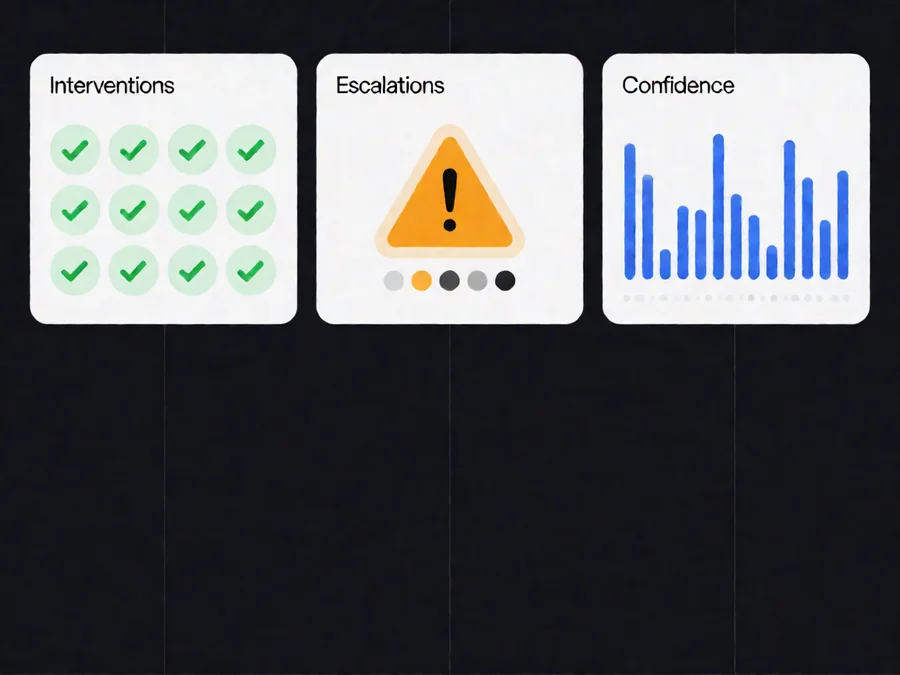
Measuring Guardrail Effectiveness
Track these metrics to evaluate whether your guardrails are working as intended:
Metric
What It Measures
Target
**Intervention rate**
Percentage of actions requiring human review
<10% for mature agents
**False positive rate**
Safe actions incorrectly blocked
<5%
**Escape rate**
Unsafe actions that weren’t caught
0% (non-negotiable)
**Mean time to detect**
How quickly issues are identified
<5 minutes
**Rollback success rate**
Percentage of problematic actions successfully reversed
>95%
**User trust score**
User confidence in agent safety (survey-based)
>4/5
Best Practices Summary
1. **Start conservative**: Begin with stricter guardrails and gradually relax as you gain confidence
2. **Layer your defenses**: Don’t rely on a single guardrail—use multiple complementary checks
4. **Test rigorously**: Use adversarial testing to find gaps in your guardrails before production
5. **Plan for failure**: Assume guardrails will fail and design fallback mechanisms accordingly
6. **Review regularly**: Schedule periodic audits of your guardrail configuration
7. **Balance autonomy and control**: Optimize for the right mix, not maximum restriction
Conclusion
Building production-ready AI agents requires careful attention to the autonomy-safety balance. Effective guardrails enable agents to operate confidently while protecting your organization from preventable risks.
The key is finding the right configuration for your specific use case—no universal template exists. Use the decision framework outlined in this guide to assess your risk profile, select appropriate patterns, and implement progressively as your agent matures.
Remember: guardrails aren’t about limiting what your agent can do—they’re about ensuring it can do more, safely and reliably, over time.
—
FAQ
Q: How do I know when my agent is ready for full autonomy?
A: Look for evidence of sustained reliability: less than 1% error rate over 1,000+ operations, successful handling of edge cases without human intervention, and positive user feedback on both accuracy and timeliness. Even then, maintain some oversight mechanisms for catastrophic failure prevention.
Q: Can guardrails slow down my agent too much?
A: Poorly designed guardrails can create unnecessary friction. The goal is intelligent constraints—minimal checks that catch maximum risk. Use confidence thresholds and parallel validation where possible to maintain throughput while preserving safety.
Q: How do I handle prompt injection with guardrails in place?
A: Layer multiple defenses: input sanitization, output validation, behavioral monitoring, and principle of least privilege. No single guardrail stops all injection attempts, but combined they create substantial barriers that most attacks can’t bypass.
Q: Should different agents have different guardrail configurations?
A: Yes, absolutely. An agent handling customer refund requests needs stricter financial controls than one generating internal research summaries. Base your configuration on risk assessment, not technical capability.
Q: How often should I review and update my guardrails?
A: Schedule quarterly reviews as a baseline. Immediately update guardrails when: (1) your agent encounters a new failure mode, (2) business requirements change significantly, (3) you add new capabilities or integrations, or (4) industry best practices evolve.
Q: What’s the difference between guardrails and guard dogs?
A: Guardrails prevent actions from occurring or automatically block unsafe ones. Guard dogs detect and respond to issues after they happen. You need both—proactive prevention and reactive detection—for comprehensive protection.
Q: Can I use guardrails with third-party AI providers?
A: Yes, but with limitations. Third-party providers may restrict certain operations or logging capabilities. Design your guardrails to work within provider constraints, and consider running sensitive operations through your own infrastructure when possible.
Used to monitor number of Google Analytics server requests
10 minutes
__utmb
Used to distinguish new sessions and visits. This cookie is set when the GA.js javascript library is loaded and there is no existing __utmb cookie. The cookie is updated every time data is sent to the Google Analytics server.
30 minutes after last activity
__utmc
Used only with old Urchin versions of Google Analytics and not with GA.js. Was used to distinguish between new sessions and visits at the end of a session.
End of session (browser)
__utmz
Contains information about the traffic source or campaign that directed user to the website. The cookie is set when the GA.js javascript is loaded and updated when data is sent to the Google Anaytics server
6 months after last activity
__utmv
Contains custom information set by the web developer via the _setCustomVar method in Google Analytics. This cookie is updated every time new data is sent to the Google Analytics server.
2 years after last activity
__utmx
Used to determine whether a user is included in an A / B or Multivariate test.
18 months
_ga
ID used to identify users
2 years
_gali
Used by Google Analytics to determine which links on a page are being clicked
30 seconds
_ga_
ID used to identify users
2 years
_gid
ID used to identify users for 24 hours after last activity
24 hours
_gat
Used to monitor number of Google Analytics server requests when using Google Tag Manager
1 minute
_gac_
Contains information related to marketing campaigns of the user. These are shared with Google AdWords / Google Ads when the Google Ads and Google Analytics accounts are linked together.