
AI Agent CI/CD Pipeline: Automated Testing, Validation, and Deployment for Production Agents
Building reliable AI agents in production requires more than writing good prompts and deploying them once. Just like traditional software, AI agents need continuous integration and continuous deployment (CI/CD) pipelines to ensure quality, catch regressions, and ship changes safely. This guide explains how to build a production-ready CI/CD pipeline specifically designed for AI agent systems.
Why AI Agents Need Specialized CI/CD
Traditional CI/CD pipelines assume deterministic code—same input always produces the same output. AI agents break this assumption. Their behavior depends on LLM responses, which are probabilistic and context-sensitive. A change that looks safe in isolation might cause cascading failures when the agent processes real user input.
Specialized AI agent CI/CD addresses these challenges through layered testing, automated validation, and controlled deployment strategies. The goal is not to eliminate non-determinism but to detect and contain it before it reaches users.
The AI Agent CI/CD Architecture
A production AI agent pipeline consists of several stages that each serve a specific purpose. Understanding this architecture helps you implement each stage correctly.
Source Control and Change Tracking
Every AI agent change should live in version control. This includes the agent code, skill definitions, prompt templates, tool implementations, and configuration files. Use branches for feature development and merge requests for review. Tag releases with semantic versioning to track agent behavior across deployments.
Change tracking becomes especially important when debugging production issues. When an agent starts behaving unexpectedly, you need to know exactly which prompts, skills, or configuration changes were deployed and when. Automated deployment logs combined with Git history provide this traceability.
Continuous Integration: Automated Testing Layers
CI for AI agents requires multiple testing layers that address different aspects of agent behavior. Each layer catches different classes of bugs and provides specific types of confidence.
**Unit tests** verify individual components in isolation. Test tool implementations to ensure they return expected formats. Validate prompt templates render correctly with variable substitution. Check that skill definitions parse without errors. These tests run fast and catch basic implementation bugs before they reach higher levels.
**Integration tests** verify that agent components work together correctly. Test tool calling sequences to ensure the agent invokes the right tools with the right parameters. Validate that multi-agent collaborations produce expected handoffs. Check that external API integrations respond correctly to agent requests. These tests catch interface mismatches and coordination failures.
**Behavioral tests** evaluate agent outputs against quality criteria. Use deterministic test cases with known expected outputs. Run LLM-as-judge evaluations to assess response quality against rubrics. Check that agents follow safety guidelines and avoid prohibited behaviors. These tests address the non-deterministic nature of LLM outputs by using statistical thresholds rather than exact matches.
**Regression tests** protect against unintended behavior changes. Maintain a test suite of representative user interactions that should produce consistent results. Run these tests after every change to detect regressions. When a regression is detected, the pipeline blocks deployment until the issue is resolved.
Automated Validation Gates
Validation gates check specific quality criteria before allowing code to progress through the pipeline. Each gate enforces a different aspect of agent quality and security.
**Prompt injection tests** verify that agents resist malicious input patterns. Run adversarial input tests to check for injection vulnerabilities. Validate that input sanitization works correctly. Check that agents do not execute unauthorized commands or expose sensitive information.
**Cost validation** ensures that changes do not dramatically increase token consumption. Track token usage across test runs and flag significant increases. Set cost budgets for different agent modes and reject changes that exceed them. This prevents expensive regressions from reaching production.
**Latency validation** checks that response times remain within acceptable bounds. Measure end-to-end latency across test scenarios and compare against baselines. Flag changes that introduce unacceptable delays. This is critical for user-facing agents where response time directly affects experience.
**Security scanning** checks for hardcoded credentials, sensitive data exposure, and known vulnerabilities. Scan prompt templates for potential information leakage. Verify that tool implementations follow security best practices. Check dependencies for known vulnerabilities using automated scanning tools.
Deployment Strategies for AI Agents
Deploying AI agents requires strategies that account for their non-deterministic nature and the potential for unexpected behavior.
**Canary deployments** route a small percentage of traffic to the new agent version while keeping the majority on the previous version. Monitor canary agents closely for errors, cost anomalies, and quality degradation. If canary metrics look healthy, gradually increase traffic to the new version. If problems appear, automatically roll back to the previous version.
**Feature flags** allow you to enable or disable specific agent capabilities without redeployment. Use feature flags to gradually roll out new skills or tools to subsets of users. This makes it easy to test changes in production while maintaining the ability to disable them quickly if issues arise.
**A/B testing** lets you compare different agent configurations against each other. Deploy variant A and variant B to different user segments and measure outcomes against defined success metrics. Use statistical analysis to determine which variant performs better before making a full rollout decision.
**Blue-green deployments** maintain two identical production environments. Deploy the new agent version to the idle environment, run validation tests, then switch traffic to the new environment. If problems occur, switch traffic back to the previous environment instantly. This strategy minimizes rollback time but requires additional infrastructure.
Monitoring and Observability
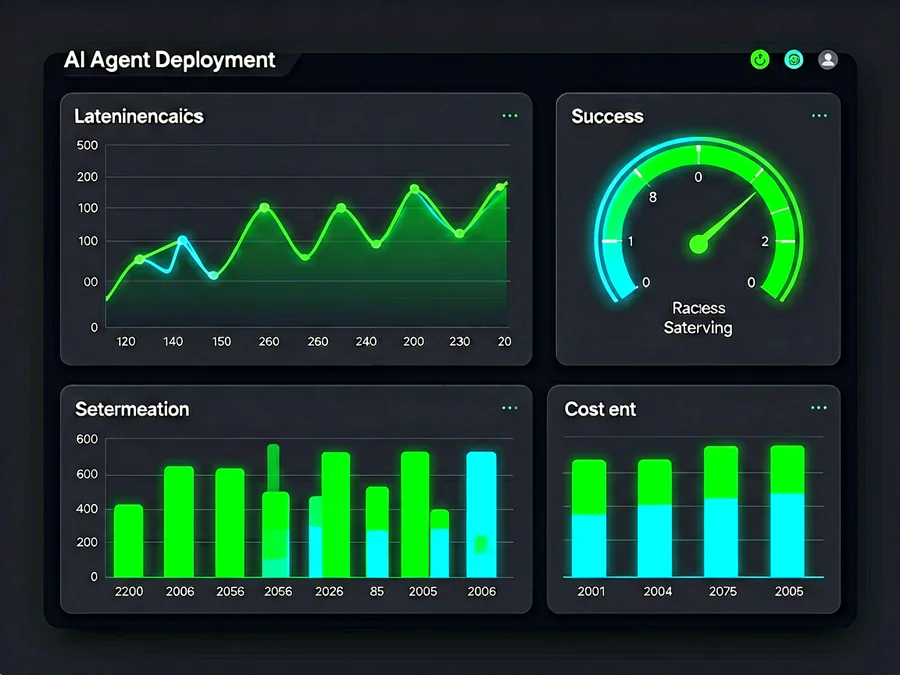
Continuous monitoring is essential for detecting issues that testing missed. AI agent monitoring extends beyond traditional application metrics to include LLM-specific observability.
**Trace logging** captures the complete execution path of each agent interaction. Record tool calls, reasoning steps, and final outputs. Use traces to debug failures and understand agent decision-making patterns. Store traces with sufficient retention to support post-incident analysis.
**Quality metrics** track agent output quality over time. Measure task completion rates, user satisfaction scores, and error patterns. Detect quality degradation early by comparing current metrics against historical baselines. Use these metrics to trigger alerts or automatic rollbacks.
**Cost tracking** monitors token consumption and associated expenses. Break down costs by agent, skill, tool, and user segment. Detect cost anomalies that might indicate inefficient prompts or unexpected usage patterns. Set up alerts for budget thresholds to prevent billing surprises.
**Performance metrics** measure latency, throughput, and resource utilization. Track response time percentiles to understand user experience. Monitor concurrent session counts and queue depths to plan capacity. Use performance data to identify bottlenecks and optimize agent architectures.
Implementing Your First AI Agent CI/CD Pipeline
Getting started with AI agent CI/CD does not require a complete infrastructure overhaul. Begin with the basics and add sophistication as your needs grow.
Step One: Establish Baseline Testing
Start by writing tests for your most critical agent paths. Focus on deterministic behaviors first—tool implementations, prompt rendering, and configuration validation. Use these tests as your foundation and expand to behavioral tests as you gain confidence in your testing framework.
Document your baseline metrics: typical token usage, response times, and task completion rates. These baselines become reference points for detecting regressions and measuring improvement over time.
Step Two: Automate the Pipeline
Set up automated testing that runs on every code change. Use GitHub Actions, GitLab CI, or your preferred pipeline platform. Configure the pipeline to run unit tests, integration tests, and security scans on push to the main branch. Fail the pipeline if tests do not pass or if new code introduces security vulnerabilities.
Add deployment automation that only triggers after successful testing. Start with simple deployments to a staging environment where you can manually validate changes before promoting to production.
Step Three: Add Canary Deployments
Once your testing pipeline is stable, add canary deployment capability. Configure your infrastructure to route a small percentage of traffic to new versions. Set up monitoring dashboards that show canary metrics alongside production metrics. Define clear success criteria for canary deployments and automate rollback when criteria are not met.
Step Four: Implement Continuous Monitoring
Add comprehensive monitoring to your production agents. Set up alerts for quality degradation, cost spikes, and performance issues. Create dashboards that give you visibility into agent behavior across all dimensions. Use monitoring data to inform your testing priorities and identify areas where additional validation would be most valuable.
Common CI/CD Pitfalls for AI Agents
Building AI agent pipelines involves unique challenges that differ from traditional software deployment. Avoiding these pitfalls requires understanding what makes AI agents different.
**Over-reliance on automated testing**: No amount of automated testing can replace human review of agent behavior. Automated tests catch structural issues and regressions, but they cannot fully evaluate the quality of LLM-generated responses. Combine automated testing with regular human review of agent interactions.
**Ignoring non-determinism in testing**: Testing AI agents with single test cases gives false confidence. Use statistical testing with multiple runs to account for LLM variability. Set confidence thresholds that account for natural variation rather than expecting exact reproducibility.
**Deploying without rollback capability**: AI agent changes can introduce unexpected behavior that affects users immediately. Always deploy with rollback capability. Test your rollback procedures regularly to ensure they work when needed.
**Neglecting cost monitoring**: LLM token costs can spiral quickly if agents enter inefficient loops or process unexpectedly large inputs. Monitor costs continuously and set alerts for unusual spending patterns. Include cost validation in your deployment pipeline to catch expensive regressions early.
**Skipping security testing**: AI agents often have access to sensitive systems and data. Treat security testing as non-negotiable. Test for prompt injection, unauthorized tool access, and data exposure. Regularly scan for vulnerabilities in agent dependencies and integrations.
Measuring CI/CD Pipeline Effectiveness
Track these metrics to evaluate how well your CI/CD pipeline is protecting your AI agent production environment.
**Deployment frequency** measures how often you ship changes. Higher frequency with maintained quality indicates a healthy pipeline. If frequency drops, investigate whether pipeline gates are too strict or whether testing is taking too long.
**Change failure rate** measures the percentage of deployments that cause failures in production. A high failure rate indicates insufficient testing or validation before deployment. Work to reduce this metric by adding more test coverage and improving pre-deployment validation.
**Mean time to recovery** measures how quickly you restore service after a failure. Fast recovery indicates effective rollback procedures and good monitoring. Reduce MTTR by automating rollback, improving alerting, and maintaining detailed runbooks.
**Test coverage** measures the percentage of agent code paths covered by automated tests. Higher coverage provides more confidence that changes will not introduce regressions. Aim for comprehensive coverage of critical paths and reasonable coverage of supporting code.
**Cost per deployment** tracks the infrastructure and compute costs associated with each deployment. Monitor this metric to ensure your CI/CD pipeline is not consuming disproportionate resources. Optimize pipeline efficiency by parallelizing independent tests and reusing computed artifacts.
Conclusion
Building a CI/CD pipeline for AI agents requires adapting traditional deployment practices to account for non-deterministic behavior, cost sensitivity, and security requirements. By implementing layered testing, automated validation gates, controlled deployment strategies, and continuous monitoring, you can ship AI agent changes confidently while maintaining production quality.
The key is to start small, establish baselines, and iterate. Each stage of pipeline maturity builds on the previous one, creating a robust foundation for AI agent deployment at scale. As your agents become more complex and your user base grows, your CI/CD pipeline becomes increasingly valuable for maintaining reliability and driving continuous improvement.
SmaugBrain provides the infrastructure and tooling to build and manage CI/CD pipelines for your AI agents. From automated testing frameworks to canary deployment support, every stage of the pipeline can be orchestrated and monitored within a single platform.
Visit [SmaugBrain](https://www.smaugbrain.com/) to learn more about building production-ready AI agent workflows.
Frequently Asked Questions
What is the difference between AI agent CI/CD and traditional software CI/CD?
AI agent CI/CD must account for non-deterministic LLM outputs, probabilistic behavior, and unique cost models. Traditional CI/CD assumes deterministic code where tests produce consistent results. AI agent CI/CD uses statistical testing, behavioral validation, and cost monitoring alongside traditional techniques.
How do I test non-deterministic AI agent outputs?
Use multiple test runs with statistical analysis rather than expecting exact matches. Define quality rubrics and use automated evaluation to score outputs. Set confidence thresholds that account for natural LLM variability. Combine automated testing with periodic human review for critical paths.
What metrics should I track for AI agent deployments?
Track deployment frequency, change failure rate, mean time to recovery, test coverage, and cost per deployment. Monitor agent-specific metrics including task completion rates, token consumption, response latency, and user satisfaction scores. Use these metrics to identify improvement opportunities and validate deployment quality.
How do I handle rollback for AI agent changes?
Implement canary deployments with automated rollback triggers. Define clear success criteria for new versions and monitor them continuously. Maintain versioned agent configurations that can be quickly restored. Test rollback procedures regularly to ensure they work when needed.
Can I use existing CI/CD tools for AI agents?
Most existing CI/CD tools can be adapted for AI agents with additional configuration. You may need custom test runners for behavioral validation, cost monitoring integrations, and specialized deployment strategies. Choose tools that support extensibility and custom pipeline stages.
How often should I deploy AI agent changes?
Deploy frequently enough to ship improvements quickly but not so often that you lose visibility into what changed. Daily or weekly deployment cadences work well for most agents. Adjust frequency based on your testing coverage, monitoring capability, and change complexity.
What security tests are essential for AI agent pipelines?
Test for prompt injection vulnerabilities, unauthorized tool access, data exposure through outputs, and dependency vulnerabilities. Validate input sanitization and output filtering. Scan for hardcoded credentials and sensitive information in prompts and configurations. Run security tests on every deployment.
How do I balance testing speed with test coverage?
Prioritize tests for critical paths and high-risk components. Use fast unit tests for broad coverage and slower integration tests for important workflows. Parallelize independent tests to reduce pipeline duration. Accept that some coverage must come from monitoring and human review rather than automation.
What is the role of human review in AI agent CI/CD?
Human review complements automated testing by evaluating qualitative aspects that tests cannot measure. Review agent outputs for nuance, tone, and appropriateness. Assess complex edge cases and novel failure modes. Provide feedback that improves automated test coverage over time. Human review should focus on areas where automation has limited effectiveness.
SmaugBrain provides the infrastructure and tooling to build and manage CI/CD pipelines for your AI agents. From automated testing frameworks to canary deployment support, every stage of the pipeline can be orchestrated and monitored within a single platform.
Visit SmaugBrain to learn more about building production-ready AI agent workflows.