
AI Agent Data Leak Prevention: How to Stop Sensitive Information from Escaping Your System
Every organization deploying AI Agents faces the same ticking clock: somewhere in your prompt chain, your tool outputs, or your agent memory, sensitive information is flowing. Customer PII, API keys, internal URLs, proprietary data–once an AI Agent touches it, that data exists in logs, caches, and third-party model APIs. This article gives you a production-ready framework for preventing data leaks in AI Agent systems, with concrete patterns you can implement today.
Why Data Leaks Happen in AI Agent Systems
Unlike traditional software where data flow is explicitly defined, AI Agents introduce stochastic data paths. An agent might route sensitive input to a logging endpoint, pass tool output through a third-party LLM, or cache conversation history that contains credentials. The core problem is unintended data circulation–information reaches places the developer never designed it to go.
| Leak Vector | How It Happens | Severity |
|---|---|---|
| Log leakage | Agent output written to stdout or structured logs without sanitization | High |
| Third-party API exposure | Prompt or context sent to external LLM providers containing sensitive data | Critical |
| Memory contamination | Conversation history or vector stores retain PII across sessions | High |
| Tool output dumping | Files read by agents contain credentials or internal URLs | Medium |
| Error message exposure | Stack traces or error responses reveal internal system details | Medium |
The Three-Layer Defense Model
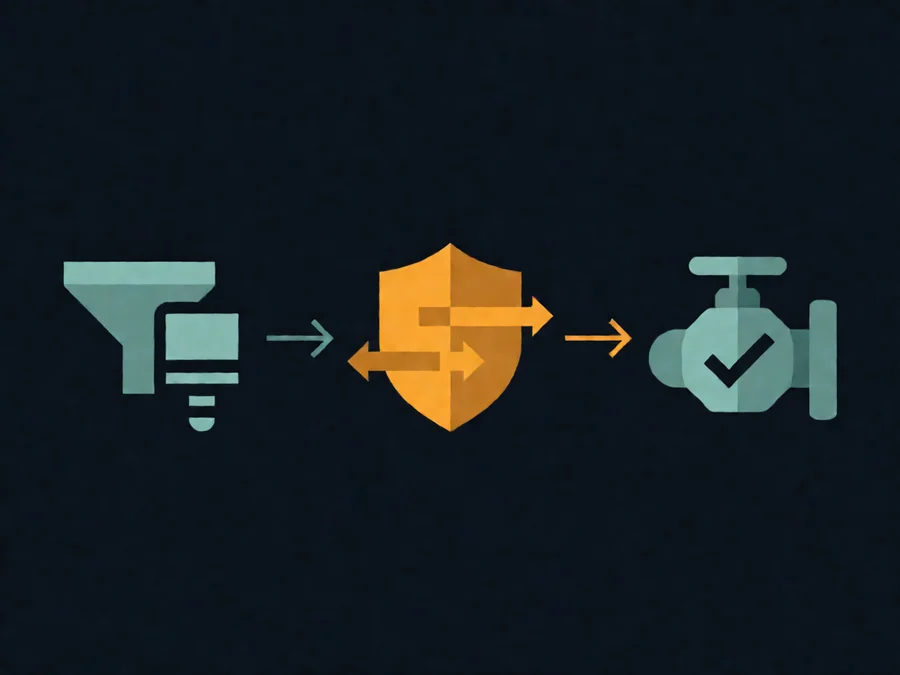
Effective data leak prevention requires defense in depth. No single layer catches everything, but together they create a system where leaks become unlikely rather than inevitable.
Layer 1: Input Filtering
The first line of defense is controlling what enters the agent system. Implement a pre-processing pipeline that scans incoming prompts for sensitive patterns–emails, phone numbers, API keys, internal URLs–before they reach the LLM. Use regex-based detectors combined with entity recognition models to catch both known patterns and semantic matches.
For high-sensitivity environments, consider a two-stage filter: a fast regex pass followed by a lightweight classification model. This catches obvious leaks without adding significant latency. Always log filtered content separately from main logs so you can audit what was blocked and why.
Layer 2: In-Flight Encryption and Scoping
Once data enters the agent, you must control where it can travel. Implement data scoping–a mechanism that tags each piece of information with a sensitivity level and restricts which tools and endpoints can access it. For example, an agent processing HR data should never send employee records to an external analytics tool, even if that tool is part of the normal workflow.
Use field-level encryption for data that must pass through untrusted channels. Instead of sending a plaintext customer ID, encrypt it before the LLM sees it and decrypt only after the agent produces the final output. This approach is common in healthcare and financial services where regulations like HIPAA or GDPR require strict data containment.
Layer 3: Output Sanitization
The final layer catches anything that slips through the earlier filters. Every piece of output leaving the agent system–whether it goes to a user, a log file, or another service–must pass through a sanitization pipeline. This pipeline should scan for the same sensitive patterns used in input filtering, plus any patterns that might have been generated by the LLM itself.
LLMs can produce surprising outputs. A model trained on public data might inadvertently reproduce an API key that appeared in its training set, or generate a realistic-looking internal URL based on patterns it observed. Output sanitization must account for both direct leakage and generative hallucination of sensitive content.
Practical Patterns for Common Leak Scenarios
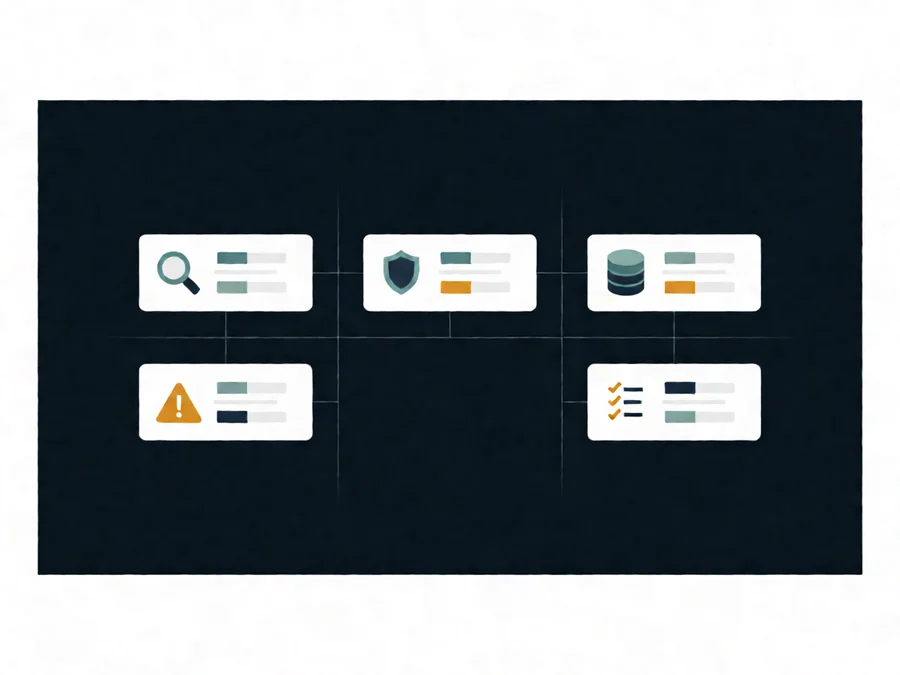
Understanding the theory is helpful, but production teams need concrete patterns. Here are the most common leak scenarios and their solutions.
Scenario 1: Log Leakage from Agent Tools
When agents call tools, the tool output often ends up in logs. A simple file-read tool that retrieves a config file might output an entire JSON configuration including database passwords. The fix is straightforward: wrap every tool call in a logging interceptor that masks sensitive fields based on field name patterns.
TOOL_MASK_PATTERNS = [
    r'(?:password|secret|key|token|credential)[_\\\\-]?',
    r'(?:db_|database_|mongo_|redis_)?(?:host|port|uri)',
    r'(?:api[_-]?key|auth[_-]?token)',
]
Apply these patterns with a regex substitution before writing any tool output to logs. Replace matched values with [REDACTED] instead of removing them entirely–keeping the structure visible helps debugging without exposing data.
Scenario 2: Third-Party LLM API Exposure
The biggest leak risk in most AI Agent deployments is the LLM API call itself. When you send a prompt to GPT-4, Claude, or any external model, that prompt and its context window travel over the internet and are stored by the provider. Even with enterprise agreements that promise data deletion, the data exists in transit.
The solution is context minimization. Before sending any prompt to an external LLM, strip all sensitive information from the context window. Keep only what the model absolutely needs to complete the task. If an agent needs to process a document containing PII, extract the relevant information locally first, then send only the extracted facts to the LLM–not the original document.
For particularly sensitive workloads, consider deploying a local LLM that processes data entirely within your infrastructure. Modern open-source models like Llama 3.1 or Qwen 2.5 can handle many agent tasks without any external API calls.
Scenario 3: Memory Contamination Across Sessions
Agent memory systems–whether vector stores, conversation histories, or persistent state–can become repositories of sensitive data that outlives the session that created it. A user might ask an agent to summarize a confidential document, the agent stores the summary in vector memory, and a subsequent user retrieves that summary without realizing it contains proprietary information.
Mitigate this with session-scoped memory. Assign each user session a unique memory namespace and ensure cross-session retrieval requires explicit authorization. Implement automatic TTL (time-to-live) policies that purge memory entries after a configurable period. And always include a data classification label on every memory entry so downstream consumers know the sensitivity level they’re dealing with.
Scenario 4: Error Message Information Disclosure
Error handling is a classic information leakage vector. When an agent fails, the error message might include the full prompt, tool arguments, or internal system paths. An attacker who triggers enough failures can piece together your system architecture from error messages alone.
The fix is a strict separation between developer errors and user-facing errors. Log the complete error with full context internally, but return a sanitized version to the user or calling system. Use an error translation layer that maps specific failure types to generic messages without revealing implementation details.
Monitoring and Detection: Catching Leaks Before They Become Incidents
Even with the best defenses, some data will escape. The question is whether you detect it before it causes harm. Implement continuous monitoring that watches for data leak indicators across your entire agent pipeline.
| Signal | Where to Watch | Action on Detection |
|---|---|---|
| Sensitive pattern in logs | Structured log aggregator | Alert + auto-redact in near real-time |
| Unusual prompt length | LLM API gateway | Flag for review; possible data exfiltration attempt |
| Cross-namespace memory access | Vector store audit logs | Block query + notify security team |
| Failed input filter bypass | Pre-processing pipeline | Reject request + log attempt |
| Error rate spike on specific endpoints | Service mesh / API gateway | Investigate for reconnaissance activity |
Deploy these monitors with a tiered alerting strategy. Low-severity signals generate dashboard alerts for the operations team. High-severity signals trigger immediate pages to the security team with full context about what data was involved and where it went.
Implementation Roadmap: From Zero to Production-Ready
If your agent system currently has no data leak prevention, here’s a practical roadmap for getting there without halting development.
Phase 1 (Week 1-2): Audit and baseline. Map every data path in your agent system. Where does user input go? Where does tool output go? What gets logged? What gets cached? Create a data flow diagram that shows every touchpoint. This alone will reveal more vulnerabilities than any scanning tool.
Phase 2 (Week 3-4): Input and output filtering. Implement the regex-based scanner described above. Start with the highest-sensitivity patterns first–API keys, PII, credentials. Add the two-stage filter if your latency budget allows it. Deploy output sanitization on all response paths.
Phase 3 (Week 5-6): Logging and memory hardening. Add the logging interceptor. Implement session-scoped memory with TTL policies. Set up the error translation layer. This phase closes the most common leak vectors in existing systems.
Phase 4 (Week 7-8): Monitoring and incident response. Deploy the monitoring checks. Build the alerting pipeline. Create an incident response runbook specifically for data leak events. Run a tabletop exercise to validate the process.
FAQ
Q: Do I need all three layers of defense, or can I skip any?
No. Each layer catches different categories of leaks. Input filtering stops known patterns before they enter. In-flight scoping prevents unintended data circulation. Output sanitization catches what the LLM generates. Removing any layer creates a gap that attackers or accidental misuse will exploit.
Q: How much latency does input filtering add?
A well-optimized regex-based scanner adds under 10ms to a typical prompt. A two-stage filter with a lightweight classifier might add 50-100ms. Compare this to the cost of a single data breach, which averages $4.45 million according to IBM’s 2024 Cost of a Data Breach report. The latency investment is negligible relative to the risk reduction.
Q: Can I use data leak prevention with existing agent frameworks like LangChain or CrewAI?
Yes. Both frameworks support middleware and hook patterns that let you insert filtering at any point in the agent pipeline. For LangChain, use custom tools with input validators or the CallbackHandler system. For CrewAI, override the tool execution methods to add sanitization layers. The patterns described here are framework-agnostic.
Q: How do I handle legitimate sensitive data that my agent needs to process?
This is where data scoping becomes essential. Your agent should have a clear data classification label on every input. If an input is marked confidential, only tools and models with matching clearance can access it. For high-sensitivity workloads, route those agents to local models or air-gapped infrastructure while keeping lower-sensitivity agents on cloud LLMs.
Q: What about regulatory compliance–do these patterns satisfy GDPR, HIPAA, or SOC 2?
These patterns form a strong foundation for compliance, but regulatory requirements vary. GDPR requires data minimization and purpose limitation, which input filtering and context minimization address. HIPAA requires strict access controls and audit trails, covered by scoping and monitoring. SOC 2 requires detection and response capabilities, addressed by the monitoring checklist. Always validate against your specific regulatory obligations with your compliance team.
Q: Should I use a dedicated DLP (Data Loss Prevention) tool instead of building this myself?
DLP tools like Netskope, Digital Guardian, or Forcepoint can handle network-layer detection, but they’re blind to application-layer logic. An agent might construct a seemingly innocuous prompt that encodes sensitive data in a way that bypasses signature-based DLP. The patterns here operate at the application layer, catching leaks that network DLP misses. For production systems, use both–DLP at the network perimeter and these patterns at the application level.
Q: How often should I retest my leak prevention?
Run automated DLP tests as part of your CI/CD pipeline. Every code change that touches the agent pipeline should trigger a test suite that injects sensitive test data and verifies it doesn’t leak. Additionally, conduct quarterly penetration testing with a red team that specializes in AI system security. LLM capabilities evolve rapidly, and new leak vectors appear as models gain more powerful tool-use and memory capabilities.
Conclusion
Data leak prevention in AI Agent systems isn’t a feature you add–it’s a foundation you build. The stochastic nature of LLM outputs means you can’t rely on traditional security assumptions. Sensitive data can appear anywhere: in logs, in third-party API calls, in generated text, in memory stores. The three-layer defense model–input filtering, in-flight scoping, and output sanitization–gives you systematic coverage across all these vectors.
Start with the audit. You can’t protect what you haven’t mapped. Then implement the phases in order, testing each one before moving to the next. The agents you deploy today are only as secure as the data practices you build around them. Make this your baseline, not an afterthought.
Ready to implement these patterns in your own systems? SmaugBrain provides enterprise-grade agent orchestration with built-in security controls, including context isolation, tool-level access policies, and automated audit logging. Start building safer agents today.