
AI Agent Prompt Engineering and Context Management: Building Reliable Systems
AI agents operate through a continuous loop of perception, reasoning, and action. At the heart of each decision lies a prompt—a carefully crafted instruction that guides the model’s behavior. But as agents grow more sophisticated, managing the ever-expanding context window becomes a critical engineering challenge.
This guide explores practical strategies for prompt engineering and context management in production AI agent systems. Whether you’re building a simple task automation agent or a complex multi-step workflow, these principles will help you maintain reliability, reduce costs, and improve response quality.
Why Prompt Engineering Matters for AI Agents
Unlike static chat applications, AI agents run continuously and interact with external systems. A poorly designed prompt can lead to cascading failures: the agent misinterprets a tool output, executes the wrong action, or enters an infinite loop. Prompt engineering for agents requires thinking about state, persistence, and recovery—not just single-turn conversations.
The Agent Prompt Hierarchy
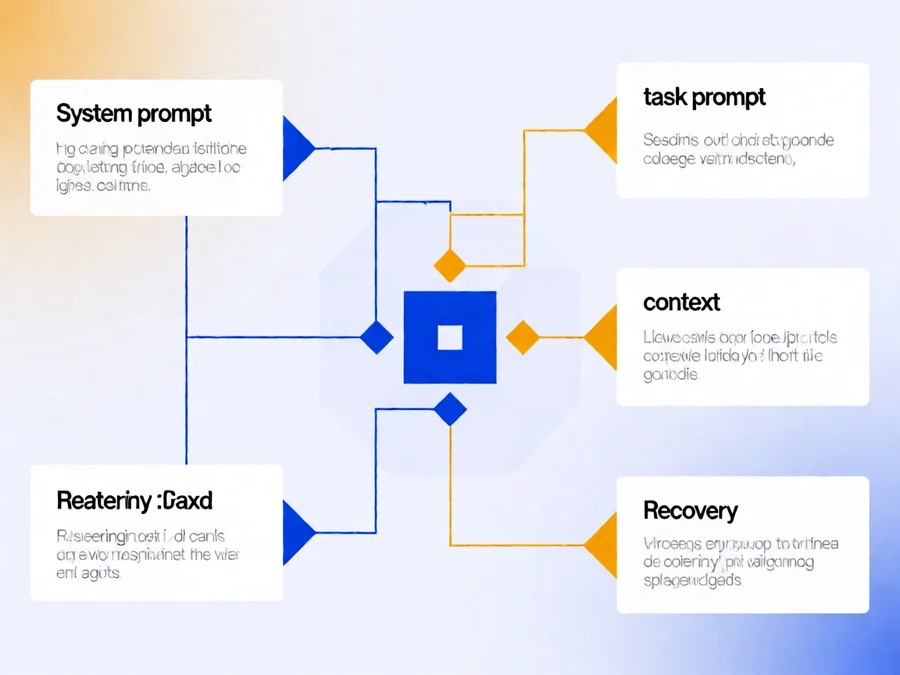
Production agent systems typically use multiple prompt layers:
- System prompts: Define the agent’s role, capabilities, and constraints. These remain constant across sessions.
- Task prompts: Describe the current objective. These change with each new request.
- Context prompts: Summarize relevant history, tool outputs, and decisions. These grow as the agent works.
- Recovery prompts: Guide the agent when errors occur or when resuming interrupted tasks.
Each layer serves a distinct purpose, and confusing them leads to fragile systems. System prompts should never contain task-specific variables. Context prompts should be regenerated, not appended indefinitely.
Managing Context Window Growth
The context window is your agent’s working memory. Unlike human memory, it has a hard limit measured in tokens. When context fills up, you must decide what to keep and what to discard. This decision directly impacts agent reliability.
Context Pruning Strategies

Different pruning strategies suit different scenarios:
| Strategy | When to Use | Risk Level |
|---|---|---|
| Recent-N sliding window | Simple tasks with linear progression | Low—loses old context but preserves recency |
| Summary-based compaction | Long-running tasks with clear milestones | Medium—summarization may lose details |
| Relevance scoring | Complex tasks with branching paths | High—requires accurate relevance model |
| Segmented memory | Multistep workflows with distinct phases | Low—keeps relevant segments, discards others |
The sliding window approach is simplest but often insufficient for complex agents. Summary-based compaction requires careful design to avoid losing critical decisions. The best systems combine multiple strategies, using sliding windows for recent interactions and summaries for older segments.
Token Budgeting
Effective context management requires explicit token budgets. Allocate tokens to different sections of your prompt:
- System instructions: 500–1,000 tokens
- Tool descriptions: 200–500 tokens per tool
- Context window: 2,000–8,000 tokens (varies by model)
- Output space: 500–1,000 tokens
Monitor token usage at runtime. When approaching limits, trigger proactive compaction rather than waiting for errors. Most agent frameworks provide token counters that integrate with pruning logic.
Prompt Templates and Variable Injection
Hardcoding prompts into code creates maintenance nightmares. Template systems separate structure from content, enabling reuse, testing, and dynamic variable injection.
Template Design Patterns
Production agent systems use structured templates with clear variable boundaries:
```
system_prompt = str.format(
    "You are an AI assistant specialized in {domain}.",
    domain="data_analysis"
)
```
Variables should be validated before injection. Malformed inputs can break prompt structure or introduce security vulnerabilities. Use parameterized templates, not string concatenation.
Error Recovery and Prompt Context
Agents fail. Tools return errors. External APIs become unavailable. How you handle failure in the prompt context determines whether the agent recovers gracefully or enters a failure loop.
Structured Error Handling in Prompts
Effective error handling requires clear classification and recovery paths:
- Explicit error classification: Distinguish between transient failures (retry), permission errors (abort), and validation errors (correct input).
- Recovery instructions: Define fallback behaviors for each error type.
- State preservation: Ensure error handling doesn’t lose context needed for recovery.
- Escalation triggers: Define when the agent should stop and alert a human.
Consider this error recovery pattern for production systems: when a tool fails with a transient error, retry once with adjusted parameters. If the second attempt fails, switch to a fallback tool. If all attempts fail, document the error and request human intervention rather than continuing with incomplete information.
Optimizing Prompt Output Format
Consistent output formatting enables reliable parsing and downstream processing. Structured outputs reduce ambiguity and make agent responses predictable.
JSON Schema Enforcement
Modern LLMs support JSON mode, but agents often need structured outputs for tool calls, database writes, or API requests. Define schemas explicitly and validate outputs before proceeding. This prevents malformed data from propagating through your system.
Validate outputs against schemas before passing them to tools. Reject malformed responses and request regeneration rather than proceeding with invalid data. Validation should check for required fields, correct types, and reasonable value ranges.
Testing Prompt Robustness
Prompt engineering isn’t complete without rigorous testing. Ad-hoc testing misses edge cases. Systematic evaluation catches reliability issues before they reach production.
Test Case Categories
| Category | Purpose | Example |
|---|---|---|
| Happy path | Verify correct behavior | Standard tool call with valid parameters |
| Error injection | Test recovery | Simulate API timeout, invalid response |
| Edge cases | Boundary conditions | Empty inputs, extremely long inputs |
| Adversarial | Security testing | Prompt injection attempts |
| Context stress | Memory limits | Maximum context window usage |
Automate these tests in your CI/CD pipeline. Run them on every prompt change. Track failure rates across deployments to catch regressions early. A single prompt regression can cause cascading failures in production, making automated testing essential.
Real-World Implementation Patterns
Production systems combine these techniques into cohesive architectures. Here are patterns that work:
Pattern 1: Modular Context Management
Separate context storage from prompt construction. Maintain a context store that tracks conversations, tool states, and decisions independently. The prompt builder queries the store and assembles the current context window on each turn. This separation enables selective retrieval, efficient pruning, and clean debugging.
Pattern 2: Progressive Disclosure
Don’t dump all context into every prompt. Start with high-level instructions and tool descriptions. Add detailed context only when relevant. This reduces token waste and keeps the agent focused on immediate objectives. Progressive disclosure also improves response quality by reducing noise in the context window.
Pattern 3: Context Checkpoints
Save compressed checkpoints at logical breakpoints—after task completion, before major decisions, or when switching contexts. Restore from checkpoints instead of reconstructing from raw history. This enables efficient recovery and reduces redundant context reconstruction. Checkpoints also provide natural save points for long-running workflows.
Frequently Asked Questions
How do I know when to prune context?
Monitor token usage relative to your model’s context limit. Trigger pruning when usage reaches 70–80% of the limit. Set thresholds based on your typical task complexity—longer workflows need earlier pruning to avoid hard limits during critical operations. Proactive pruning prevents sudden context overflow errors that can halt agent execution.
What’s the difference between system and task prompts?
System prompts define persistent behavior—your agent’s role, capabilities, and constraints. Task prompts describe the current objective. Keep system prompts stable; vary task prompts per request. Mixing them causes inconsistent behavior when context shifts. Think of system prompts as the agent’s personality and task prompts as the current mission.
Should I summarize old context or delete it?
Summarization preserves information density but loses detail. Deletion is cleaner but risks losing important context. Use summarization for sequential workflows where later decisions depend on earlier ones. Use deletion for independent tasks where only recent state matters. Hybrid approaches often work best.
How do I handle context overflow errors?
Implement graceful degradation: detect imminent overflow, trigger compaction, and retry. If compaction fails, fall back to a minimal prompt with just the most recent context. Log overflow events for analysis and adjust your pruning thresholds accordingly. Prevention is better than recovery.
Can I use the same prompt template for different users?
Yes, but parameterize user-specific aspects. Store user preferences, permissions, and history separately. Inject them into the prompt at runtime. This maintains consistency while supporting personalization. User-specific parameters should never override safety constraints defined in system prompts.
What’s the best way to test prompt changes?
Use a test suite with categorized examples covering happy paths, errors, edge cases, and adversarial inputs. Measure success rates before and after changes. Automate regression tests to catch unintentional breaks. Track metrics like response quality, token usage, and error rates across test runs.
Prompt Engineering Best Practices for Production
Beyond the technical mechanics, successful prompt engineering requires understanding how language models actually process information. The difference between a good and great prompt often comes down to subtle details in structure, clarity, and framing.
Clarity and Specificity
Vague prompts produce vague results. When writing prompts for agents, be explicit about expected behaviors, output formats, and constraints. Instead of “help the user,” specify “ask clarifying questions before proceeding” or “provide a step-by-step plan before execution.”
Include concrete examples where possible. Few-shot prompting—showing the model examples of desired inputs and outputs—significantly improves consistency. Store these examples in a dedicated examples section of your prompt template rather than embedding them directly in the system prompt.
Role Definition and Persona
Clear role definition helps the model understand its responsibilities. Specify the domain expertise level, communication style, and decision-making authority. For example, “You are a senior DevOps engineer with 10 years of experience troubleshooting production incidents” sets different expectations than “You are a helpful assistant.”
Consider whether your agent should have a personality. For customer-facing applications, a friendly tone may improve user experience. For technical documentation generation, a formal, precise tone may be more appropriate. Define this in the system prompt and maintain consistency throughout.
Advanced Context Management Techniques
As agent systems scale, simple context window management becomes insufficient. Advanced techniques enable agents to handle complex, multi-domain tasks while maintaining efficiency and reliability.
Dual-System Memory Architecture
Research in AI agent architecture suggests implementing dual-system memory, analogous to Kahneman’s System 1 and System 2 thinking. Short-term context serves as System 1—fast, automatic, and limited. Long-term memory stores enriched representations of past experiences, serving as System 2—slow, deliberate, and retrievable on demand.
This architecture allows agents to operate efficiently: routine decisions use cached patterns from long-term memory, while novel situations trigger deeper reasoning through the context window. The key is implementing efficient retrieval mechanisms that can surface relevant memories without overwhelming the active context.
Recursive Context Refinement
For extremely long conversations, implement recursive refinement: periodically generate compact summaries of earlier context, replacing raw conversation history with condensed representations. This preserves essential information while dramatically reducing token consumption.
Effective summarization requires careful design. Summaries should preserve: (1) final decisions and their rationale, (2) completed actions and their outcomes, (3) pending items and their status, (4) any constraints or preferences expressed by users. Information that doesn’t affect future decisions can be discarded.
Cost Optimization Through Prompt Engineering
Prompt engineering isn’t just about quality—it’s also a major cost lever. Token usage directly impacts operational expenses, especially for high-frequency agent deployments. Understanding how prompt design affects costs enables better budgeting and resource allocation.
Token-Efficient Prompt Design
Every token in your prompt contributes to cost. Efficient prompt design minimizes waste while preserving functionality. Strategies include: using concise language without ambiguity, removing redundant instructions, leveraging model capabilities rather than describing workarounds, and structuring prompts for optimal token utilization.
| Optimization Technique | Typical Savings | Complexity |
|---|---|---|
| Remove redundant instructions | 5–15% | Low |
| Use concise phrasing | 10–20% | Low |
| Leverage built-in model features | 15–30% | Medium |
| Implement context pruning | 20–50% | High |
| Use smaller models for simple tasks | 50–90% | Medium |
Model Selection Strategy
Different tasks benefit from different model sizes and capabilities. Reserve larger, more capable models for complex reasoning tasks. Use smaller, faster models for straightforward classification, extraction, or formatting tasks. This tiered approach can reduce costs by 70% or more for typical agent workloads.
Implement routing logic that directs tasks to appropriate models based on complexity, required reasoning depth, and latency constraints. Simple queries go to fast, cheap models. Complex multi-step reasoning routes to capable models. This dynamic routing optimizes the cost-quality tradeoff for each request.
Security Considerations in Prompt Engineering
As agents gain access to sensitive systems and data, prompt security becomes critical. Poorly designed prompts can enable injection attacks, privilege escalation, or data leakage.
Prompt Injection Defense
Implement multiple layers of defense against prompt injection: validate and sanitize all user inputs, separate instruction from data clearly, use structured input formats rather than free text, and monitor for suspicious patterns in agent behavior.
One effective technique is delimiter-based separation: wrap user inputs in clear delimiters that the model learns to treat as data rather than instructions. Another is output validation—verify that agent outputs conform to expected schemas before executing them.
Data Privacy and Confidentiality
Ensure that sensitive data doesn’t leak through agent outputs or get retained in contexts longer than necessary. Implement data classification policies that determine what information can be included in prompts, how long it can be retained, and when it must be purged.
For compliance-critical applications, consider using on-premises models or enterprise APIs with data processing agreements. Always audit what data flows through your agent system and implement appropriate access controls.
Building Reliable Agent Systems
Prompt engineering and context management are foundational to agent reliability. By designing modular systems, implementing robust pruning strategies, testing comprehensively, and optimizing for both quality and cost, you create agents that handle production complexity gracefully.
The techniques in this guide scale from simple automation to enterprise-grade workflows. Start with the basics—clear system prompts, appropriate context window management, and structured output validation. Then iteratively add sophistication: advanced pruning strategies, dual-system memory, cost optimization, and security hardening.
Ready to implement these patterns? Explore SmaugBrain’s agent platform for production-ready tools and frameworks.