
AI Agent Fallback Strategies: Building Resilient Systems for Production Failures
Every production AI agent system will encounter failures. External APIs return errors, models produce unexpected outputs, tools timeout, and network connections drop. The difference between systems that degrade gracefully and those that catastrophically fail often comes down to one thing: how well you’ve designed fallback strategies. Fallback strategies are your agent’s plan B, C, and D when the primary path fails. They include retry logic with exponential backoff, graceful degradation to simpler models, cached responses for redundant requests, alternative tool providers, and user-facing error handling that maintains trust even when things go wrong. This guide covers the practical patterns that production teams use to keep their agents reliable under adverse conditions.
Why Fallback Strategies Matter More Than You Think
Most AI agent deployments focus heavily on getting the happy path working. The agent calls the right tools, gets the correct responses, and produces the expected output. But production environments are noisy, unreliable, and unpredictable. External services you depend on experience outages. Model providers change pricing or capacity constraints. Network latency spikes during peak hours. Without fallback strategies, a single point of failure can cascade through your entire system. An API timeout becomes a user-facing error. A model rate limit halts all processing. A failed tool call leaves the agent in an inconsistent state with no way to recover. These failures erode user trust faster than any bug in your core logic. Well-designed fallback strategies don’t just prevent failures—they transform them into manageable degradation patterns. Users might experience slightly slower responses or simplified outputs during degraded mode, but they never see a complete system failure. Your agent continues operating, even if not at full capability.
Core Fallback Patterns for AI Agents
Successful production agents employ multiple fallback layers working together. Each layer handles a different failure mode and operates at a different severity level. Understanding these patterns helps you design systems that can handle everything from minor API hiccups to complete service outages.
Retry with Exponential Backoff
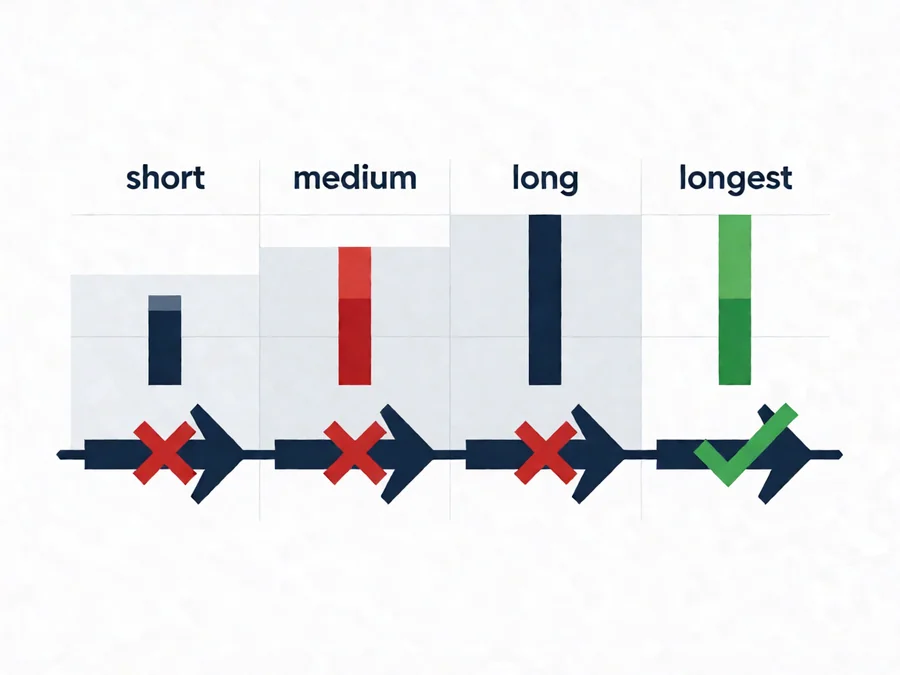
Retry logic is the simplest and most important fallback strategy. When a tool call fails due to transient network errors, rate limits, or temporary API unavailability, retrying with increasing delays between attempts resolves the majority of production issues. The key is implementing exponential backoff correctly: each retry waits longer than the previous one, reducing load on the failing service while giving it time to recover. Start with a base delay of 1-2 seconds, doubling with each attempt up to a maximum of 30-60 seconds. Limit total retries to 3-5 attempts before escalating. Always include jitter—random variation in the delay—to prevent thundering herd problems where all agents retry simultaneously and overwhelm the recovering service. Not all errors should trigger retries. Transient failures like 503 Service Unavailable, 429 Too Many Requests, and network timeouts warrant retrying. Permanent failures like 400 Bad Request, 401 Unauthorized, or 404 Not Found should fail fast and let the agent handle them directly. Distinguishing between transient and permanent failures prevents wasting resources on unrecoverable errors.
Graceful Degradation to Simpler Models
When your primary model is unavailable, rate-limited, or producing poor quality outputs, fallback to a simpler or cheaper model that can still provide useful results. This pattern works especially well when you have multiple model tiers available. A complex reasoning task might default to a capable model like GPT-4 or Claude 3 Opus, falling back to faster, cheaper models like GPT-4o-mini or Claude 3 Haiku when the primary is unavailable. Degradation doesn’t mean compromising on quality unnecessarily. Design your fallback chain so each tier can handle the core task adequately, even if less elegantly. The fastest fallback model should still produce coherent, useful output. Users notice when an agent returns gibberish or errors—they don’t notice when it takes slightly longer or uses a simpler reasoning path. Consider implementing quality gates alongside model tiering. If the primary model returns output below a confidence threshold, automatically fall back to a higher-quality model. This反向 pattern ensures you only downgrade when necessary, maintaining the best possible experience given current constraints.
Cached Responses for Redundant Requests
Caching is both a performance optimization and a fallback strategy. When identical or highly similar requests arrive repeatedly, cached responses eliminate the need to call external services repeatedly. During service degradation or outages, cached data provides continuity even when fresh computation is impossible. Implement semantic caching using embeddings to detect query similarity rather than exact matching. A user asking “How do I reset my password?” should receive the same cached response as “What’s the password recovery process?” The cache should store responses with appropriate TTLs—shorter for dynamic content, longer for stable reference material. Cache invalidation requires careful design. Stale cached responses are worse than no response because they mislead users while appearing authoritative. Implement drift detection: when underlying data or model behavior changes significantly, invalidate related cache entries proactively. Monitor cache hit rates and staleness metrics to tune your cache strategy.
Alternative Tool Providers
Critical tool integrations should have backup providers when possible. A search tool might fall back from one provider to another. Database connectors might switch between providers. Email services might route through different gateways during outages. This pattern requires abstracting tool interfaces behind consistent APIs so switching providers becomes transparent to the agent logic. Not every tool needs alternatives—only those critical to your agent’s core functionality. Adding fallback providers for every minor tool introduces complexity without proportional benefit. Focus on the 20% of tools your agent depends on for 80% of successful outcomes. Implement circuit breakers alongside provider fallbacks. When one provider shows consistent failures, mark it as unhealthy and route traffic to alternatives automatically. After a cooldown period, test the original provider to see if it has recovered. This prevents constant failover bouncing between unreliable providers.
User-Facing Error Handling
How your agent communicates failures matters as much as how it recovers from them. Users shouldn’t see technical error messages about API timeouts or model rate limits. Instead, provide clear, helpful messaging that explains what happened and what the system is doing about it. Implement progressive disclosure for error messages. Show users a brief explanation initially—”I’m having trouble accessing that resource, let me try a different approach”—then provide more detail if they request it. This maintains confidence while your agent implements fallback strategies behind the scenes. When all fallbacks are exhausted, fail gracefully. Return a partial response if possible, acknowledge the limitation honestly, and offer alternative assistance. Users forgive honest failures more easily than silent ones or false confidence in incorrect outputs.
Implementing Fallback Chains
Fallback chains coordinate multiple strategies into a single decision flow. When a primary action fails, the system evaluates which fallback to attempt next based on the failure type, severity, and current system state. Designing effective fallback chains requires understanding failure modes, defining clear escalation rules, and monitoring chain performance.
Failure Classification and Routing
Not all failures are equal. A rate limit error differs fundamentally from a connection timeout, which differs from a validation error. Classify failures by type, severity, and recoverability. Route each type to the appropriate fallback strategy. Transient failures—temporary network issues, rate limits, service unavailability—route to retry logic with exponential backoff. These are the most common failures and the most recoverable with proper retry strategies. Capacity failures—model timeouts, resource exhaustion, quota limits—route to graceful degradation or queue-based fallbacks. When primary capacity is unavailable, fall back to alternative models or defer processing until capacity returns. Validation failures—malformed inputs, permission errors, schema violations—don’t retry. These indicate user errors or configuration problems that won’t resolve automatically. Return clear error messages instead of wasting resources on doomed retries. Permanent failures—missing dependencies, deleted resources, discontinued APIs—route to alternative implementations or feature disablement. These failures require human intervention or architectural changes to resolve.
Fallback Chain Configuration
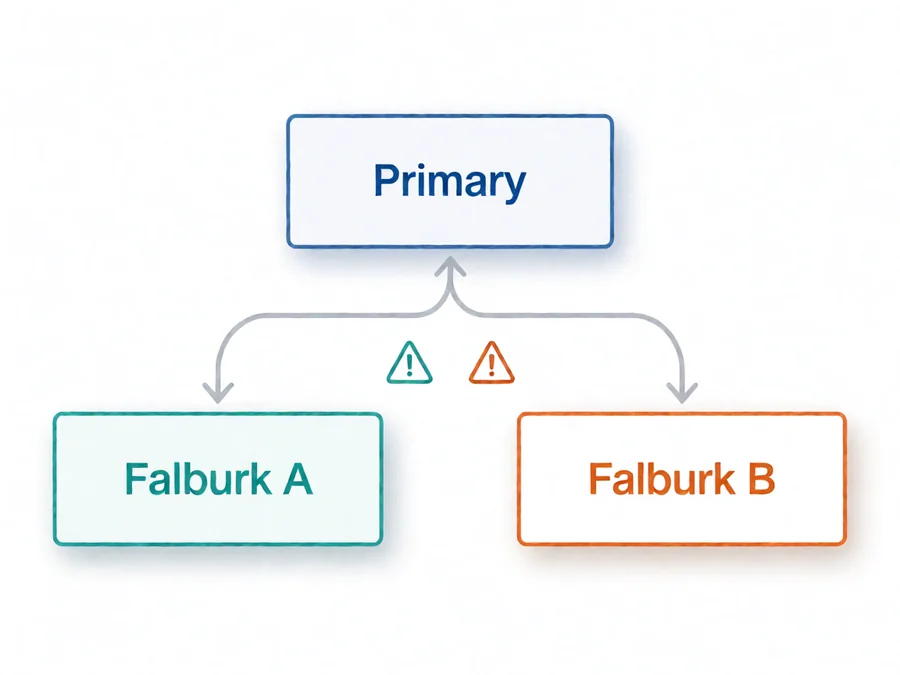
Define fallback chains explicitly in your agent configuration. Each chain specifies the primary action, potential failures, fallback options, and escalation rules. Make chains configurable so operators can adjust fallback behavior without code changes—different environments, user segments, or peak periods might need different fallback strategies. Implement chain timeout budgets. The total time spent across all fallback attempts should not exceed a defined limit. If primary and two fallback attempts consume 80% of your latency budget, you’ve failed to optimize fallback efficiency. Monitor fallback timing and adjust retry counts, backoff schedules, and degradation thresholds accordingly. Track fallback utilization metrics. Which fallbacks fire most frequently? Which failures are most common? Which fallback strategies recover successfully? These metrics reveal systemic issues worth addressing at the architecture level rather than treating symptoms with more fallback layers.
Monitoring Fallback Effectiveness
Fallback strategies create additional complexity that requires dedicated monitoring. You need to know when fallbacks trigger, how successful they are, and what impact they have on user experience. Without proper observability, fallbacks become black boxes that either work invisibly or fail catastrophically without warning.
Key Fallback Metrics
Track fallback trigger rates—the percentage of operations that require fallback strategies. High trigger rates indicate systemic reliability issues worth addressing at the root cause level. Low trigger rates suggest your fallback strategies are doing their job absorbing transient failures transparently. Measure fallback success rates—how often fallback strategies actually resolve the issue. Failed fallbacks should escalate immediately rather than consuming additional resources on doomed recovery attempts. Define clear escalation criteria and honor them consistently. Monitor fallback latency impact—how much slower do operations become when fallbacks engage? Degraded performance is better than total failure, but there’s a threshold beyond which degraded mode becomes unacceptable. Set latency budgets for fallback scenarios and alert when exceeded. Calculate fallback cost—what percentage of your total compute budget goes toward fallback attempts rather than primary operations? Excessive fallback usage indicates design flaws worth fixing rather than scaling around with more fallback infrastructure.
Alerting on Fallback Patterns
Configure alerts for abnormal fallback behavior. Sudden increases in fallback triggers might indicate upstream service degradation or misconfiguration. Failed fallback chains suggest systematic issues requiring immediate attention. Escalating fallback usage might signal that root cause fixes are needed rather than band-aids. Distinguish between expected and unexpected fallback patterns. Some fallback engagement is normal—transient failures happen. Alert when fallback patterns deviate from baselines or when fallback chains exhaust without resolution. Your alerting should catch emerging problems before they impact users significantly. Build fallback dashboards showing real-time fallback activity across your agent system. Visualize trigger rates, success rates, latency impacts, and cost distribution. These dashboards help operators understand system health at a glance and identify which components need attention.
Common Fallback Pitfalls
Designing fallback strategies is deceptively difficult. Teams often implement superficial fallbacks that look robust in testing but fail under real production conditions. Understanding these pitfalls helps you avoid common mistakes and build fallback systems that actually work when needed.
Over-Reliance on Retries
The most common fallback mistake is treating retries as a universal solution. Retries help with transient failures but waste resources on permanent ones. Excessive retries can also worsen outages by increasing load on struggling services. Implement smart retry logic that distinguishes failure types and limits retry attempts appropriately.
Ignoring Fallback State Consistency
Fallback strategies often operate on different systems or with different data states than primary paths. When falling back from one service to another, ensure data consistency across both systems. Inconsistent state after fallback creates corruption that’s harder to detect and repair than the original failure.
Adding Fallbacks Without Testing
Every fallback strategy should be tested thoroughly before relying on it in production. Test fallback triggering conditions, verify fallback execution succeeds, confirm state consistency after fallback, and measure user experience impact. Untested fallbacks are worse than no fallbacks—they create false confidence while failing silently under pressure.
Fallback Fatigue
Too many fallback layers create complexity that makes debugging difficult and introduces new failure modes. Each fallback layer adds latency, cost, and potential failure points. Start with minimal fallbacks that address the most common failure modes, then add complexity only when metrics justify it.
Building Your Fallback Strategy
Effective fallback strategies balance simplicity with resilience. Start by identifying your agent’s critical dependencies and failure modes. Design fallbacks for the 20% of failure scenarios that cause 80% of user-impacting problems. Implement measurable fallback paths with clear success criteria and escalation rules. Treat fallback strategy as a continuous improvement process. Monitor fallback usage, measure effectiveness, identify root causes for frequent failures, and iterate on your strategy. The best fallback systems evolve based on real production data rather than theoretical failure scenarios. Remember that the goal of fallback strategies isn’t to prevent all failures—it’s to make failures invisible to users when possible, manageable when not, and never catastrophic. Well-designed fallbacks let your agents continue operating gracefully under adverse conditions, maintaining user trust even when underlying systems struggle.
Frequently Asked Questions
What’s the difference between fallback strategies and error handling?
Error handling manages individual failures when they occur. Fallback strategies are proactive systems designed to prevent failures from reaching users in the first place. Error handling responds to problems; fallback strategies anticipate and absorb them. Both are essential, but fallback strategies typically provide better user experience by preventing visible failures entirely.
How many fallback layers should I implement?
Start with three layers: retry with backoff for transient failures, graceful degradation to simpler alternatives, and clear user-facing error messages when all else fails. Add more layers only when metrics justify them—when you observe specific failure patterns that your current layers don’t handle effectively. More layers don’t always mean better resilience; they often mean more complexity and harder debugging.
Should I implement fallbacks for all external dependencies?
No. Implement fallbacks for critical dependencies that directly impact core user workflows. Non-critical dependencies—analytics tracking, optional personalization, background sync—can fail without significant user impact. Focus your fallback strategy on the 20% of dependencies that matter most to user success.
How do I test fallback strategies without disrupting production?
Use chaos engineering techniques in staging environments. Intentionally fail external services, simulate network partitions, and create resource exhaustion scenarios. Monitor how your fallback strategies respond and identify gaps in your coverage. Regular fallback testing in controlled environments builds confidence before failures hit production users.
What metrics indicate my fallback strategy needs improvement?
High fallback trigger rates suggest systemic issues worth fixing at the root. Low fallback success rates indicate poorly designed fallback logic. Increasing fallback latency over time suggests compounding complexity. Rising fallback costs without corresponding user benefit indicate inefficient fallback strategies. Track all four metrics and investigate when they trend unfavorably.
Can fallback strategies introduce security risks?
Yes. Fallback providers might have different security postures than primary providers. Cached responses might expose sensitive data if not properly invalidated. Fallback logic might bypass security checks designed for primary paths. Audit all fallback paths for security implications and apply the same security standards across primary and fallback implementations.
Conclusion
Fallback strategies transform fragile AI agent systems into resilient production platforms. They don’t prevent failures—they manage them gracefully, protecting users from the internal chaos of distributed systems. The agents that survive in production aren’t those that never fail; they’re those that fail elegantly, continuing to serve users even when underlying components struggle. Building effective fallback strategies requires understanding your failure modes, designing appropriate responses, and measuring effectiveness continuously. Start simple, test thoroughly, and iterate based on real production data. The fallback system that serves you best is the one you learn to improve over time, not the one you design perfectly on day one. Your production agents deserve fallback strategies that make failures invisible to users. Invest in them now, before failures force you to build them under pressure. — This article is part of the SmaugBrain AI Agent operations guide. Explore our other resources on agent reliability, observability, and production deployment patterns. [[cta href=”https://www.smaugbrain.com/”]]Explore SmaugBrain[/cta]]