
AI Agent Observability Best Practices: Tracking, Debugging, and Improving Production Performance
As AI agents move from experimental prototypes to production workloads, observability becomes the difference between systems that scale and systems that silently fail. Unlike traditional software where execution paths are deterministic, AI agents introduce non-deterministic decision loops, multi-step reasoning chains, and external tool calls that create unprecedented debugging challenges.
This guide covers the practical patterns for building observable AI agent systems — the monitoring infrastructure, tracing strategies, and feedback loops that let you understand what your agent is doing, why it is doing it, and how to improve it over time.
Why Agent Observability Is Fundamentally Different
Traditional application observability tracks request flows through well-defined endpoints. An HTTP request enters your API, hits a database query, returns a response. The path is linear, the timing is predictable, and failures map to specific stack frames.
AI agents operate differently. A single user request might trigger a chain of tool calls, LLM reasoning steps, conditional branching, memory lookups, and human approvals — all with variable timing and potential for loops, retries, or stalls. Understanding agent behavior requires tracing across these multiple layers simultaneously.
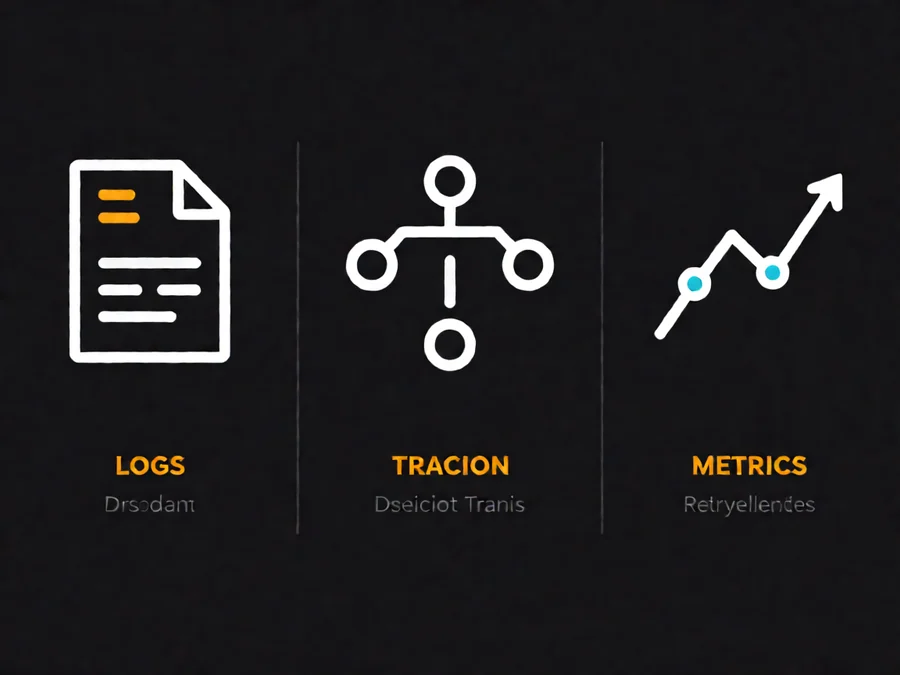
The Three Pillars of Agent Observability
| Pillar | What It Tracks | Key Questions Answered |
|---|---|---|
| Logs | Discrete events and state changes | What happened? When? In what order? |
| Traces | Call chains across tools and models | How did decision X lead to outcome Y? |
| Metrics | Aggregated performance and quality signals | Is the system improving or degrading over time? |
Each pillar addresses a different layer of understanding. Logs give you the timeline. Traces give you the causal graph. Metrics give you the trend lines. Together, they form the foundation for agent debugging and optimization.
Structured Logging for Agent Events
Effective agent logging requires structured output that captures both the action and the context. Raw text logs make retrospective analysis nearly impossible — you need machine-readable fields for correlation across services.
Essential Log Fields for Agent Systems
Every agent event should include these core fields:
- trace_id — Correlates all events within a single agent execution
- span_id — Identifies a specific operation within the trace
- parent_span_id — Links child operations to their parent context
- agent_id — Identifies which agent instance is executing
- event_type — Classifies the action (tool_call, llm_response, memory_lookup, human_approval)
- timestamp — ISO 8601 format with timezone
- latency_ms — Duration of the operation
- status — success, failure, timeout, cancelled
Log Levels and Severity Mapping
Not all agent events are equal. Map your log levels to operational significance:
| Level | Use Case | Action Required |
|---|---|---|
| DEBUG | Tool input/output, token counts | None — troubleshooting only |
| INFO | Step completion, state transitions | None — general tracking |
| WARNING | Retry attempts, latency spikes | Monitor — may indicate degradation |
| ERROR | Failed tool calls, LLM errors | Investigate — alert on patterns |
| CRITICAL | Agent stuck in loop, quota exceeded | Immediate action — may need manual intervention |
Warning and error levels should trigger automated alerts when they exceed defined thresholds. A single failed tool call is normal. Ten failed tool calls in one minute indicates a systemic issue.
Tracing Across Tool Calls and Model Responses
Span-based tracing gives you visibility into the execution graph of each agent run. Unlike distributed tracing for microservices, agent tracing must handle recursive patterns, conditional branching, and variable-length execution chains.
Span Lifecycle Management
Each agent operation creates a span with a clear lifecycle:
- Start — Span begins when the operation is initiated
- Attributes — Metadata added throughout execution (tool name, model, tokens)
- Events — Sub-events recorded within the span (input/output for tool calls)
- End — Span completes with status and duration
Handling Agent-Specific Patterns
Agent traces have unique characteristics that require special handling:
Recursive calls: Agents frequently call the same tool multiple times with different parameters. Each invocation gets its own span, but you should link them via a parent-child relationship or a shared iteration identifier.
Loop detection: If an agent enters a tool-calling loop, your tracing system should detect and flag it. Set a maximum span depth or iteration count, and mark spans that exceed these thresholds as anomalous.
Concurrent operations: Modern agents may execute multiple tool calls in parallel. Ensure your trace context propagates correctly across concurrent branches, and merge results when they converge.
Metrics That Actually Matter for Agent Performance
Metrics aggregation turns individual traces into actionable trends. The right metrics let you answer questions like “Are our agents getting faster?” and “Which tool calls are causing the most failures?”
Core Agent Metrics
| Metric | What It Measures | Target Threshold |
|---|---|---|
| Time to first token | LLM response latency | < 2 seconds |
| Tool call latency p99 | External dependency performance | < 5 seconds |
| Tokens per step | Context window efficiency | Depends on model |
| Steps per task | Agent reasoning efficiency | Monitor for regressions |
| Success rate by tool | Reliability of external integrations | > 95% |
| Cost per task | Economic efficiency | Track trend, not absolute |
Health Score Calculations
Combine multiple metrics into a composite health score for each agent deployment. Weight factors based on operational priority:
- Task success rate (40% weight)
- Average latency (25% weight)
- Error rate trend (20% weight)
- Cost efficiency (15% weight)
A declining health score often catches problems before they become user-visible failures. Set up automated alerts when the score drops below your threshold for consecutive evaluation periods.
Debugging Production Agent Failures
When an agent fails in production, you need to reconstruct what happened without reproducing the exact conditions. Effective debugging combines trace replay, state inspection, and hypothesis testing.
Trace Replay Workflows
Most production agent failures are reproducible with the same input but different timing or state. Use trace replay to:
- Extract the full trace for the failed execution
- Identify the specific span where things diverged from expected behavior
- Replay that span in isolation with the same inputs
- Compare outputs to determine if the failure is deterministic or transient
Common Failure Patterns
Agent failures cluster around predictable patterns. Understanding these helps you build better detection and recovery:
Loop of death: The agent enters an infinite tool-calling cycle without making progress. Detection: count iterations within a time window. Mitigation: set maximum iteration limits with graceful degradation.
Context overflow: The agent context window fills with tool outputs, leaving no room for reasoning. Detection: track token usage relative to model limits. Mitigation: implement context compression or summarization strategies.
Tool contract drift: External APIs change their response format, breaking agent expectations. Detection: monitor tool call success rates and parse error patterns. Mitigation: add input validation and fallback handlers.
Building Feedback Loops for Continuous Improvement
Observability is not just about detecting problems — it is about creating the data pipeline that enables continuous improvement. Every agent execution should generate signals that feed back into optimization.
Human Feedback Integration
When agents require human approval or correction, capture that feedback explicitly:
- Log approval/denial decisions with reasoning
- Record corrections to agent output
- Track time spent reviewing agent decisions
Over time, this feedback reveals which types of decisions require the most human oversight — information you can use to adjust autonomy levels or improve agent prompts.
A/B Testing Agent Configurations
Observability infrastructure enables rigorous experimentation. Deploy multiple agent variants, route traffic proportionally, and compare performance metrics to identify improvements:
| Variable | Test Hypothesis | Measurement |
|---|---|---|
| Prompt template | Structured prompts reduce errors | Success rate by template |
| Tool ordering | Critical tools first improves efficiency | Steps to completion |
| Memory strategy | Retrieval vs. full context affects quality | Task accuracy |
| Model selection | Larger models improve complex tasks | Cost-per-successful-task |
Practical Implementation Checklist
Before deploying an agent to production, verify your observability setup covers these essentials:
- [ ] Structured logging with trace_id propagation across all components
- [ ] Span-based tracing for every tool call and model inference
- [ ] Metrics collection for latency, tokens, costs, and success rates
- [ ] Alerting on error rate thresholds and loop detection
- [ ] Trace replay capability for production debugging
- [ ] Human feedback capture for approval workflows
- [ ] Dashboard visualization of key agent performance indicators
- [ ] Cost tracking and budget monitoring
Frequently Asked Questions
What is the minimum observability setup for a new agent?
Start with structured logging and basic metrics. You need trace_id propagation, timestamped events with action types, and counters for successful vs. failed operations. Add tracing and advanced metrics once you have production traffic that needs deeper investigation.
How do I handle PII in agent logs and traces?
Implement log sanitization at the instrumentation layer. Flag sensitive fields (personal data, credentials, tokens) and either redact them entirely or hash them before logging. Store raw inputs separately with access controls if you need them for debugging.
What tools work well for agent observability?
OpenTelemetry provides vendor-neutral instrumentation that integrates with most tracing backends. For specialized agent observability, consider LangSmith, LangFuse, or custom implementations using Prometheus for metrics and Jaeger or Tempo for tracing.
How many spans should I expect per agent task?
Typical tasks generate 10-50 spans depending on complexity. Simple lookups might have 5-10 spans, while multi-step workflows with conditional branches can exceed 100. Monitor for abnormal span counts — unusually high numbers often indicate loops or unnecessary retries.
Should I store complete traces for every execution?
Complete trace storage does not scale economically. Implement tiered retention: keep detailed traces for failed executions indefinitely, store successful traces for 7-30 days, and aggregate to metrics-only after that period.
How do I track agent costs in real-time?
Calculate token costs at the span level using your model provider pricing. Sum costs across all spans in a trace to get per-task expenditure. Set budget alerts at the session or user level to catch runaway costs before they compound.
What metrics indicate an agent needs prompt engineering?
High variance in steps-to-completion, frequent tool call retries with similar failures, and low success rates on specific task types often point to prompt issues. Compare metrics across similar tasks to identify patterns that suggest systematic improvements.
Next Steps for Building Observable Agents
Implementing agent observability is an iterative process. Start with the fundamentals — structured logs and basic metrics — then progressively add tracing, alerting, and feedback loops as your production requirements grow.
The investment pays off quickly. Teams with strong observability recover from production incidents 3-5x faster and build more reliable agents through data-driven optimization. Every hour spent debugging without traces is an hour you could have saved with proper instrumentation.
Ready to build more reliable AI agents? Explore SmaugBrain for enterprise-grade agent orchestration with built-in observability, monitoring, and continuous improvement tools.