
AI Agent Prompt Engineering and Context Management: Building Reliable Systems
For AI agents, context is everything. Unlike a human expert who can recall decades of experience, an agent’s “memory” is limited to the tokens it receives in a single interaction. If you feed it a textbook, it answers like a librarian. If you feed it a conversation transcript, it answers like a secretary. The quality of an agent’s output depends directly on two things: how well you engineer its prompts, and how intelligently you manage its context window.
In production environments—whether you’re building a SmaugBrain automation agent, a customer service chatbot, or an autonomous coding assistant—context management isn’t just a technical detail. It’s the difference between an agent that reliably solves problems and one that hallucinates, repeats itself, or silently fails. This guide covers the practical strategies for prompt engineering and context management that separate prototype agents from production-grade systems.
Why Context Management Matters More Than Model Size
There’s a common misconception that bigger models automatically produce better agent outcomes. While larger models with extended context windows (128K, 200K+ tokens) offer impressive raw capabilities, they don’t solve the fundamental engineering problem: relevant context beats volume.
Consider a production AI agent tasked with debugging a complex API integration. If you dump the entire API documentation, all previous error logs, and the full conversation history into the context window, you’re not helping the model—you’re drowning it. Studies in agent reliability show that after approximately 8,000-16,000 tokens of irrelevant context, model performance begins to degrade regardless of context window size. This is known as the “lost in the middle” phenomenon, where models attend less to information positioned in the middle of long contexts.
The most effective agents don’t maximize context usage—they minimize unnecessary context while maximizing signal-to-noise ratio. This requires deliberate prompt engineering at every layer: system prompts, user messages, tool descriptions, and few-shot examples.
Prompt Engineering Fundamentals for Agents
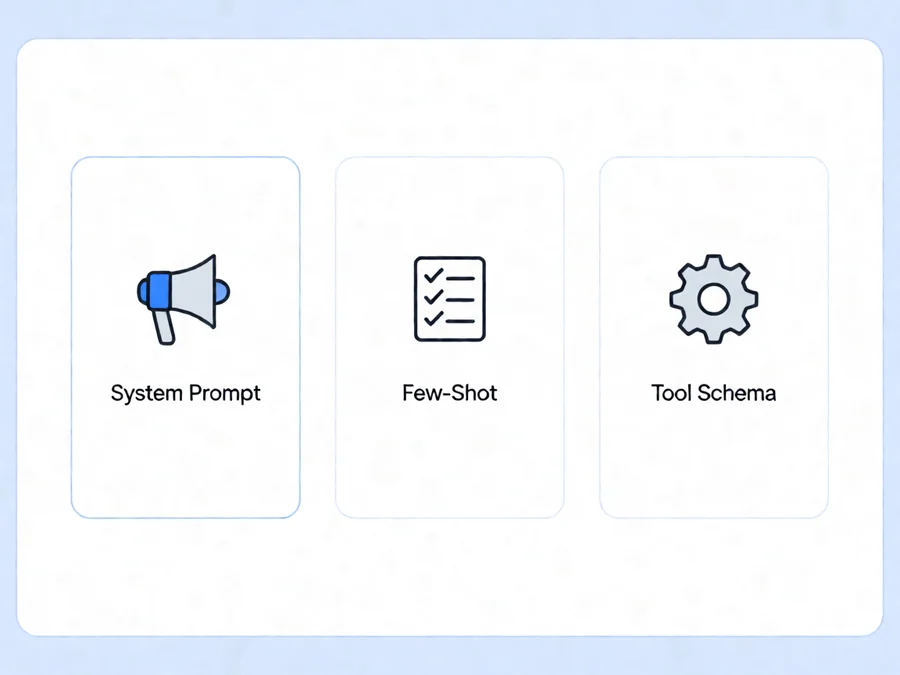
System Prompts: The Agent’s Constitution
The system prompt is the foundation upon which every agent interaction is built. It defines the agent’s identity, constraints, capabilities, and behavioral boundaries. Unlike chatbot conversations where the system prompt is an afterthought, production agents treat system prompts as critical infrastructure.
Effective system prompts share several characteristics:
- Role clarity: The prompt explicitly states what the agent is and isn’t. “You are a technical support agent for SmaugBrain, a cloud-based AI agent platform. You help users troubleshoot agent configurations, optimize workflows, and integrate external tools.”
- Constraint specification: Clear boundaries prevent scope creep and hallucination. “Never fabricate API endpoints. If you don’t know an answer, state that explicitly and suggest consulting the documentation.”
- Output formatting: Specify exactly how responses should be structured. This is critical when agents feed their outputs into downstream processes.
- Tool awareness: Describe available tools and when to use them. Tools should be presented as capabilities, not mere options.
One advanced technique is recursive prompt engineering, where the system prompt includes instructions for the agent to evaluate and refine its own approach before acting. This meta-cognition layer significantly improves reliability in complex scenarios.
User Messages: Precision Over Generosity
Every token in a user message consumes budget and contributes to context window pressure. Effective user prompts follow these principles:
Be Specific, Not Verbose
Vague prompts generate vague outputs. Compare:
Poor prompt: “Help me with my agent workflow.”
Effective prompt: “My SmaugBrain agent is failing when calling the Slack API. It returns error 401 after authentication. Review the attached configuration and suggest fixes.”
Structure Complex Requests
When requests involve multiple steps or components, structure them explicitly. Use numbered lists, JSON snippets, or clear separators. Agents process structured input more reliably than prose descriptions.
Provide Explicit Examples (Few-Shot Prompting)
When the desired output format is complex, provide 2-3 examples of ideal inputs and outputs. This “few-shot” approach dramatically improves consistency, especially for tasks like data extraction, code generation, or structured response formatting.
Tool Descriptions: Your Agent’s Vocabulary
In agentic systems, tools function as the agent’s vocabulary. Poor tool descriptions lead to tool misuse, redundant calls, or complete failure to invoke available capabilities. Each tool description should include:
| Element | Purpose | Example |
|---|---|---|
| Name | Unique identifier | search_knowledge_base |
| Description | When to use (1-2 sentences) | “Query the internal knowledge base for documentation, troubleshooting guides, and product information” |
| Parameters | Input schema with types | query (string, required), limit (integer, default 5) |
| Return format | Expected output structure | Array of result objects with title, content, relevance_score |
Context Window Strategies for Production Agents
The Token Economy: Budgeting Your Context
Every interaction has a finite token budget. Understanding how tokens are consumed helps you design more efficient systems:
Prompt tokens include the system prompt, conversation history, tool definitions, and the current user message. These are cached by most providers, meaning repeated system prompts don’t incur full costs on subsequent calls—but they still consume context window space.
Completion tokens are the agent’s output. Long, verbose outputs consume budget faster and increase latency. Design prompts that elicit concise, targeted responses rather than comprehensive essays.
Tool call tokens are often overlooked but significant. Each tool invocation includes the tool name, arguments, and result. Complex tool schemas with many optional parameters bloat the context without adding value. Keep tool interfaces minimal and focused.
Context Compression Techniques
When context windows fill up, compression becomes essential. Several strategies exist:
Summarization
Periodically summarize earlier conversation turns into concise recaps. This preserves essential context while discarding verbose details. Modern agents can use a separate, smaller model for summarization—keeping the primary model focused on current tasks.
Relevance Filtering
RAG (Retrieval-Augmented Generation) systems use vector embeddings to retrieve only relevant documents rather than loading entire knowledge bases. This is the single most impactful optimization for agents working with large knowledge sources.
Sliding Window History
For conversation-heavy agents, maintain only the most recent N turns in active context. Archive older conversations and retrieve them on-demand when the user references past interactions. This creates a “recency bias” that often aligns with user expectations anyway.
Memory Architectures: Beyond the Context Window
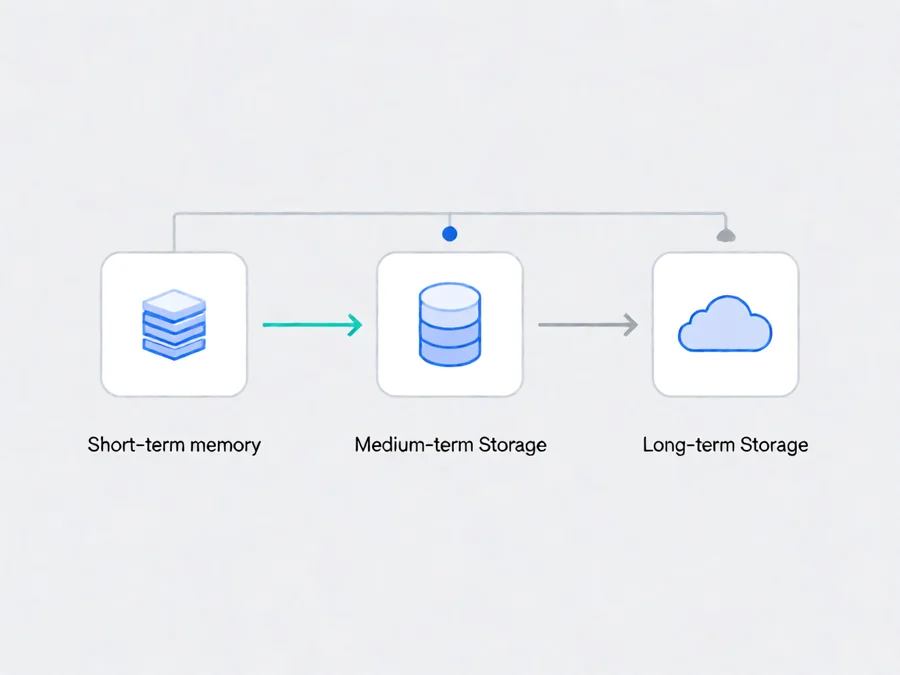
Production agents require memory systems that persist beyond individual conversations. Three memory types serve different purposes:
| Memory Type | Purpose | Storage Location | Example Use Case |
|---|---|---|---|
| Short-term | Current task state | Context window, ephemeral storage | Parameters collected during a multi-step workflow |
| Medium-term | Session history | Vector database, document store | Previous user interactions in a support session |
| Long-term | Persistent knowledge | Database, knowledge base | User preferences, learned behaviors, institutional knowledge |
Practical Implementation: Building a Context-Aware Agent
Implementing these concepts requires changes across your agent architecture. Here’s a practical approach used by production teams:
Phase 1: Audit Your Current Context Usage
Before optimizing, understand your baseline. Log every API call with token counts, context composition, and response quality metrics. You’ll likely discover that 60-80% of context is consumed by static content (tool definitions, system prompts) that doesn’t change between calls.
Phase 2: Modularize Your Prompts
Break monolithic prompts into modular components:
- Core identity module: Always-present system prompt defining role and constraints
- Task-specific module: Injected based on the current workflow or user intent
- Context module: Conversation history, retrieved documents, tool results
- Format module: Output structure requirements
Phase 3: Implement Dynamic Context Assembly
Instead of loading everything into every prompt, assemble context dynamically based on the current task. Use routing logic to determine which documents, tools, and historical context are relevant. This is the difference between a context window of 32,000 tokens and one of 4,000 tokens—with equivalent or better performance.
Phase 4: Monitor and Adapt
Set up telemetry for context window utilization, token costs, and response quality. Implement alerts when context usage exceeds thresholds or when response quality degrades—often a sign of context overload. Use this data to iteratively refine your prompt engineering and context management strategies.
Common Pitfalls and How to Avoid Them
Pitfall 1: The Everything-Button Approach
New agent builders often fall into the trap of including “everything” in the context—full documentation, all possible tool schemas, extensive conversation history. This bloats the context window, increases latency, and paradoxically reduces accuracy by diluting signal with noise.
Solution: Apply the principle of minimum viable context. Include only what’s necessary for the current task. Use dynamic retrieval for everything else.
Pitfall 2: Ignoring Tool Call Overhead
Each tool call adds tokens for the function definition, arguments, and result. Agents that make excessive tool calls—especially with large schemas—can consume their entire context budget on tooling alone.
Solution: Design tools for composition. Instead of five narrow tools, create fewer, more powerful tools that return structured data. Use tool result compression—summarize large responses before including them in context.
Pitfall 3: Assuming Bigger Windows Solve Everything
While 200K+ context windows enable impressive capabilities, they don’t automatically produce better agents. Models still struggle with relevance filtering in extremely long contexts, and the cost differential between 16K and 200K token windows is significant at scale.
Solution: Optimize your context usage first. Only upgrade context window size when you’ve exhausted optimization strategies and genuinely need the capacity. Often, a well-engineered 16K context outperforms a poorly managed 200K context.
Frequently Asked Questions
How do I know when my agent’s context is too long?
Signs of context overload include: increased hallucination rates, forgotten instructions from the system prompt, inconsistent tool usage, and response latency spikes. Monitor your token usage dashboard—if you’re consistently above 70% of your context window, optimization is needed.
Should I use RAG or fine-tuning for agent knowledge?
For most production agents, RAG is the superior choice. It provides up-to-date information without retraining costs, enables precise control over what the agent knows, and integrates naturally with context management. Fine-tuning is appropriate only for style, tone, or highly specialized domain adaptation that can’t be achieved through prompting.
How many conversation turns should I keep in context?
There’s no universal answer—it depends on your token budget and task complexity. As a starting point, keep the last 10-20 turns (or approximately 2,000-4,000 tokens of history) in active context. Summarize older turns and retrieve them on-demand when referenced.
What’s the difference between system prompts and few-shot examples?
System prompts define the agent’s persistent behavior and constraints—they’re included in every interaction. Few-shot examples are task-specific demonstrations of desired input-output patterns. Use system prompts for identity and rules, few-shot examples for format and style guidance.
Can I reduce costs while maintaining agent quality?
Absolutely. The most significant cost savings come from context optimization: smaller, more relevant contexts reduce token usage per call. Additional strategies include caching frequent responses, using smaller models for simpler tasks, and implementing early-exit patterns when the agent reaches sufficient confidence.