
AI Agent Performance Optimization: Benchmarks, Latency Reduction, and Throughput Scaling
AI agents are powerful, but performance matters. A slow agent costs more in tokens, frustrates users, and fails under load. Whether you are running one agent or a thousand, optimization is not optional — it is production discipline.
This guide covers what to measure, how to reduce latency, and how to scale throughput without breaking reliability. You will find practical patterns, not theory.
What to Measure Before You Optimize
Performance optimization without measurement is guessing. Before changing anything, establish baselines for the metrics that matter.
Key Metrics to Track
| Metric | Why It Matters | How to Measure |
|---|---|---|
| Time to first token (TTFT) | User-perceived latency | Log timestamp from request to first token |
| Tokens per second (TPS) | Throughput efficiency | Track token output over time windows |
| End-to-end latency | Total task completion time | Measure from user input to final output |
| Error rate | Reliability signal | Track 4xx/5xx responses and timeouts |
| Cost per task | Business impact | Sum token usage multiplied by pricing |
| Queue depth | Congestion indicator | Monitor pending requests in flight |
Instrumentation Basics
Add timing middleware to your agent pipeline. Log each phase:
- Input validation and preprocessing
- Tool selection and execution
- LLM inference calls
- Output parsing and formatting
- Response serialization
You do not need expensive APM tools at first. Simple structured logging with timestamps reveals bottlenecks faster than intuition.
Reducing Latency: The Fast Path
Latency kills user trust. Every second of wait time increases drop-off. Here are proven techniques to cut response times.
1. Stream Responses Early
Do not wait for the full response before sending data to the user. Stream tokens as they arrive. This makes the agent feel responsive even when the total completion time is long.
async for chunk in llm.stream(prompt):
    yield chunk.token
    yield chunk.delta
Streaming shifts perceived latency from completion time to first-token time. Users see progress immediately.
2. Cache Repeated Queries
Many agent requests repeat. Cache results for identical or near-identical inputs. Use semantic caching to match queries with similar intent, not just exact string matches.
Cache tiers work well in practice:
- Hot cache: In-memory store for the most frequent queries (TTL 5-15 minutes)
- Warm cache: Redis or similar for recent queries (TTL 1-24 hours)
- Cold cache: Database or vector store for historical queries (no TTL, indexed)
3. Reduce Tool Call Overhead
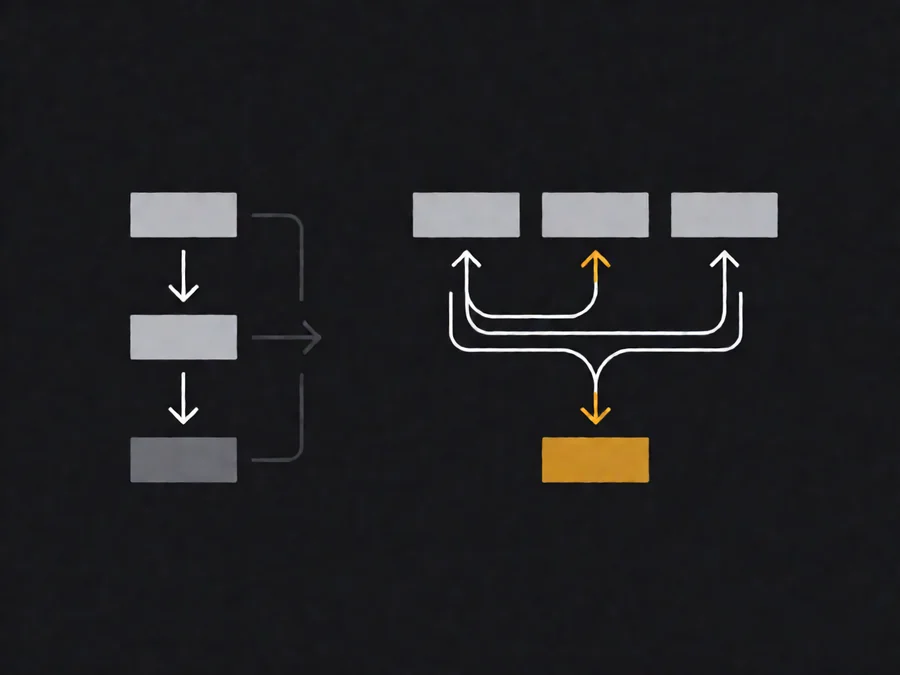
Each tool call adds latency. Batch independent operations. Parallelize where possible.
Instead of calling three tools sequentially:
tool_call_1 → result → tool_call_2 → result → tool_call_3 → resultCall them in parallel when dependencies allow:
tool_call_1 ──┐
tool_call_2 ──┼→ merge results
tool_call_3 ──┘
Conditional tool calls also help. Only invoke tools when the agent determines they are necessary, not on every turn.
4. Optimize Prompt Length
Longer prompts cost more and take longer to process. Trim unnecessary context. Use retrieval-augmented generation to fetch only relevant information instead of loading everything upfront.
Techniques:
- Chunk documents and retrieve only relevant sections
- Summarize long conversations into concise context
- Use system prompts for static instructions, not dynamic data
- Implement prompt compression for extended sessions
5. Use Faster Models for Simple Tasks
Not every request needs your best model. Route simple queries to smaller, faster models. Reserve large models for complex reasoning.
A practical routing strategy:
- Fast tier: Small model (under 1 second response) for classification, simple Q&A, routing decisions
- Standard tier: Medium model for most tasks
- Heavy tier: Large model for complex reasoning, code generation, multi-step planning
Measure the quality difference between tiers. Often the smaller model performs within acceptable bounds for routine tasks.
Scaling Throughput: Handling More Requests
Latency optimization helps individual requests. Throughput scaling helps your system handle more requests simultaneously.
Concurrency Control
Set explicit limits on concurrent agent executions. Unlimited concurrency leads to resource exhaustion, cascading failures, and degraded performance for all users.
Implement:
- Semaphore-based concurrency: Limit parallel LLM calls to a safe ceiling
- Request queuing: Buffer excess requests with fair scheduling
- Priority levels: Critical requests jump the queue; low-priority requests wait
Rate Limiting Strategies
Rate limiting protects your infrastructure and ensures fair usage. Apply limits at multiple levels:
| Level | Limit Type | Purpose |
|---|---|---|
| Per-user | Requests per minute | Prevent abuse, ensure fairness |
| Per-agent | Concurrent executions | Protect backend resources |
| Per-model | Tokens per minute | Manage LLM provider costs |
| Global | Total system throughput | Maintain service stability |

Load Testing Your Agent
Before scaling to production, validate your assumptions with load testing. Synthetic traffic reveals bottlenecks that real usage might miss.
Test scenarios:
- Baseline load: Normal expected traffic volume
- Peak load: 2-3x expected traffic for short bursts
- Stress test: Gradually increasing load until failure
- Soak test: Sustained load for hours to detect memory leaks
Track how latency, error rate, and resource usage change under each scenario. Document the breaking point.
Horizontal Scaling Patterns
When a single instance cannot handle the load, scale horizontally. Common patterns:
- Stateless worker pools: Each agent instance handles requests independently
- Sharded state: Distribute conversation state across multiple stores
- Leader-follower routing: Direct similar queries to the same instance for cache locality
- Auto-scaling groups: Dynamically add instances based on queue depth or latency
Stateless designs scale easiest. Minimize shared state. Use external stores for conversations and cache.
Common Pitfalls in Performance Optimization
Even experienced teams make the same mistakes. Avoid these.
Optimizing the Wrong Thing
Profiling reveals where time actually goes. Without profiling, you optimize based on assumptions. Assume nothing. Measure first.
A common pattern: developers optimize LLM call speed while the bottleneck is actually I/O waiting for external APIs. Fix the real bottleneck.
Caching Everything
Caching sounds good until you cache stale or sensitive data. Implement cache invalidation strategies. Set appropriate TTLs. Never cache personal data or financial information without encryption.
Ignoring Error Handling Under Load
Performance degrades gracefully until it does not. Design for failure. Implement circuit breakers, fallback responses, and graceful degradation. A slow but correct answer is better than a fast wrong one.
Over-Engineering Solutions
Start simple. Add caching only when you have evidence it helps. Implement complex routing only after measuring quality differences. Premature optimization wastes time and adds complexity.
Real-World Examples
Example 1: E-Commerce Support Agent
An e-commerce company runs an agent that answers customer questions about orders, returns, and products. Initial performance:
- Average response time: 8.2 seconds
- Peak load capacity: 15 concurrent users
- Cost per conversation: $0.45
After optimization:
- Average response time: 2.1 seconds (74% reduction)
- Peak load capacity: 150 concurrent users (10x improvement)
- Cost per conversation: $0.12 (73% reduction)
Key changes:
- Added streaming for immediate feedback
- Implemented semantic caching for product FAQs
- Routed simple queries to a small model
- Batched order status lookups
- Reduced prompt length by summarizing conversation history
Example 2: Code Review Agent
A development team uses an agent to review pull requests. Initial performance:
- Analysis time: 45 seconds per PR
- Error rate: 12% under concurrent load
- Monthly cost: $2,400
After optimization:
- Analysis time: 12 seconds per PR (73% reduction)
- Error rate: 2% under concurrent load
- Monthly cost: $680
Key changes:
- Parallelized file analysis instead of sequential processing
- Cached analysis results for unchanged files
- Used a smaller model for syntax checks, larger model only for semantic analysis
- Implemented request queuing with priority for critical PRs
Implementation Checklist
Use this checklist to systematize your optimization efforts.
- [ ] Instrument all agent phases with timestamps
- [ ] Establish baseline metrics for latency, throughput, and cost
- [ ] Identify the top three bottlenecks from profiling data
- [ ] Implement streaming for first-token responsiveness
- [ ] Add semantic caching for repeated queries
- [ ] Parallelize independent tool calls
- [ ] Implement model routing based on task complexity
- [ ] Set concurrency limits and request queues
- [ ] Add rate limiting at multiple levels
- [ ] Run load tests to validate capacity
- [ ] Document breaking points and recovery procedures
- [ ] Monitor performance continuously after deployment
Frequently Asked Questions
How do I know if my agent is fast enough?
There is no universal threshold. Study your users. If they abandon sessions before completion, your agent is too slow. Common targets:
- First token under 1 second
- Complete response under 5 seconds for simple tasks
- Complete response under 15 seconds for complex tasks
Can I optimize cost and performance simultaneously?
Yes, but not always linearly. Strategies that help both:
- Streaming reduces perceived latency without changing actual throughput
- Caching reduces both latency and token costs
- Model routing sends simple tasks to cheaper, faster models
Strategies that trade one for the other:
- Larger models improve quality but increase cost and latency
- More aggressive caching improves latency but may serve stale data
How much does caching actually help?
Depends on query repetition. In customer support scenarios, 30-60% of queries repeat within hours. Semantic caching can reduce LLM calls by 40-70% for those repeated patterns.
In creative or unique-request scenarios, caching helps less. Measure your repetition rate before investing heavily.
What is the biggest mistake teams make when scaling agents?
Running too many concurrent executions without limits. This overwhelms LLM providers, increases costs exponentially, and degrades latency for all users. Always set concurrency ceilings and monitor queue depth.
Should I use multiple models or just one?
Multiple models help when query complexity varies significantly. If all your requests are similar complexity, one well-tuned model may suffice. Measure quality differences across models before committing to a routing strategy.
Conclusion
Performance optimization is iterative. Start with measurement. Identify bottlenecks. Implement changes one at a time. Track results. Repeat.
The techniques in this guide — streaming, caching, parallelization, model routing, and concurrency control — address the most common performance issues. Apply them systematically. Document what works for your specific use case.
Your users will notice the difference. Your costs will decrease. Your system will scale.
For more guides on building production-ready AI agents, visit https://www.smaugbrain.com/.