
AI agent vs agentic workflow: what is the difference and when should you use each?
An AI agent is a model-driven worker that can choose actions, use tools, and adapt its next step from the result. An agentic workflow is the larger, controlled process around one or more such workers: it defines triggers, data flow, approvals, retries, and completion rules. Use an agent when a task requires bounded judgment; use an agentic workflow when that judgment must run reliably inside a business process.
The distinction matters because teams often buy or build an “agent” when their real problem is orchestration. A useful assistant that can classify an unusual support request does not, by itself, provide a safe way to route the request, protect customer data, request approval for a refund, and record what happened. Those controls belong to the workflow.
What is an AI agent?
An AI agent is software that uses an AI model to pursue a goal through one or more actions. In practice, it receives context, decides what to do next, calls an available tool, observes the result, and either continues or stops. Tool use might include searching a knowledge base, reading a ticket, calling an API, drafting a response, or asking a human for missing information.
That definition has a boundary. A chat interface that only produces text is not necessarily an agent, and neither is a fixed scheduled script. The model needs some controlled ability to select an action or change its path from evidence. OpenAI’s practical guide to building agents recommends starting with the smallest workflow that can solve the problem.
What an agent should own
- Interpreting messy but permitted input, such as a customer’s free-text request.
- Choosing a retrieval query or deciding which approved tool to call next.
- Summarizing evidence, drafting a recommendation, or assigning a confidence level.
- Escalating when evidence is missing, instructions conflict, or an action is outside its authority.
An agent should not quietly own identity checks, permission changes, payment release, retention policy, or irreversible production changes. It can prepare those actions and present the relevant evidence. A deterministic control or an authorized person should decide whether the action is allowed.
What is an agentic workflow?
An agentic workflow is a business or technical process that uses one or more agents alongside deterministic software. It specifies the event that starts work, the inputs an agent may see, the tools it may use, checkpoints, state storage, retry policy, human approvals, and the final system of record. The workflow can contain no agent at some steps and still be agentic overall because it puts model-driven judgment in a governed process.
Think of the workflow as the operating envelope. It limits what the agent can do and makes the outcome repeatable enough to inspect. Google’s agentic AI system design patterns similarly separates patterns for model-led reasoning from patterns for orchestration, evaluation, and operational control.
What the workflow should own
- Triggers, queues, deadlines, handoffs, and idempotency keys.
- Tool allowlists, credentials, policy checks, and data minimization.
- Human approval gates for money movement, external communications, access changes, and destructive operations.
- Retries, fallbacks, logging, quality checks, and a clear terminal state.
This division is not bureaucracy for its own sake. Model output varies with context and can be wrong in plausible ways. A workflow creates a place to verify a result before it reaches a customer, a database, or an external system.
AI agent vs agentic workflow: comparison table
| Question | AI agent | Agentic workflow |
|---|---|---|
| Primary job | Reason about a bounded task and select a next action. | Run an end-to-end process with controls around the agent. |
| Control flow | Partly model-selected within a tool and instruction boundary. | Mostly explicit, with model-selected steps where judgment helps. |
| State | Conversation, task context, and short-lived working memory. | Durable job state, audit trail, approval status, and system records. |
| Failure handling | May ask for clarification or choose another permitted tool. | Retries transient errors, routes exceptions, and stops unsafe work. |
| Best fit | Ambiguous classification, evidence synthesis, and drafting. | Customer operations, internal service delivery, and production automation. |
| Accountability | Produces a recommendation or an allowed low-risk action. | Records who or what approved, executed, and verified the outcome. |
When an AI agent is enough
An agent alone can be enough when the result is advisory, easily reversible, and reviewed in the same interface where it is produced. Examples include a research assistant that returns source links, a meeting-note assistant that produces a draft, or an internal support assistant that suggests a troubleshooting path. In these cases, the agent saves time but does not become the final authority.
Even here, give the agent a narrow toolset. A support assistant may search approved documentation and create a draft ticket, but it does not need direct permission to modify user accounts. Start with read-only tools where possible and expose write tools only after you can measure the quality of the recommendations.
When you need an agentic workflow
Build an agentic workflow when the work crosses systems, has a material business impact, or must finish predictably without someone watching the chat. Common signals include a customer-facing message, a production write, regulated data, a deadline, a cost threshold, or a need to prove why a decision was made.
Consider an accounts-payable inbox. An agent can read an invoice, extract fields, compare it with a purchase order, and explain discrepancies. The workflow checks the sender, validates fields, applies a spending rule, requests approval above a threshold, and posts approved records with an audit trail. A single autonomous agent would make that process harder to audit.
A practical decision test
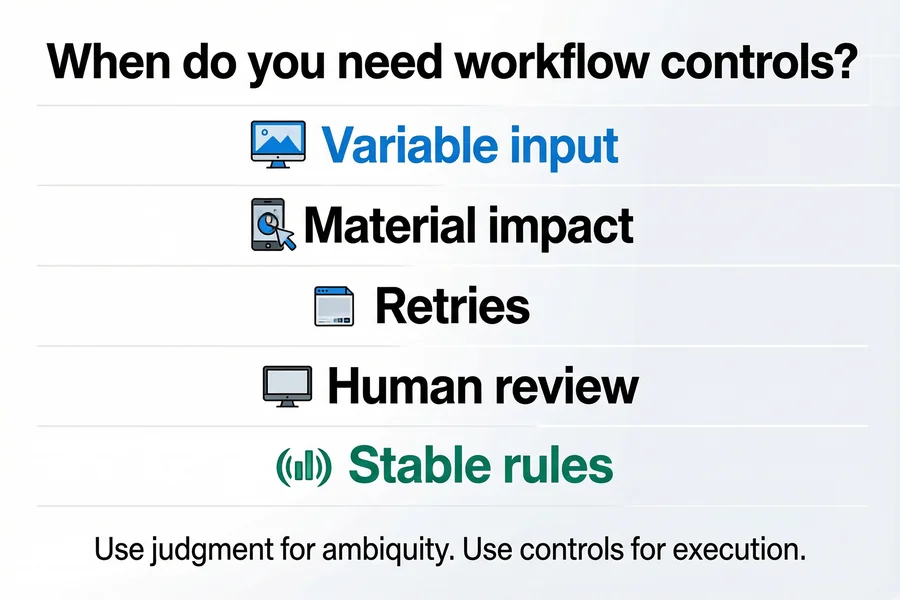
Answer these questions before deciding how much agent behavior to introduce. A “yes” in the right column generally means the task needs workflow controls, even if an agent performs part of it.
| Decision question | If yes | Recommended design |
|---|---|---|
| Does the task require interpreting variable language, documents, or exceptions? | Rules alone will be brittle. | Use an agent for the interpretation step. |
| Can a wrong output send a message, change a record, spend money, or expose data? | There is material impact. | Put the agent inside a workflow with policy checks and approval. |
| Must the job survive retries, restarts, duplicate events, or delayed responses? | Durable execution matters. | Use a workflow engine or queue with persisted state. |
| Can a human review the result before execution without losing the benefit? | Review is practical. | Start in draft or approval mode. |
| Are inputs stable and decisions fully predictable? | There is little need for model judgment. | Use traditional automation instead of an agent. |
The last row is the one teams miss. A fixed nightly export, a mandatory-field validation, or a known API transformation does not become better because an LLM is involved. Traditional automation is cheaper to test and easier to explain when the rules are stable. For a closer look at that boundary, see how to choose between an AI agent and RPA.
How to design an agentic workflow in six steps
1. Define the decision, not a vague ambition
Write down the exact decision the agent may make. “Resolve support tickets” is too broad. “Classify an incoming request as billing, access, or technical support and draft the next response” is testable. Define the allowed tools, required evidence, and a stop condition at the same time.
2. Separate judgment from execution
Let the agent return a structured recommendation: category, confidence, evidence links, proposed action, and reason for escalation. A deterministic service should validate that shape, enforce policy, and perform any approved write. This pattern makes it easier to change the model without changing the operational controls.
3. Set authority by action, not by job title
Give different actions different requirements. Reading a public knowledge base may be automatic. Sending an external email may require a confidence threshold and a template. Issuing a refund or changing an entitlement should require an explicit approver. The relevant question is what the action can affect, not whether the agent has performed similar tasks before.
4. Treat tool results as untrusted input
Documents, web pages, and API fields can contain instructions that conflict with the task. Keep untrusted content separate from system instructions, validate tool arguments against a schema, and restrict tools to the minimum scope. The OWASP prompt injection guidance explains why retrieved text must not be treated as authority.
5. Design failures before the happy path
Specify what happens when a tool times out, a downstream system returns a duplicate event, a required field is missing, or the agent’s confidence is low. Retrying a network request may be fine; retrying a payment submission without an idempotency key is not. Record the run identifier and the external action identifier so the workflow can resume safely.
6. Evaluate the full path, not only the model response
Test representative cases, adversarial inputs, tool outages, and policy edge cases. Measure whether the final result is correct, whether the agent used permitted tools, whether approvals occurred when required, and whether the workflow stopped safely. SmaugBrain’s AI agent evaluation guide covers test sets and regression acceptance in more detail.
Example: turning a support agent into an agentic workflow
A basic support agent takes a customer message and drafts an answer. That can be useful, but it leaves several practical questions open: Was the customer authenticated? Is the answer based on current documentation? Does the message request an account change? Was the message actually sent?
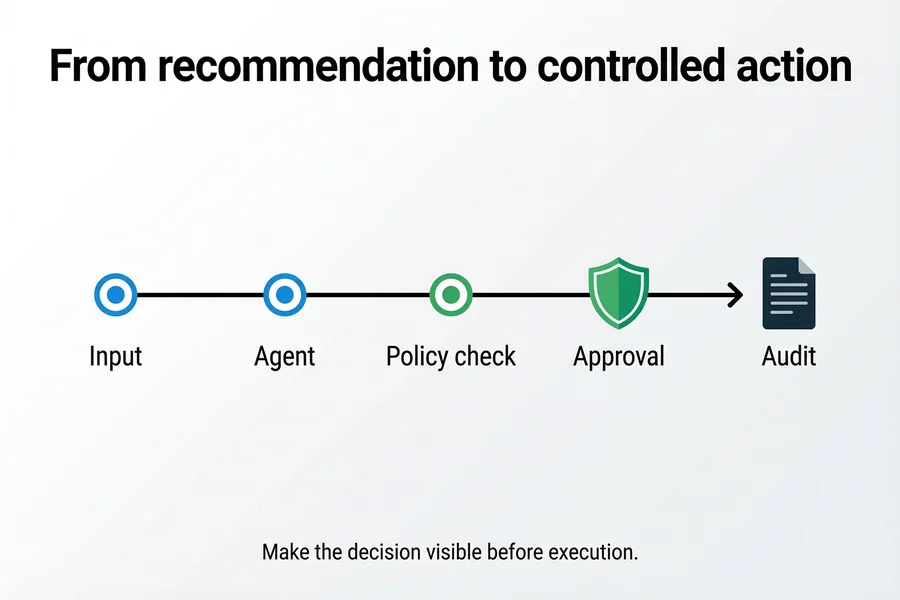
A controlled workflow can handle the same request in this order:
- Receive the ticket and assign a durable job ID.
- Fetch only the customer and product context that the policy allows.
- Ask the agent to classify the request and produce a cited draft.
- Validate the output schema and check the requested action against policy.
- Send low-risk replies through an approved template, or route higher-risk cases to a human.
- Log the outcome and retain the evidence needed for later review.
The agent still does the part that benefits from language understanding. The workflow makes the result operational.
Common design mistakes
Do not give an agent a broad tool set because it may be useful later. Every tool expands the action surface and makes evaluation harder. Use code for validation, routing, limits, and policy enforcement; let the model interpret evidence or make a bounded recommendation. A successful model response is also not proof that a job succeeded. Confirm the downstream system accepted the request and that duplicate events did not create an extra effect.
Do not introduce autonomy before there is an evaluation set. Run in draft mode, collect real examples, and review the errors. Move a narrow action to automatic execution only when the expected error cost, detection method, and rollback path are understood. For approval-specific controls, see AI agent approval workflows.
Where SmaugBrain fits
SmaugBrain is most useful where a team needs an agent to work across approved tools while keeping the work visible and controllable. A practical rollout begins with a narrow task, explicit permissions, and a review path. Keep the workflow logic outside the prompt: define the trigger, tool boundary, records, and approval rule in the surrounding system. Learn more at SmaugBrain.
FAQ
Is every workflow that uses an LLM an agentic workflow?
No. A workflow that sends a fixed prompt to an LLM and stores the output may be AI-assisted automation. It becomes agentic when the model can make bounded choices, use tools, or influence the next step under defined controls.
Can an agentic workflow use more than one AI agent?
Yes, but multiple agents are not automatically better. Split work only when the responsibilities, inputs, and handoffs are clear. A single agent with a limited tool set is usually easier to evaluate and operate at the start.
Should an AI agent be allowed to send customer emails automatically?
It can be appropriate for low-risk, well-tested message types with clear templates and monitoring. For account changes, sensitive data, legal commitments, or escalations, require review or a stronger policy check before sending.
Do agentic workflows replace RPA?
No. RPA remains a good fit for stable, rule-based tasks. An agentic workflow can call traditional automation for deterministic steps and use an agent only where language, documents, or exceptions require judgment.
How do you know if an agent should have memory?
Store only information that improves a defined future decision and has an owner, retention rule, and correction path. Do not treat memory as a general archive of every conversation or tool result.
What is the safest first deployment pattern?
Use a read-only or draft-producing agent inside a workflow that logs inputs, outputs, tool calls, and reviewer decisions. Build an evaluation set from that work before enabling a narrow, reversible automatic action.
Takeaway
An AI agent contributes judgment within a constrained task. An agentic workflow makes that judgment useful in production by defining the control flow, permissions, approvals, retries, and records around it. Start with the smallest model-driven decision that has a real benefit. Keep execution controls explicit, and use traditional automation wherever the rules are already stable.